54
5. Perform test marking from PC in PC control mode.
Set the work to be marked and adjust the distance between the laser marker and
the work.
Set the distance from the lower surface of the scanning unit of the head to the surface of the work to
be marked at 145mm.
Set the shutter lever to “CLOSE”.
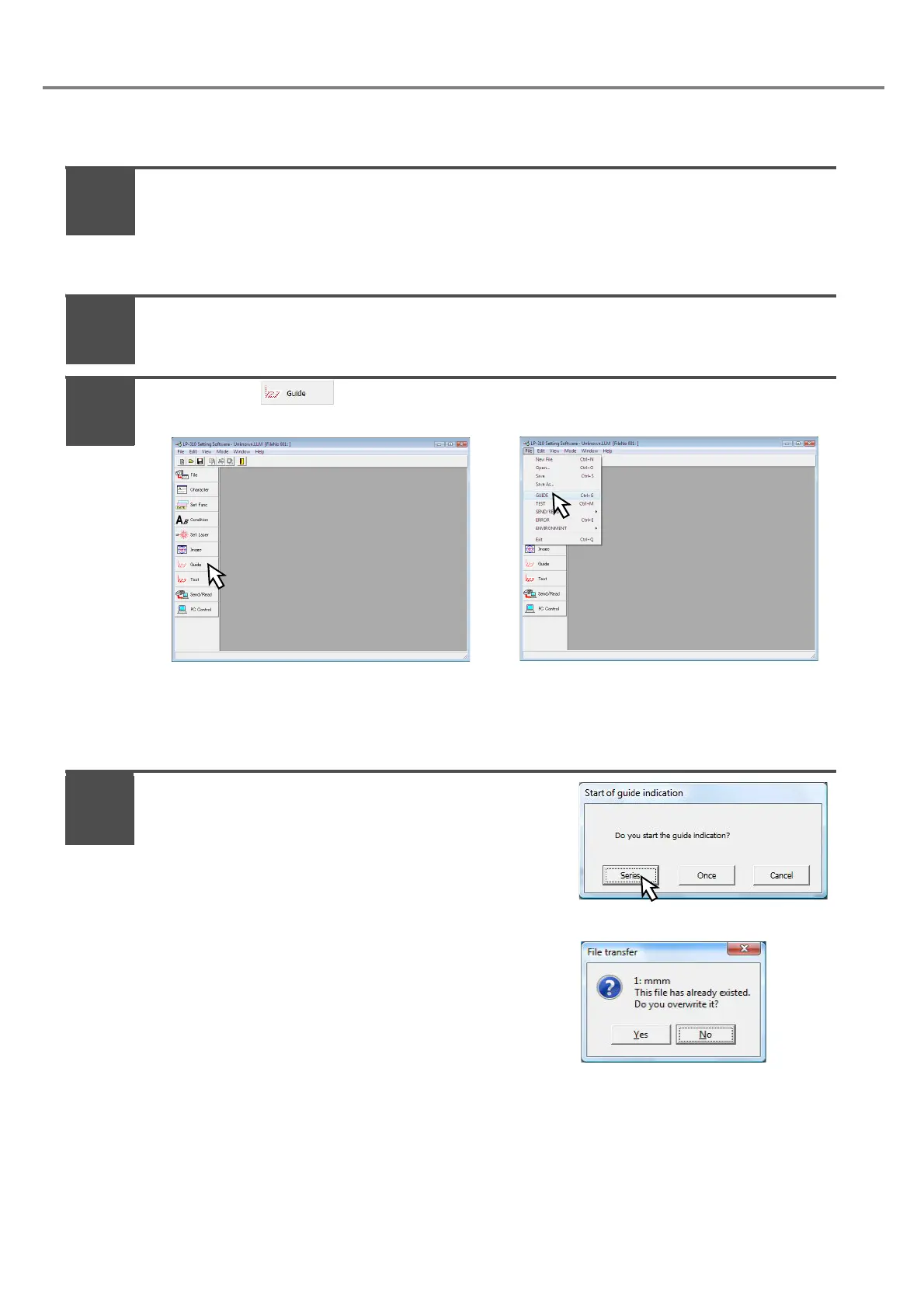
Press either (Fig. A) or pull down “File” - “GUIIDE” (Fig. B).
If the shutter is in OPEN state, the dialog notifying that the shutter is already in OPEN state is
appeared. Click “OK”, set the shutter into “CLOSE”, and then select either procedure A or procedure
B.
Press “Series” on the [Start of guide indication]
dialog box.
Here the guide indication is activated in “Series” with the
laser marker.
If the file No. under editing on PC is also existed on the head,
the overwriting confirmation dialog box shown in the right fig-
ure is displayed. (If the same file No. is not existed in the head,
the overwriting confirmation dialog box is not displayed.)
1
2
3
4



 To Next Page