55
When selecting “Yes”, the file is transferred to the
laser marker, and the guide indication with red
laser is started.
Adjust the marking position by moving the work to be
marked or other method.
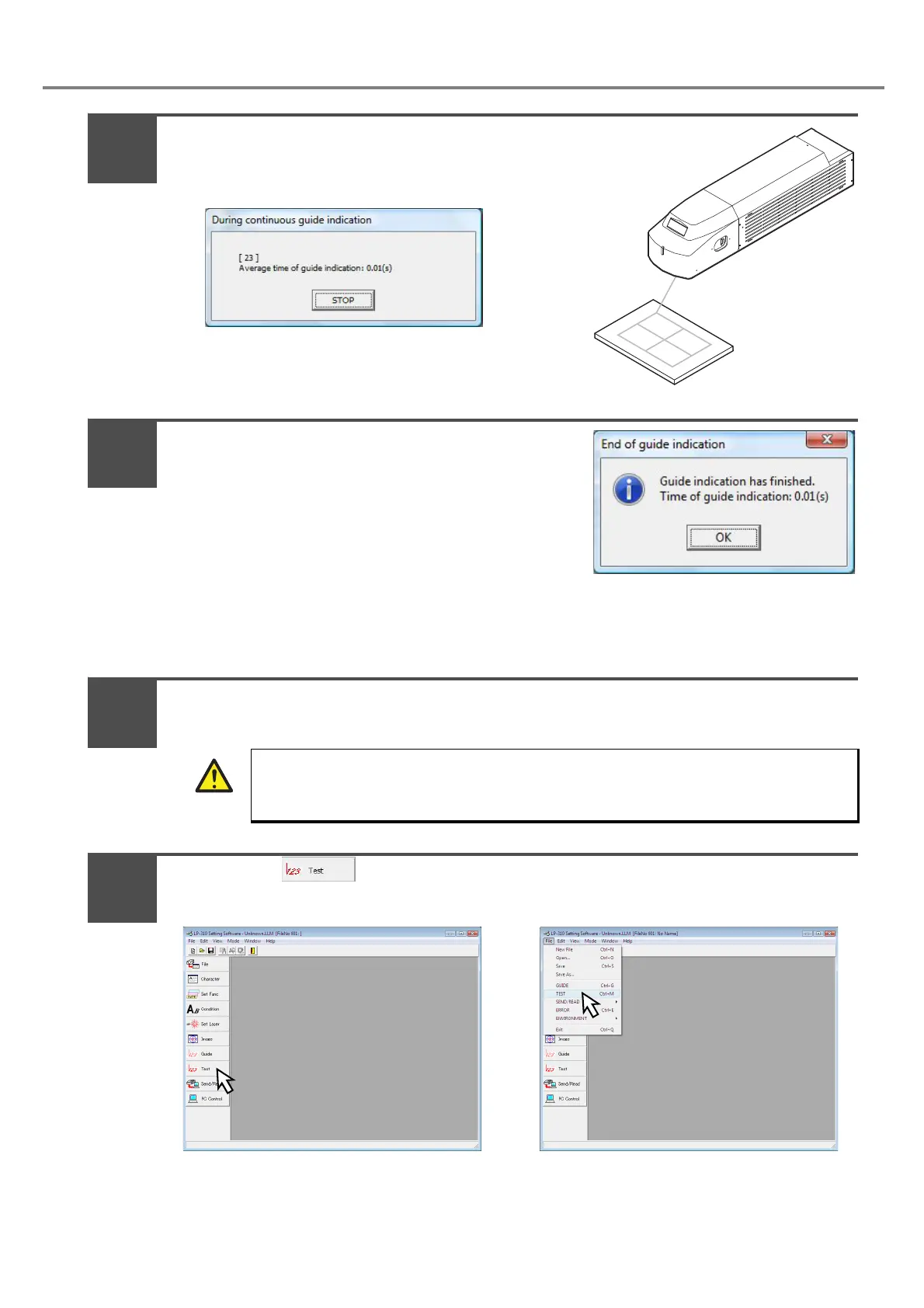
When clicking the “STOP” button, the dialog box
shown in the right figure is displayed.
After completing the guide indication, the dialog box “During continuous guide indication” is closed,
and the “End of guide indication” dialog box is displayed. Besides, the time of guide indication is
displayed.
Set the shutter lever to “OPEN”.
Press either (Fig. A) or pull down “File” - ”TEST” (Fig. B).
If the shutter is in CLOSE state, the dialog that notifies the shutter is already in CLOSE state is
appeared. Click “OK”, set the shutter into “OPEN”, and then select either procedure A or procedure
B.
The laser is radiated. Be sure to use the protection goggle and enclosure while working.
ABCD
WARNING
5
6
7
8



 To Next Page