72
a. Input date function character.
Refer to “3-4-2 Setting of Expiry Date Function” (P.105) for detail setting.
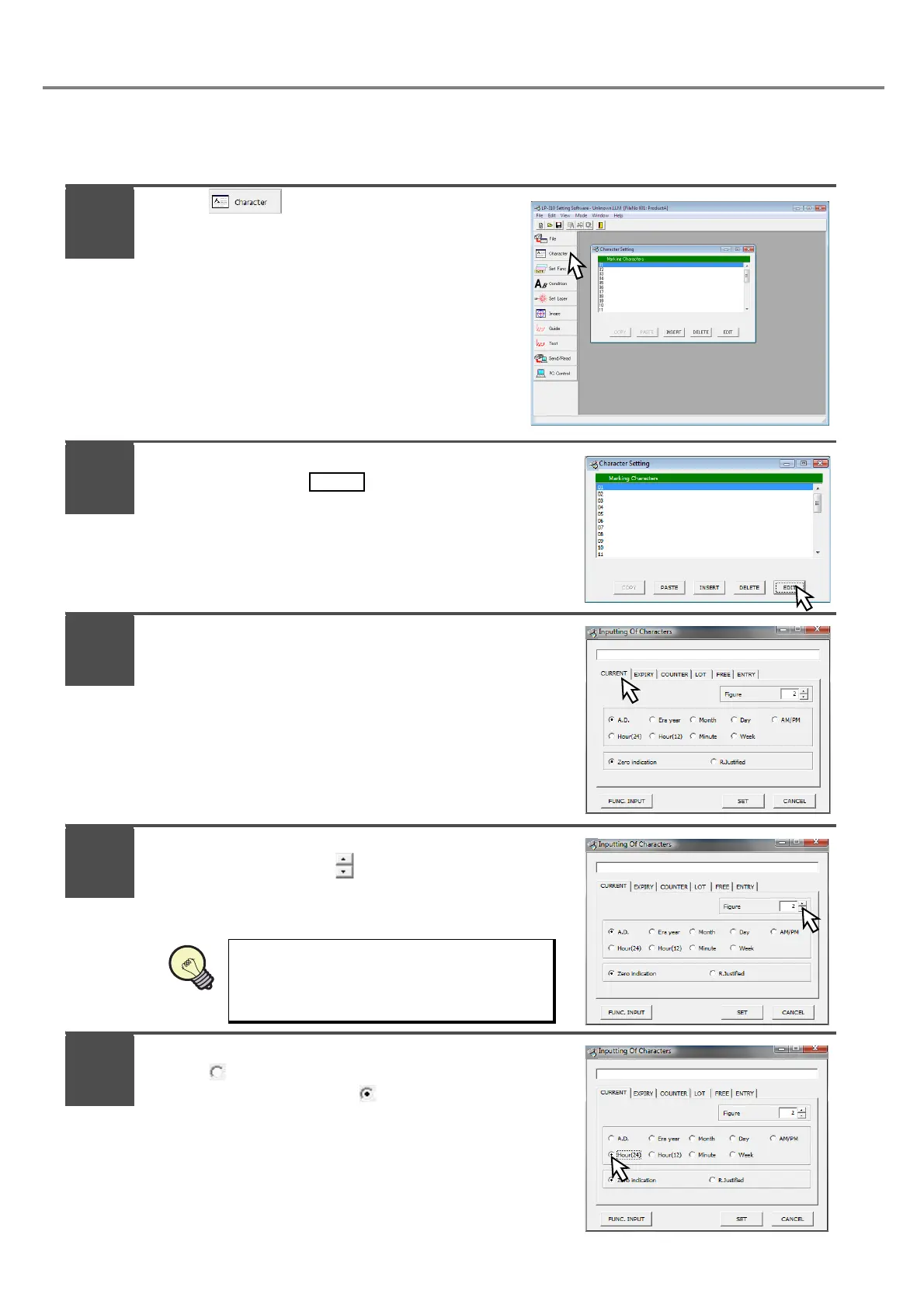
Press .
Adjust the cursor to the first line “01” of the
screen, and press .
* Re-adjusting the cursor to the first line (01) and then
pressing (double-clicking) the same cursor performs
the same operation.
Press [CURRENT].
Set “2” to [Figure].
Set the display digit using button.
Check [Hour (24)].
Check “ Hour (24)” for setting.
The unit is set to “Hour” with “ Hour (24)”.
The display digit can be set among 1 to 6.
1
2
2
3
4
5



 To Next Page