All-New Event Presentation Switching Solutions
User Manual
7 Event Management Software PixelFlow
Interface Example (Q8)
Description
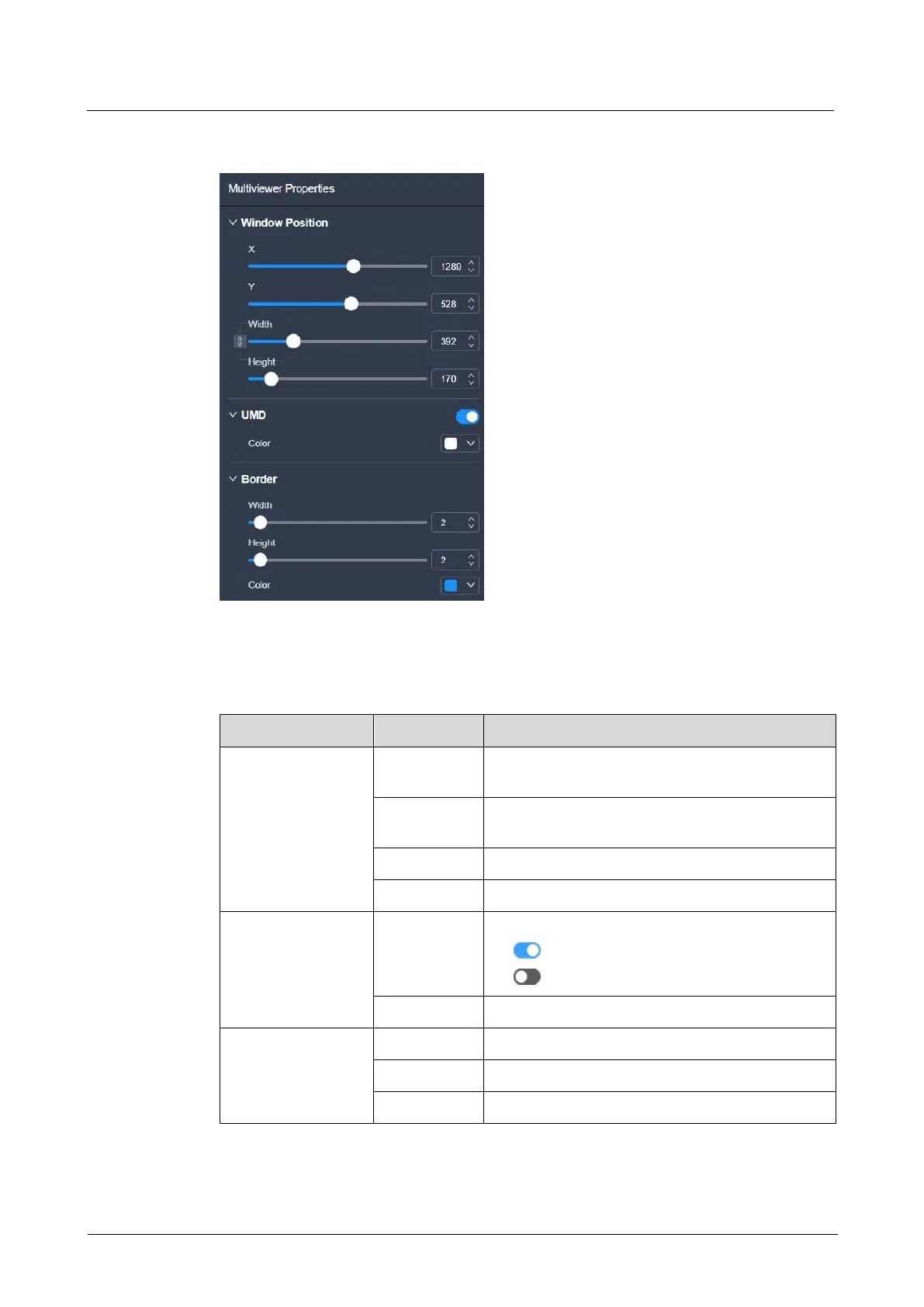
Select an added MVR signal, and then set the related properties in the property area
on the right pane.
The X coordinate of the window on the MVR
screen
The Y coordinate of the window on the MVR
screen
The horizontal pixels of the window
The vertical pixels of the window
Turn on or turn off the function.
: On
: Off
The color of the UMD text
The width of the layer left or right border
The height of the top or bottom border



 To Next Page