All-New Event Presentation Switching Solutions
User Manual
BKG: Press the button to turn on BKG (there are pictures in the gallery). Press and
hold the button to turn off BKG.
Button LED color and source status:
− Dim white: BKG is disabled.
− Bright blue: BKG layer is enabled.
FN: This is a custom shortcut button and users can assign a function to the FN
button.
When Freeze, FTB (Fade to Black) or Genlock synchronization is assigned, press
the button to enable or disable the assigned function.
Button LED color and source status:
− Dim white: The function is disabled.
− Blue: The function is enabled.
When Capture is assigned, press the button to access the Capture menu.
− Dim white: The Capture menu is displayed.
− Blinking blue: Capturing…
TAKE: Press the button to switch content from PVW to PGM with a specified
transition effect.
− Dim white: Content is not switched.
− Blinking blue: Content is being switched.
5.1.2 Rear Panel
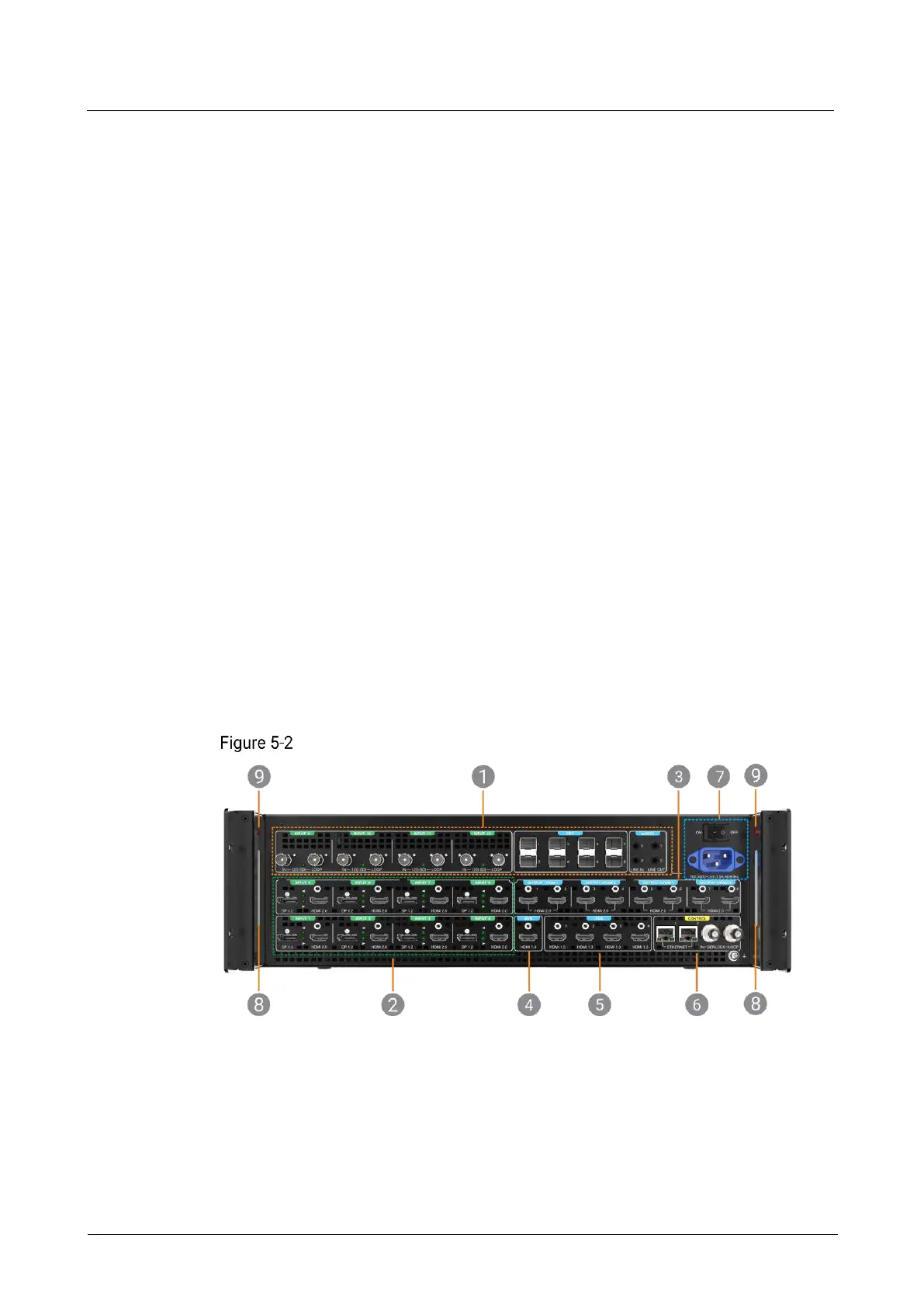
The P20 rear panel provides a variety of 4K I/O connectors including 12x 4K inputs
(HDMI 2.0, DP1.2, 12G-SDI), 4x HDMI 2.0 outputs, and 8x 10G optical fiber ports.
P20 rear panel
1. P_4K_12G SDI Audio-OPT Combo Card
7. Power connector and switch
9. LED work light switches



 To Next Page