All-New Event Presentation Switching Solutions
User Manual
7 Event Management Software PixelFlow
Screen Configuration
7.4.1 Configure Screens
Configure the layout of a main (not AUX) screen, as well as add and replace the
output connectors. The connectors of the same type and output resolution can be
configured for the same mosaic screen.
Enter the device configuration page as described in 7.3.1 Enter Device Configuration
Page.
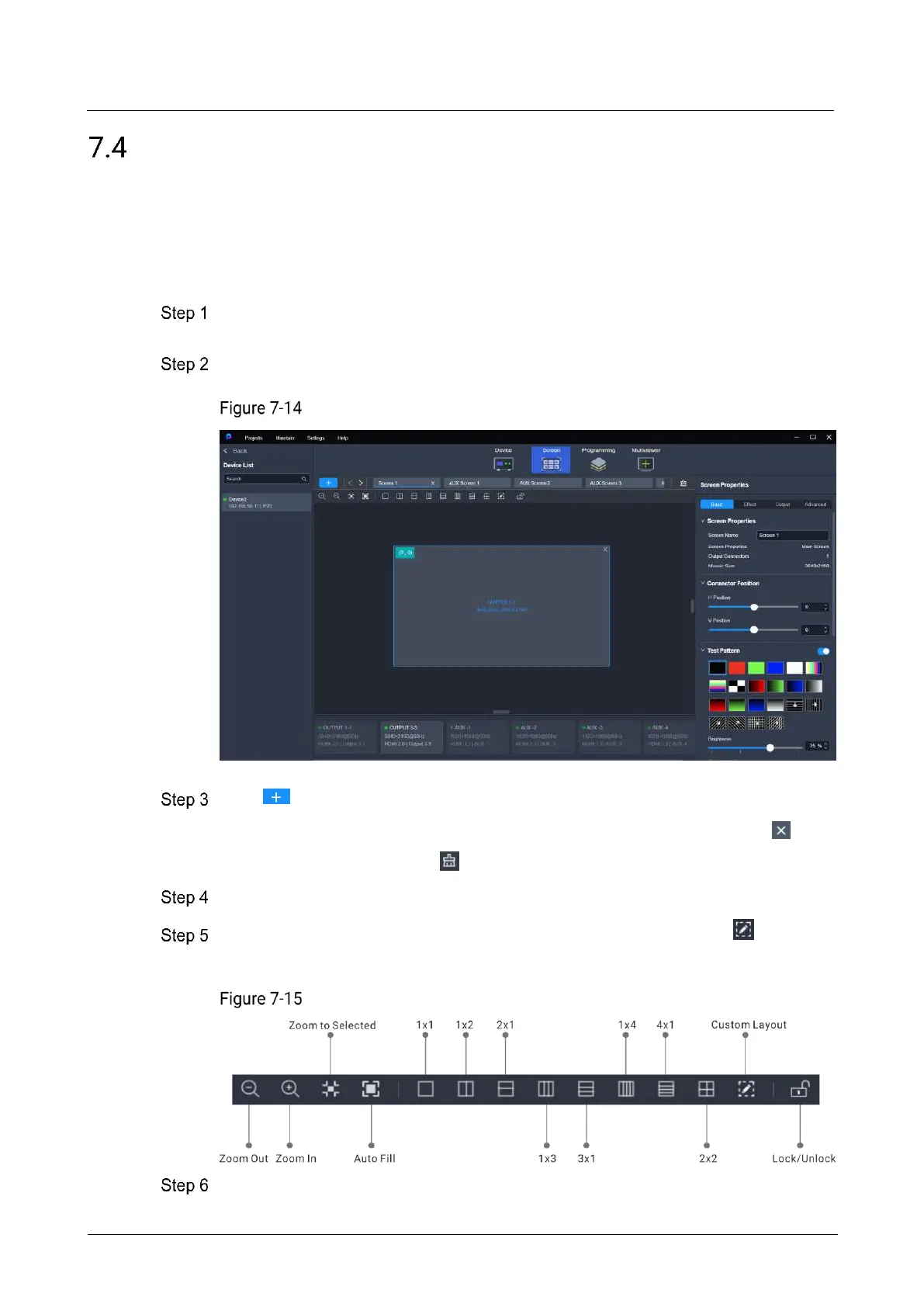
Select the target device on the left, and then select Screen at the top of the page.
Screen configuration (P20)
Click to add a new screen.
To delete a single screen, place the mouse on the screen name and click .
To delete all screens, click .
Click the screen name to select a screen.
Click the layout style icon in the toolbar above the editing area, or click to
customize the layout by setting the number of rows and columns.
Toolbar (P20)
Drag the output connector to the desired screen to complete the screen
configuration.



 To Next Page