All-New Event Presentation Switching Solutions
User Manual
− Dim white: The function is disabled.
− Blue: The function is enabled.
When Capture is assigned, press the button to access the Capture menu.
− Dim white: The Capture menu is displayed.
− Blinking blue: Capturing…
TAKE: Press the button to switch content from PVW to PGM with a specified
transition effect.
− Dim white: Content is not switched.
− Blinking blue: Content is being switched.
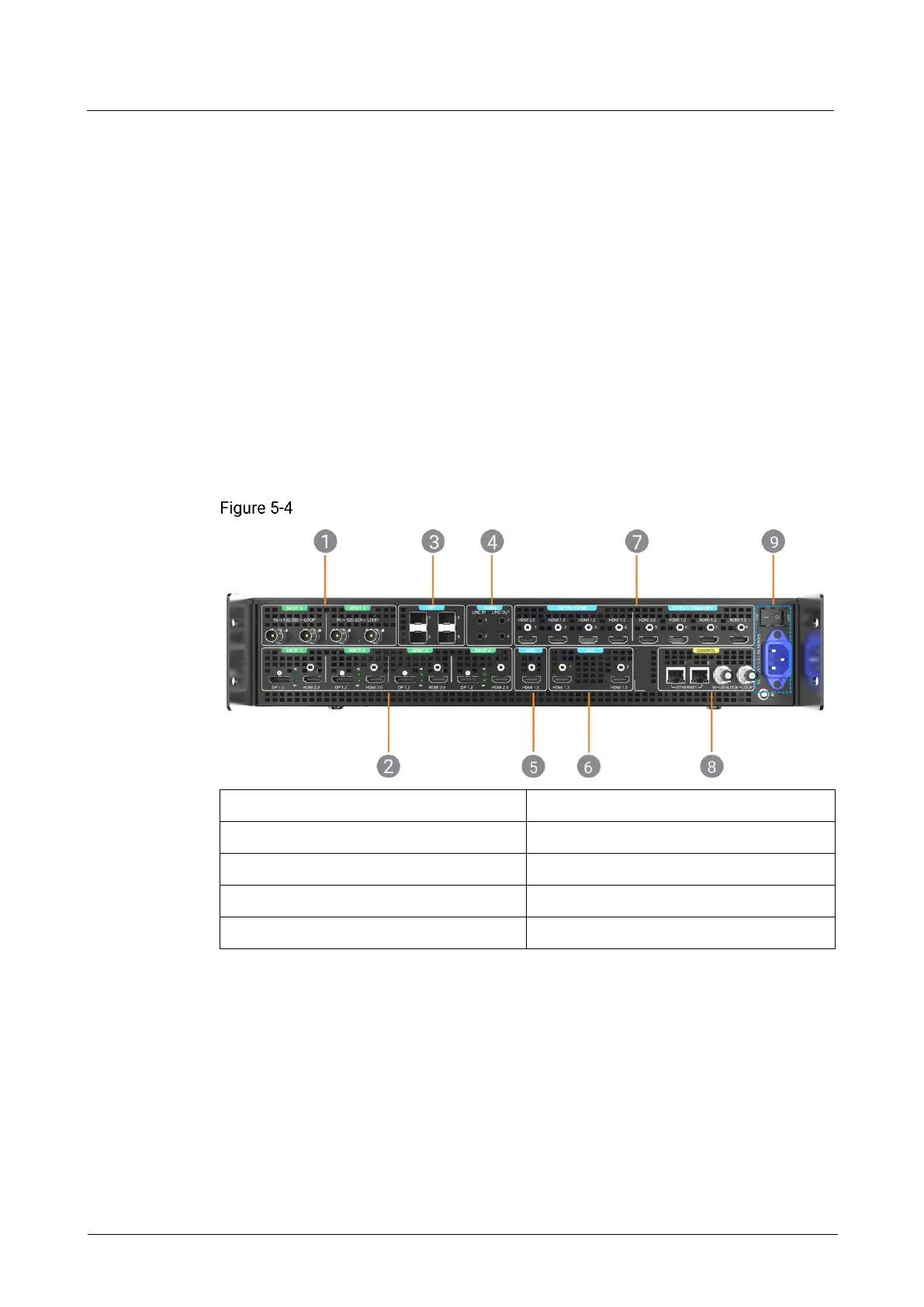
5.2.2 Rear Panel
The P10 rear panel provides a variety of I/O connectors including 6x 4K inputs (4x
DP1.2/HDMI 2.0 and 2x 12G-SDI), 8x outputs (2x HDMI 2.0 and 6x HDMI 1.3), and 4x
10G optical fiber ports.
P10 rear panel
9. Power connector and switch
Inputs 5 and 6
Two 12G-SDI IN & LOOP connectors are provided.
Inputs 1 to 4
Each includes a DP 1.2 and HDMI 2.0. When both have signals, only one can be used
as the input source at the same time.
OPT Outputs 1 to 4
Four optical fiber ports are provided for copying the output of the HDMI connectors.



 To Next Page