RealPresence Collaboration Server (RMX) 1500/1800/2000/4000 Getting Started Guide
Polycom®, Inc. 81
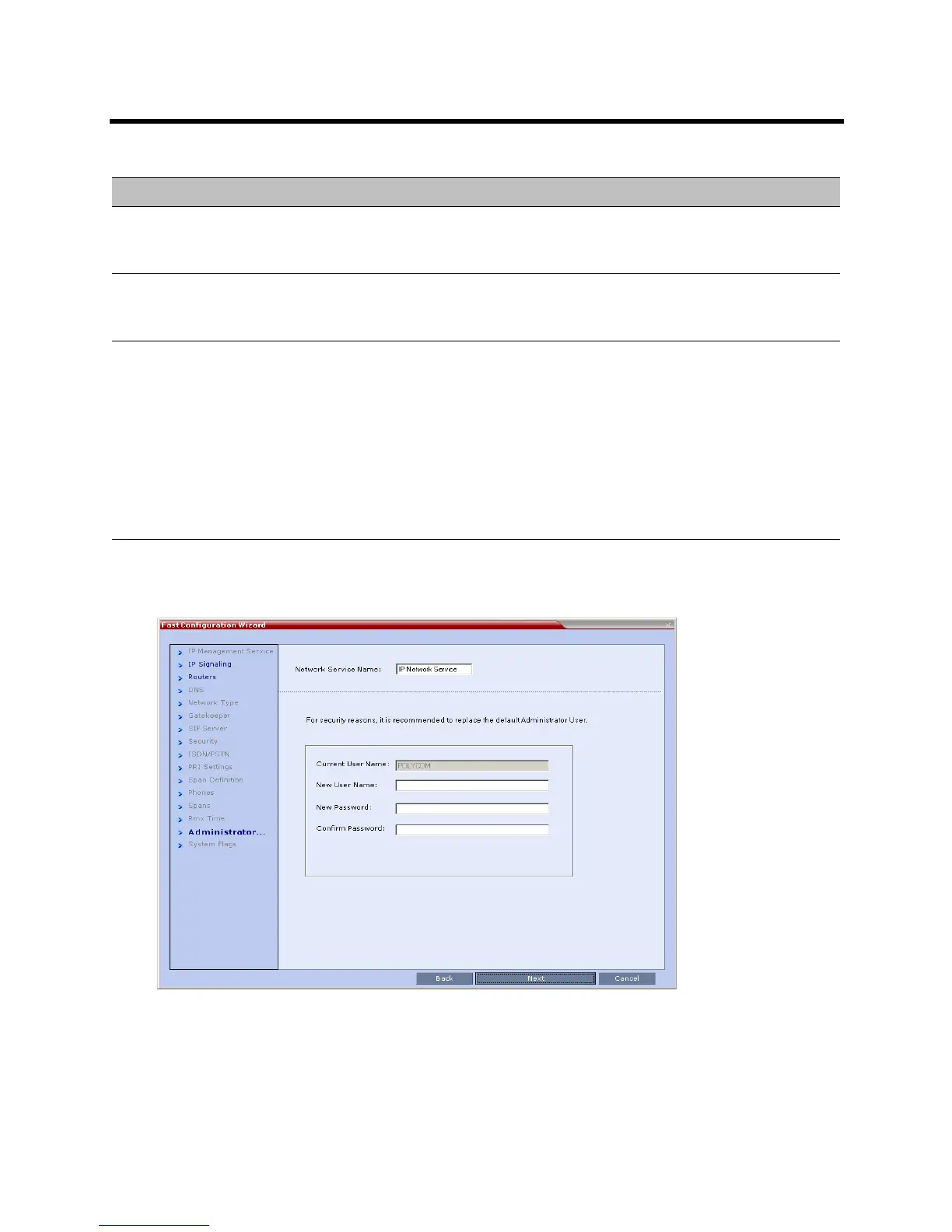
34 Click Next.
The Administrator User dialog box is displayed.
GMT Offset The time zone difference between Greenwich and the MCU’s physical location.
• Using the Up or Down arrows manually modify the GMT Offset time on the
Collaboration Server.
Retrieve Client Time Option 2: Automatically setting the MCU time:
• Click this button to automatically update the MCU's GMT Date, Time and Offset to
match that of the workstation.
Use NTP Server Option 3: Setting the MCU time by synchronizing with external NTP servers:
• Select this check box to synchronize the time with up to three external NTP
servers. Once selected, you must enter the IP address of at least one external
NTP server to implement this mode.
• Enter the IP addresses of the required NTP servers in order of precedence.
Notes:
• When this option is selected, the manual GMT Date and GMT Time setting options
are disabled. The GMT Offset fields are still active.
• The Status fields in Settings > RMX Time indicate whether time retrieval from the
NTP Server(s) succeeded or failed.
Fast Configuration Wizard - Collaboration Server Time
Field Description














 To Next Page