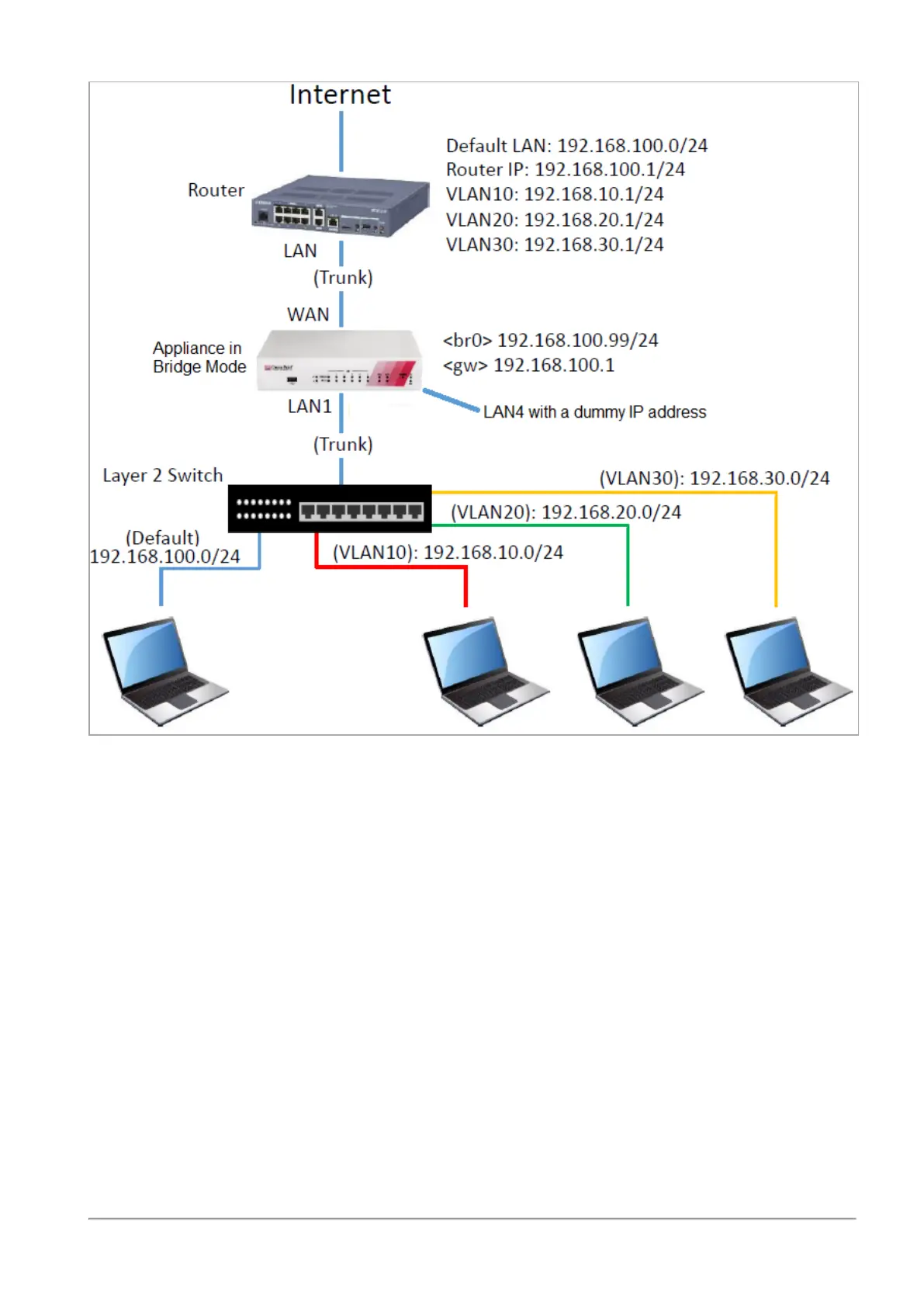
Configuring the Local Network
R81.10.X Quantum Spark 1500, 1600, 1800, 1900, 2000 Appliances Locally Managed Administration Guide|121
Configuration steps:
1. Disconnect a cable from one of the available physical interfaces on the appliance (in our
example, LAN4).
2. Assign a random IP address to this interface.
This can by a dummy IP address that must not be used in your internal networks.
3. Go to the Device > Advanced Settings page. See
"Advanced Settings" on page207
.
4. Search for UserCheck Portal - Redirect Address
5. Select this attribute.
6. Click Edit.
7. Enter the same IP address you assigned to the dedicated interface (in our example,
LAN4).
8. Click Apply



 To Next Page