SD-WAN
R81.10.X Quantum Spark 1500, 1600, 1800, 1900, 2000 Appliances Locally Managed Administration Guide|236
f. In the Probing mode field, select the applicable value.
The default is Best.
Explanation
This field controls which Internet connection the appliance selects in each
steering object based on the probing mode:
n
Best - Selects the Internet connection that has the best probing mode
(the lowest values for the probing characteristics of packet loss, latency,
and jitter). This is the default.
n
Average - Selects the Internet connection that has the average probing
mode.
n
Worst - Selects the Internet connection that has the worst probing mode
(the highest values for the probing characteristics of packet loss,
latency, and jitter).
Example:
These two Internet connections are configured for SD-WAN - "WAN" and
"DMZ".
There are three probing hosts (destinations) - "Host 1", "Host 2", and "Host 3".
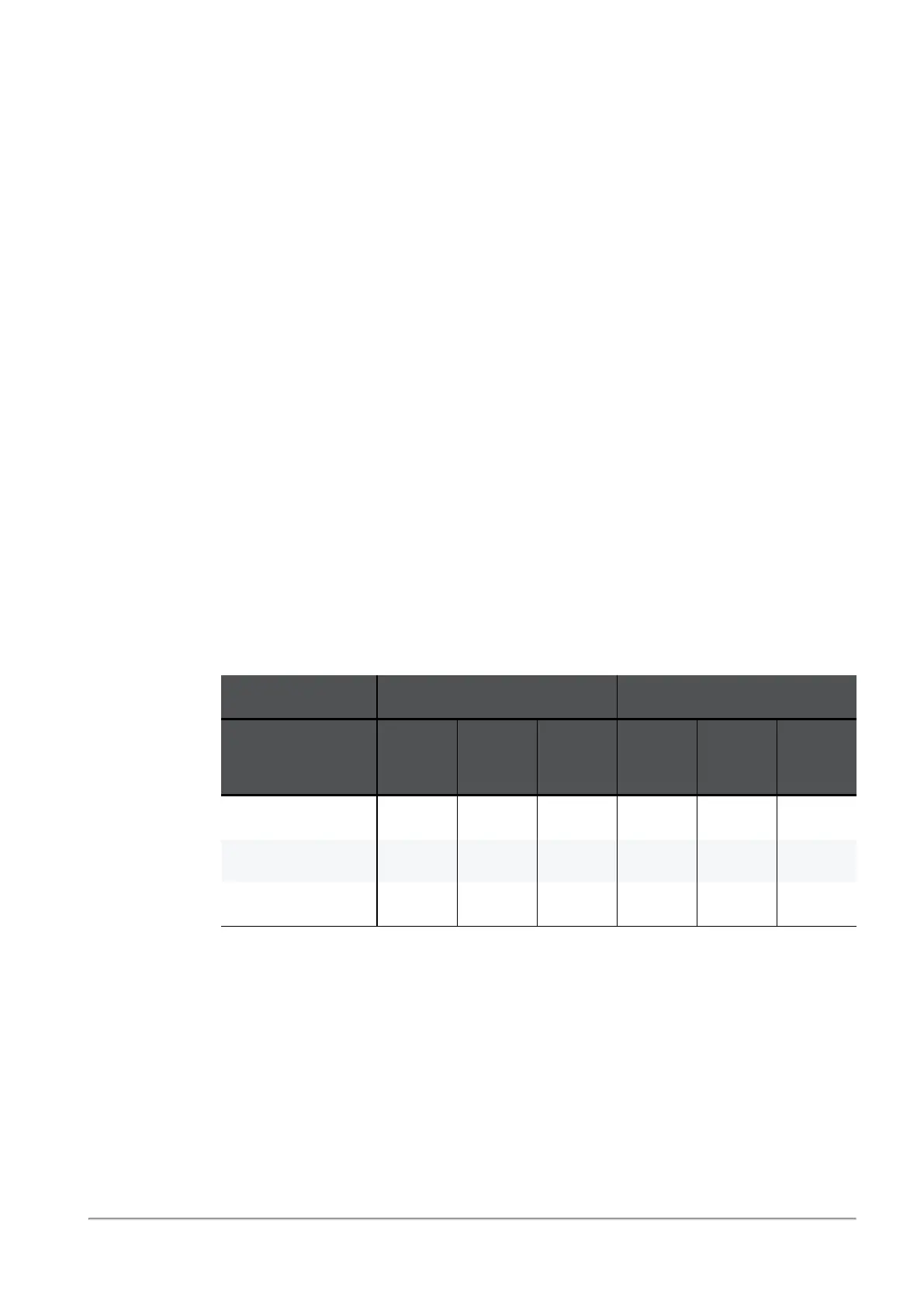
The probing mode over the configuration probing interval are:
WAN DMZ
Probing
Characteristic
Host 1 Host 2 Host 3 Host 1 Host 2 Host 3
Packet Loss (%) 1 1 4 2 3 7
Latency (msec) 1 1 4 2 3 7
Jitter (msec) 1 1 4 2 3 7
Where:
n
The best probing mode was:
l
For "WAN": Packet Loss = 1, Latency = 1, Jitter = 1
l
For "DMZ": Packet Loss = 2, Latency = 2, Jitter = 2



 To Next Page