Using the Controller with a PC, continued
60
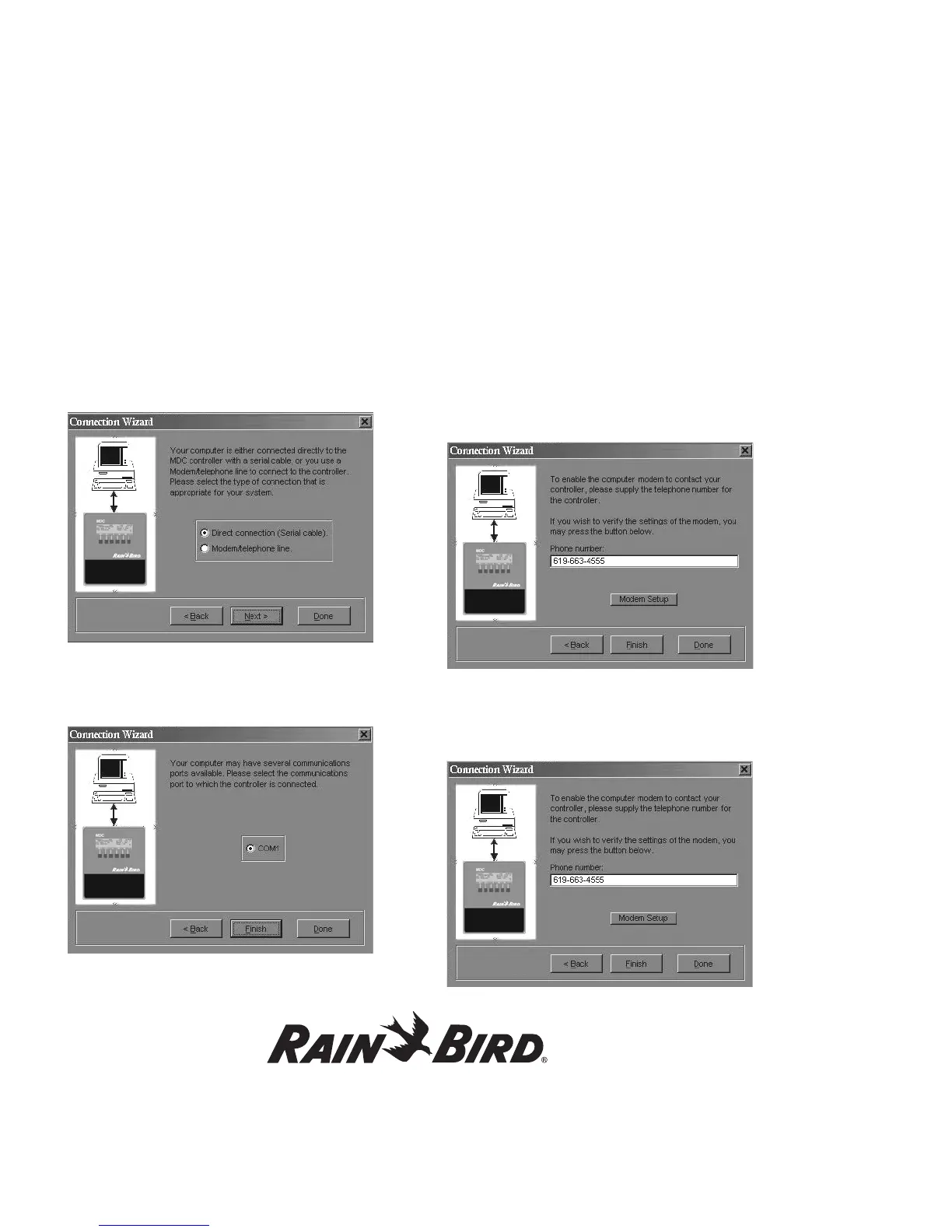
4. The Connection wizard now asks you to pick
the type of connection your system uses, either
a Direct connection (Serial cable) or a Modem/
telephone line. Choose the connection and
select Next. Done exits you from Connection
wizard and Back returns you to the previous
window.
5. If you selected Direct connection (Serial cable)
you are then asked to select the Com Port
(Communications Port) you used to connect the
PC to the controller.
6. Select Finish. Done exits you from Connection
wizard and Back returns you to
the previous window.
7. If you selected Modem/telephone line as your
PC/controller connection, you are then asked to
supply the telephone number for the controller.
At this point, you can also verify the modem
settings by selecting Modem Setup.
8. Select Finish. Use Modem Setup to install
and setup a new modem. Done exits you from
Connection wizard and Back returns you to the
previous window.















 To Next Page