Programming and Operation, continued
22
Setting Up Your System
The first time you turn on the MDC2 Controller,
you must program into your system specific set-
up information (decoder and solenoid numbers,
sensors, etc.) about your irrigation system.
Before you begin, you may need to Select a Country
(indicating language and unit of measure) to read
on the display screen.
Note: Pressing the button pointing to the minus (-)
label returns you to the previous menu.
Selecting a Language
The default language is English (US). However, you
can choose between English (UK) (British spelling
and m
3
/h ––cubic meters per hour setting), English
(US) (American spelling and GPM––gallons per
minute setting), German (m
3
/h), Spanish (m
3
/h) or
French (m
3
/h).
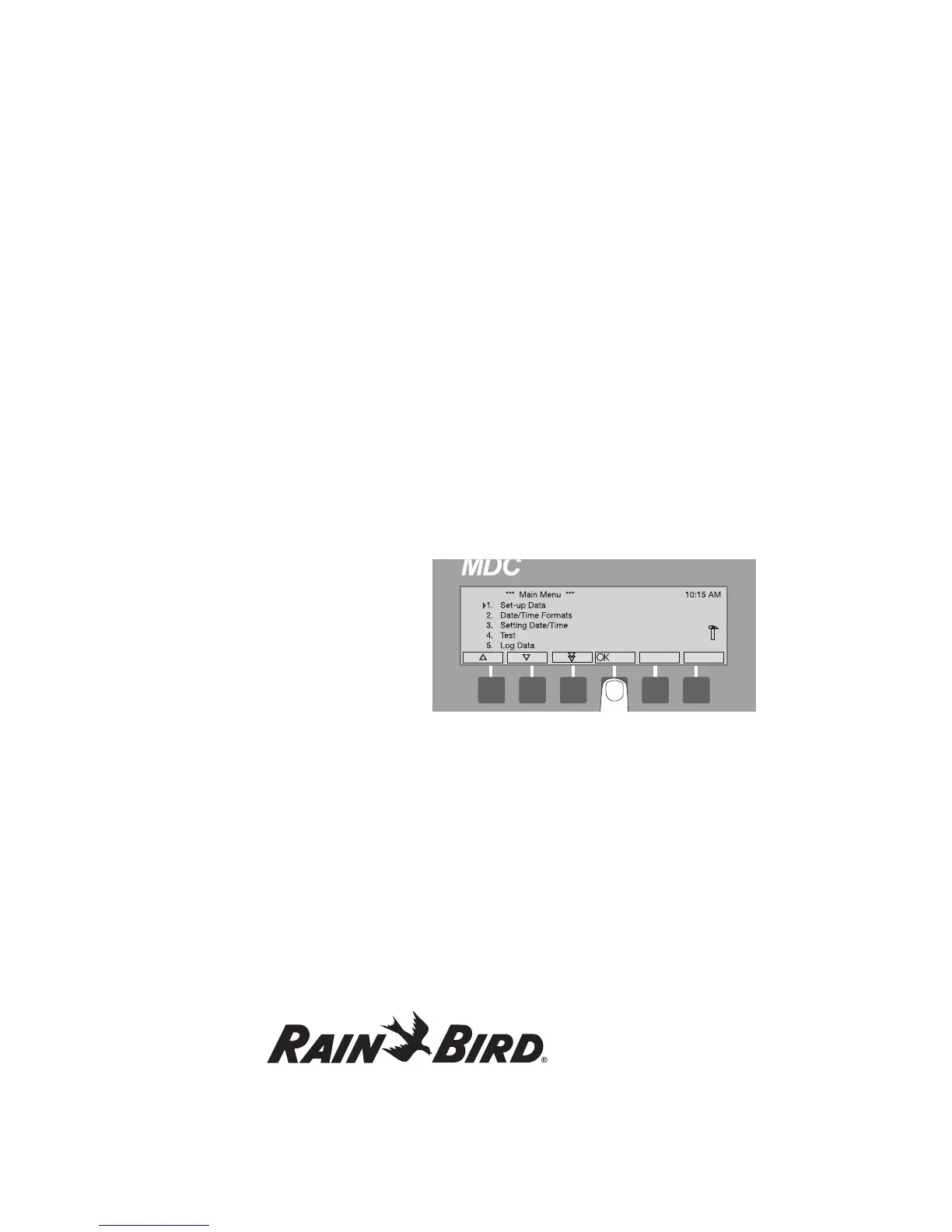
1. From the Main Operating Screen, press the
button pointing to the Menu label to reach the
Main Menu. An indicating arrow points to
the menu category. You control the indicating
arrow with the buttons pointing to the up and
down arrow labels.
2. Move the indicating arrow to 1. Set-up Data
and press the button pointing to the OK label.
Note: Pressing the button pointing to either the up
or down arrow labels changes the direction of the
double arrow label. The double arrow label lets
you quickly scroll through the categories.















 To Next Page