72
Retrieving Monitoring Information
The controller stores information about every
irrigation event that occurs. These events include
every time a valve or pump starts or stops, flow
measurements, etc. You can retrieve and store this
information on your PC.
1.
From the Rain Bird Remote Access window,
select Retrieve data.
2. Select Retrieve monitor information from the
pull-down menu.
Note: While the PC is retrieving data from the
controller a Communications Status pop-up
window appears visually showing the progress.
The window disappears once the data is retrieved.
Note: If the PC has lost or is unable to establish
communications with the controller, an Error
message appears, asking to make sure the
Connection Information is correct.
Note: The data stored on your PC is in a binary
format. To set up a monitoring information data file
(stored in an ASCII file format) you need to Create a
Log File.
Failed Decoder List
This is a list of valve decoders that have failed due
to triggering SEUF (Seek and Eliminate Unexpected
Flow) and have been blacklisted.
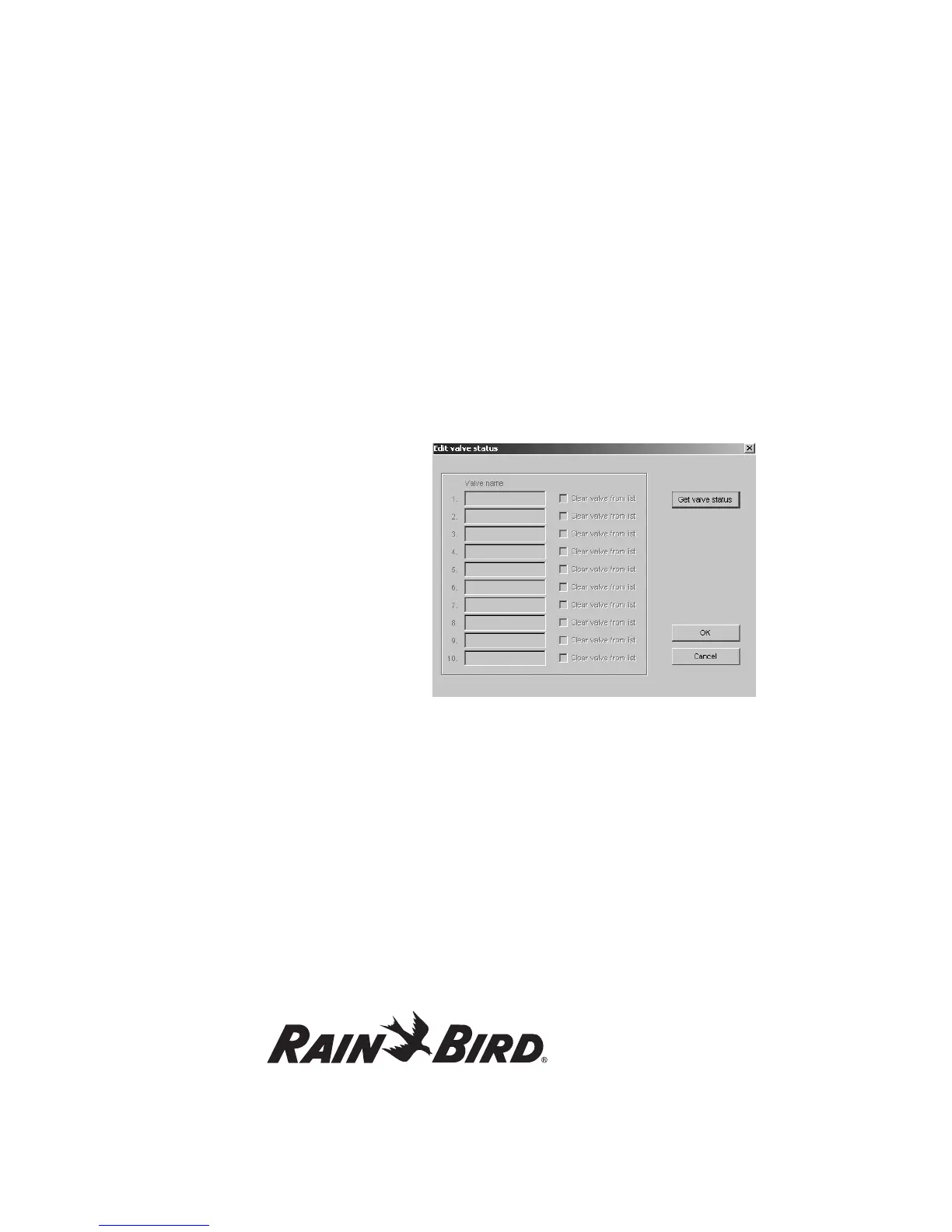
1. From the Rain Bird Remote Access window,
select Controller and then Identify Failed
Valves. Edit Valve Status screen appears.
2. Click on Get Valve Status to conduct an audit of
your valves. Any valves that have malfunctioned
and blacklisted shall be listed on this window.
If any of them have been found to be working
properly or have been fixed, the user must take
them off of the black list for the valves to run
again. This is done by checking the Clear Valve
From the List box. If you do that and then click
OK, all checked decoders will be sent to the
MDC and cleared from the list.
3. Click OK.
4. From the Rain Bird Remote Access screen,
select Send Data and Send All Data to send the
updated information back to the controller.















 To Next Page