Using the Controller with a PC, continued
67
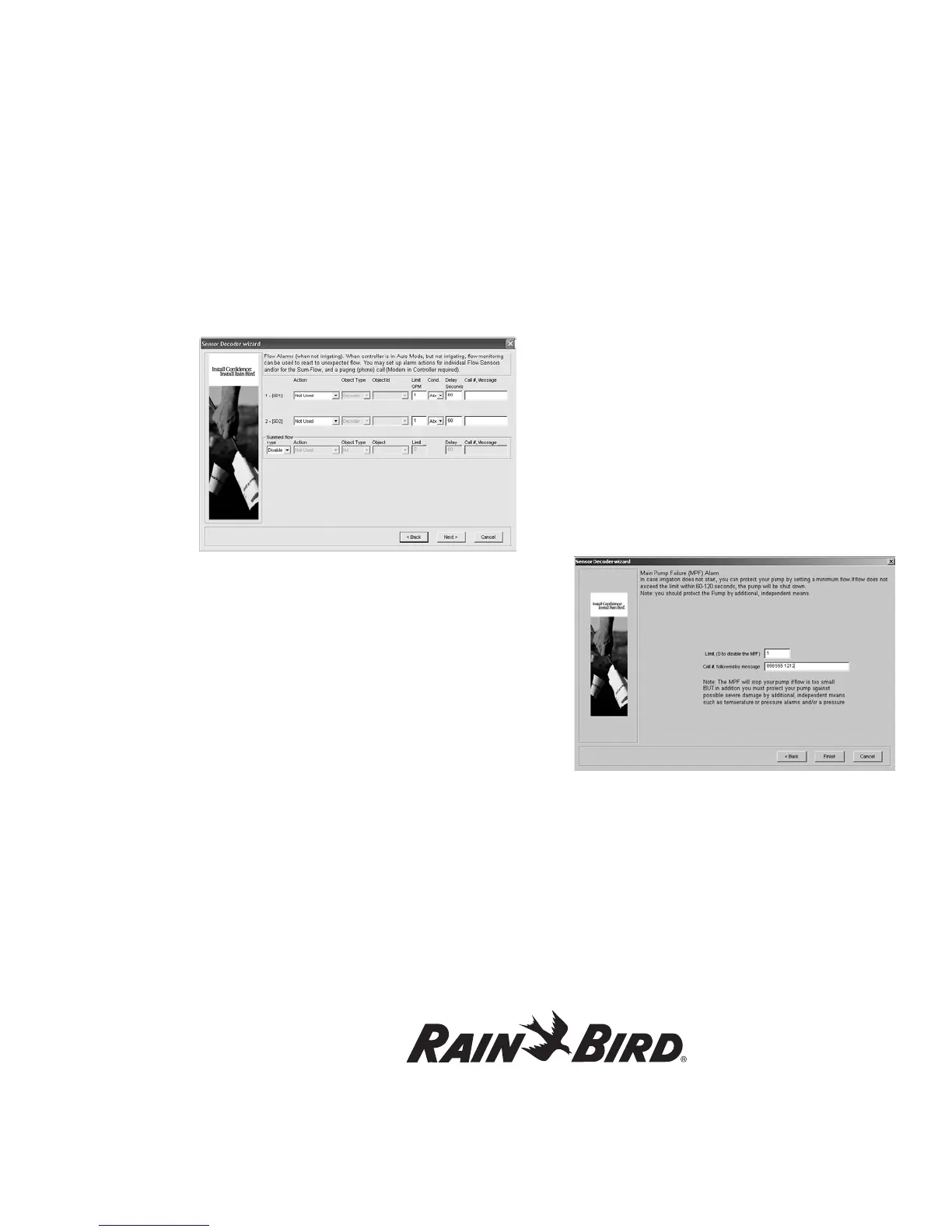
5. If desired, alarms can also be set up to operate
when not irrigating to detect unexpected flow
or leaks.
6. Set up the alarm information, including
Action, Object Type, Object ID, Flow Limit,
Conditions, Delay and Call Setup. Please note
that you can define only one alarm condition
per Flow Sensor Decoder. These options can
also be set up for summed flow if that was
previously selected in the Sensor Decoder
Wizard.
Note: For Flow Control set as below condition
and alarms management the following should be
considered:
1. When the flow has a transition from a value above
the limit to below an alarm will trigger.
2. If no decoders are running for a period of time the
MDC will be in non-irrigation mode and thus look
for leak flow if set up to do so.
3. When decoders are started again it will then look
again for a transition from above the limit to below
and an alarm will trigger.
7. Click Next to define alarms for Main
Pump Failure.
Note: Flow limits can be set up to a maximum of ± 50%.
Note: See Appendix IV for information on sensor
decoder alarm parameters and values.
Main Pump Failure Alarm
In case irrigation does not start, you can protect
your pump by setting a minimum flow limit. The
MPF alarm will stop currently running schedules,
but not new schedules.
1. Specify this Limit (minimum flow) and (if
desired) call setup information for outbound
paging on the Main Pump Failure Alarm
screen shown below.
2. Click Finish.
Erasing the set-up data
You can erase ALL SET-UP DATA and IRRIGATION
SCHEDULE CONTENTS stored on the PC.
1. From the Rain Bird Remote Access window,
select Edit Setup data.
2. Select Edit set-up data and Erase all from the
pull-down menus to reach the Erase set-up
Data pop-up window.















 To Next Page