Programming and Operation, continued
20
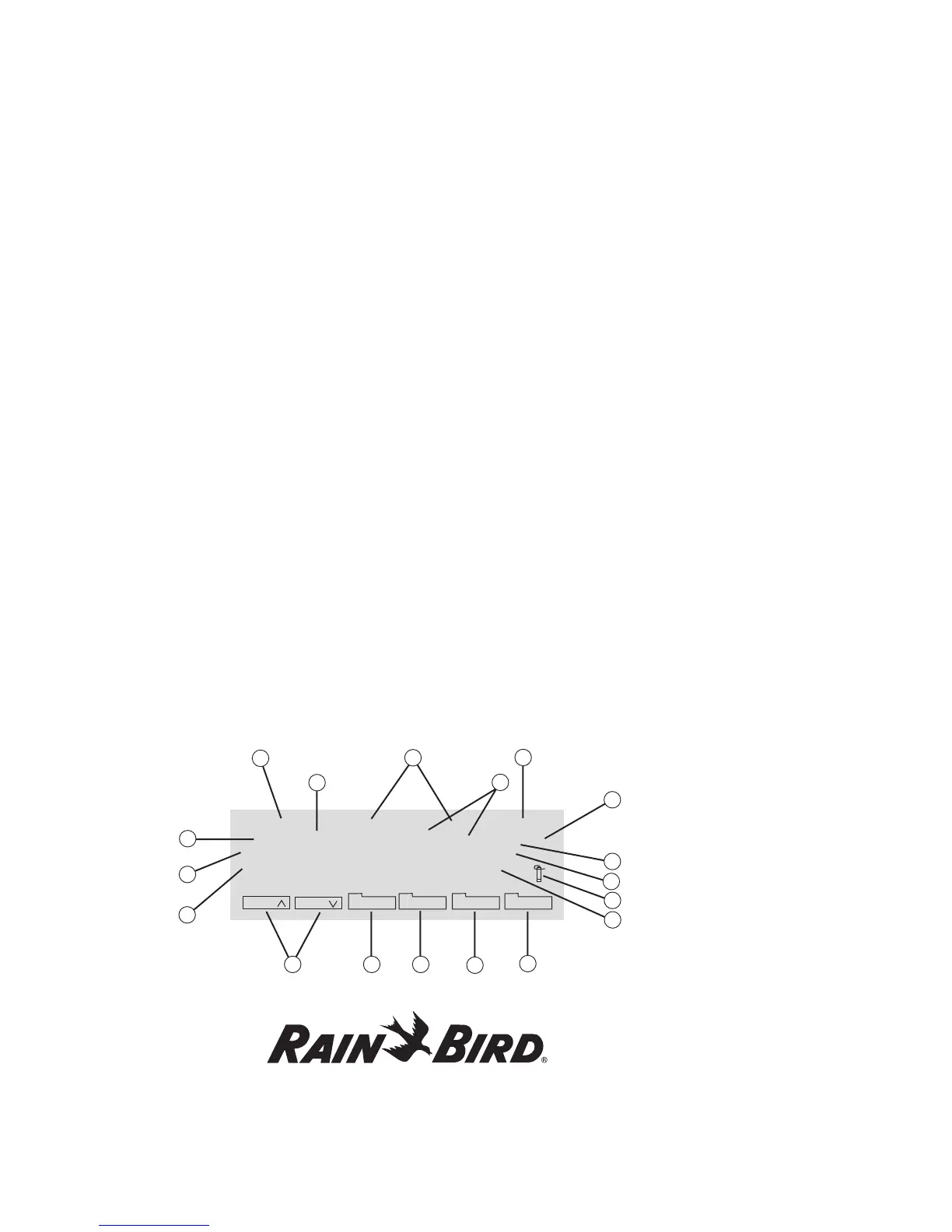
Main Operating Screen
1. Program
indicates the current Program being displayed. The MDC2 Controller can store up to
10 irrigation Programs (which start pumps) and 1 auxiliary or non-irrigation Program.
2. Total
indicates the total irrigation time, in hours and minutes, you scheduled for that Program.
3. Current Time
shows in 24-hour military time.
4. Step Number
each Program supports up to 100 Steps. Each Step contains specific programmed information for the decoders
and the run time for each decoder and valve.
5. MTWTFSSMTWTFSS
shows a 14-day display Schedule of the programmed days, starting with the current day (this example assumes
the current day is Monday).
6. Start Time Indicator
shows the time of day you want the Program to start. You can have up to six start times for each Program.
7. Water Budget Indicator
shows the water budget setting, which you can adjust from 0-250%. Water budget lets you adjust the water
application or run times in a Schedule without reprogramming the Schedule.
Program 1 Total 0:05 09:48:00
2 MTWTFSSMTWTFSS (2) 13:50 100% A
Run every 5. Day Repeat 6 times
First 2002-03-26 Pause: 1 Min.
Sch Sch
Sched Menu Auto Manual
10
13
12
7
8
3
6
2
5
1
4
9
11
14 15 16
17
18















 To Next Page