4. If you wish for irrigation not to take place for a
certain period of time on your site (Non-Water
Window), specify this timeframe on the Time
Window - Irrigation Prevented area. During the
Non-Water Window, schedules will continue,
but with no decoders being turned on.
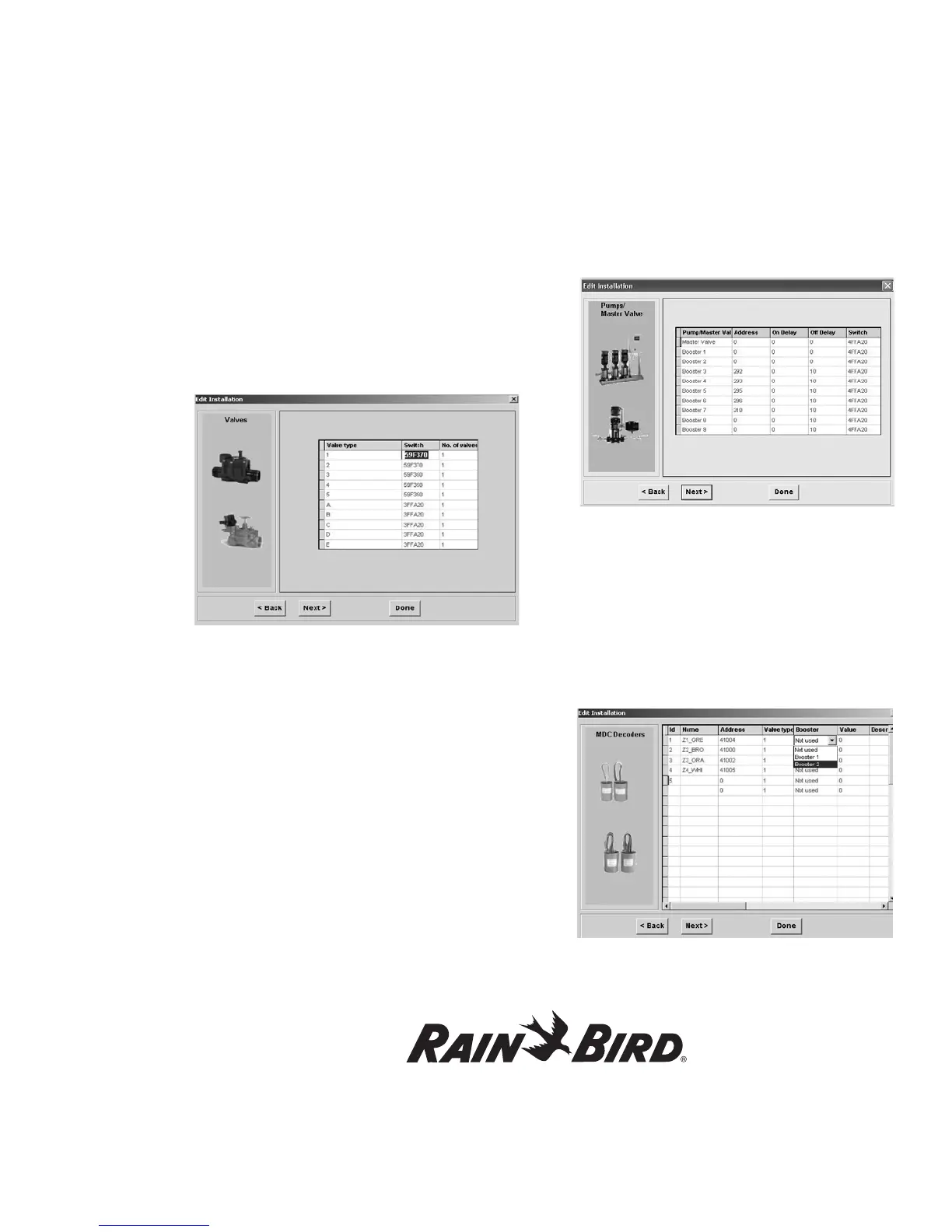
5. Hit Next to reach Valves configuration
information.
6. Confirm Valve Type, Valve Switch Code and
No. of Valves and edit them as necessary (the
software will allow you only to select 1 or 2 for
the number of valves).
Note: Valve types refer to the electric requirements
of magnetic solenoids. The default Switch Code
settings are 59F350 for irrigation Valve types and
3FFA20 for non-irrigation Valve types. If your
system uses Rain Bird
®
24 VAC solenoids, do
not change any of these settings. If your system
operates solenoids that are not Rain Bird
®
, do not
change the default Switch Codes before verifying
if the solenoids open. If the solenoids do not open,
you may need to change the Activation Time
and/or Holding Voltage. Please see Appendix II:
Selecting Electrical Codes for Solenoids.
7. Hit Next to reach Pumps/Master Valve
configuration information.
8. Edit information specific to each Pump/
Master Valve as necessary, including Address,
On Delay, Off Delay, and Switch Code.
Note:
On Delay means that the MV/Booster start
will be delayed XX seconds after activation of the
decoder. Off Delay means that the MV/Booster will
remain activated XX seconds after deactivation of
the decoder.
9. Hit Next to reach MDC Decoders configuration
information.
Note:
The MDC software does not allow deleting
decoders. Alternatives are to either erase or change
decoder data.
Using the Controller with a PC, continued
63















 To Next Page