@ her Enf@rm @n
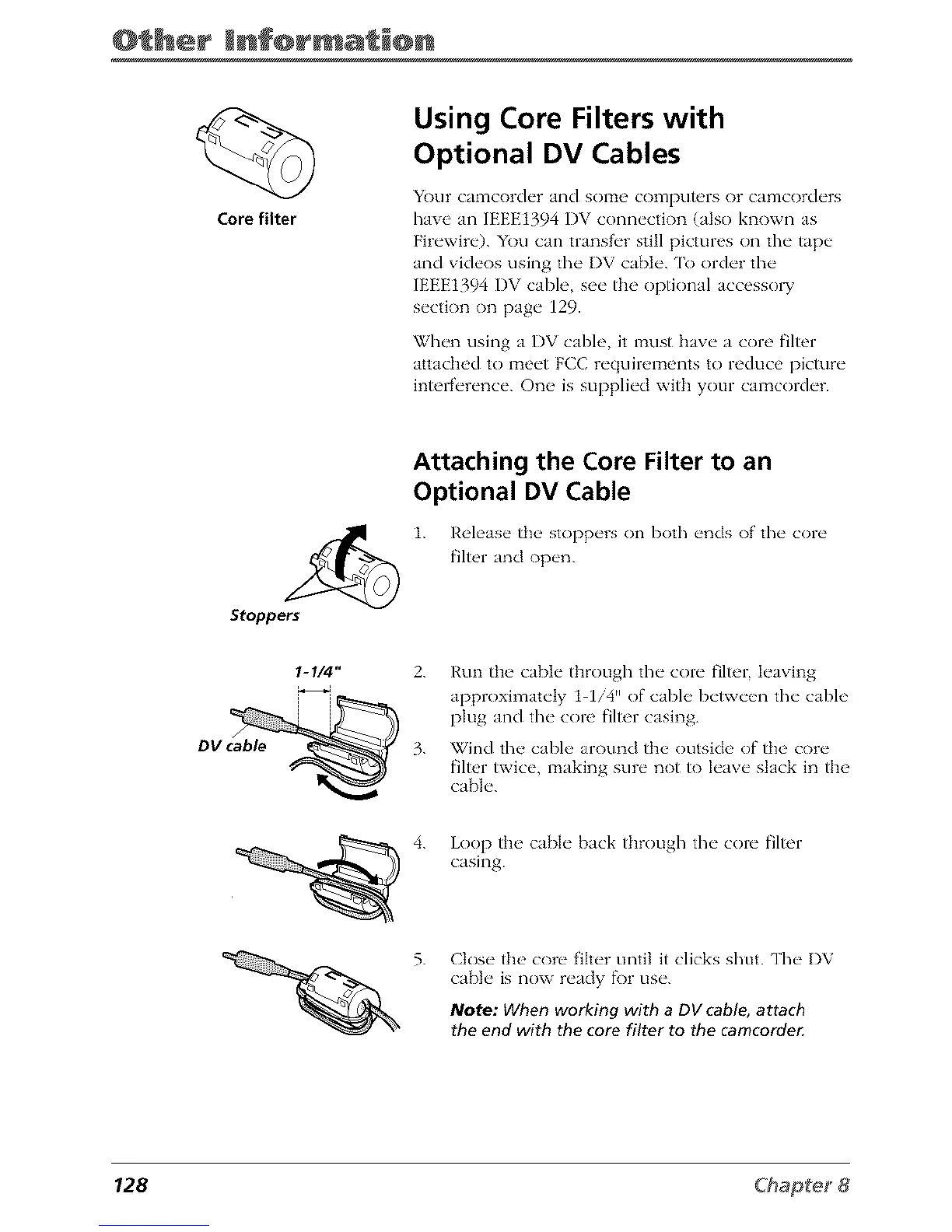
Core filter
Using Core Filters with
Optional DV Cables
Your camcord_'r and SOITle co1Tlpu/ors or camcorders
have an IEEEt394 DV connection (also known as
Firewire). You can transf_'r still pictures on the tape
and videos using the I)V cable. [b order the
IEEE1394 I/V cable, see the optkmal accesso W
section on page 129.
%Zhen using a I)V cable, it must Ilave a core filter
attached to meet FCC requirements to reduce picture
interference. One is supplied with your camcorder.
Stoppers
Attaching the Core Filter to an
Optional DV Cable
i. Release the stoppers on both ends of the core
filter and open.
I-I/4" 2.
ii
DVc_
Run the cable tbrougll the core filter, leaving
approximately t 1/4 t' of cable between the cable
plug and the core filter casing.
Wind the cable around the outsid(' of the core
filter twice, making sure not to leave slack in the
cable.
4. Loop the cable back through the core filter
casing.
Close the core filter until it clicks shut. The I)V
cable is now ready fk)r use.
Note: When working with a DV cable, attach
the end with the core filter to the camcorde_
128



 To Next Page