¢@nnec_i@ns _ Setup
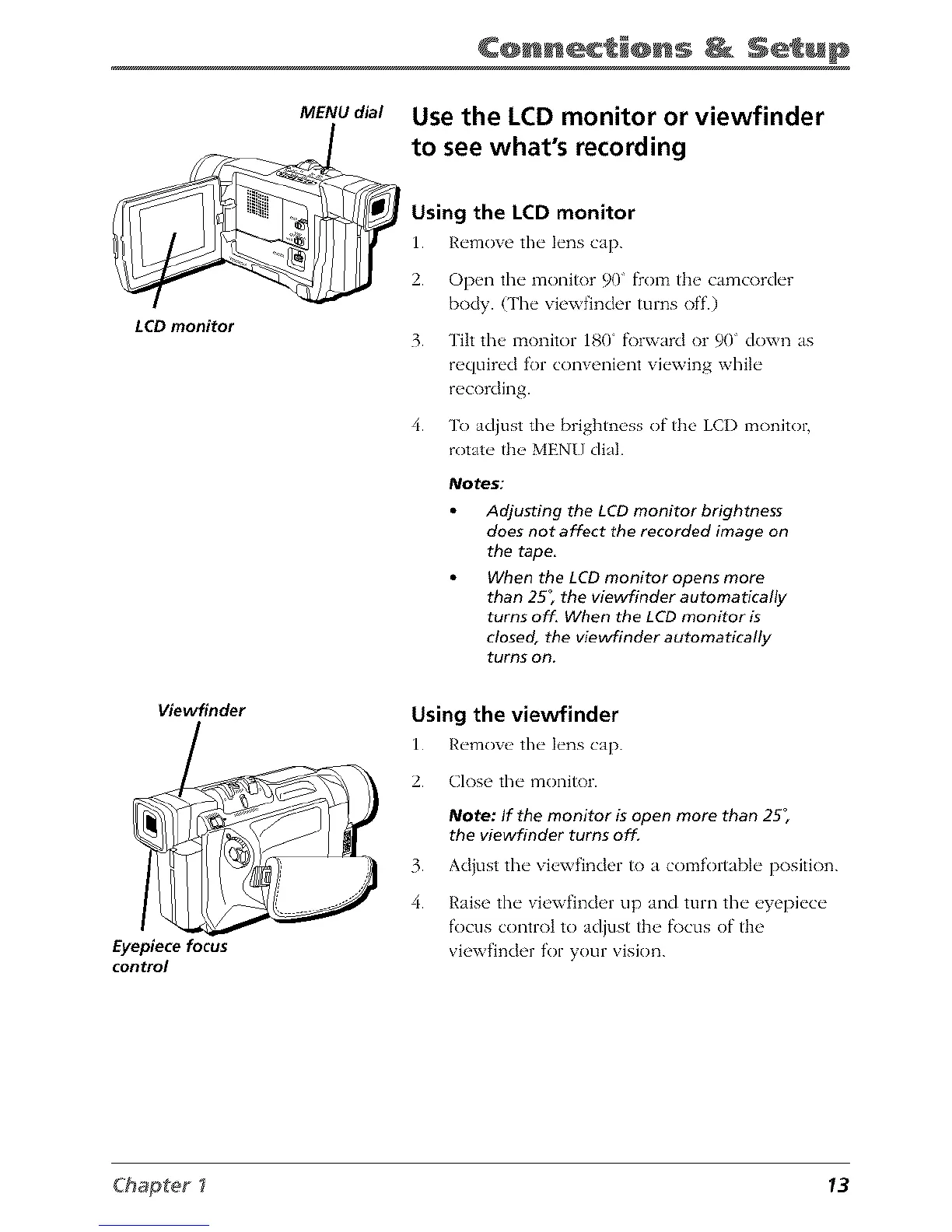
LCD monitor
Viewfinder
Eyepiece focus
control
MENU dial
Use the LCD monitor or viewfinder
to see what's recording
Using the LCD monitor
1. R_'mow' the" l_'ns cap.
2. Open the monitor 90 from the camcorder
body. (The viewfinder turns off.)
3. Tilt the monitor 180" fi)rward or 90" down as
required for convenient viewing while
recording.
4. To adjust the brightness of the LCI) monitor,
rotate the MEN[} dial.
Notes:
Adjusting the LCD monitor brightness
does not affect the recorded image on
the tape.
When the LCD monitor opens more
than 25; the viewfinder automatically
turns off. When the LCD monitor is
closed, the viewfinder automatically
turns on.
Using the viewfinder
1. R_,movc the" h'ns cap.
2. Close the monitor.
Note: If the monitor is open more than 25;
the viewfinder turns off.
3. Acljust the" vi_,xvfincler it) a comfortabl_" position.
4. Raise the viewfinder tip and turn the eyepiece
focus control to adjust the f\)cus of the
viewfinder for your vision.
Chapter _ 13



 To Next Page