Advanced Fea u s
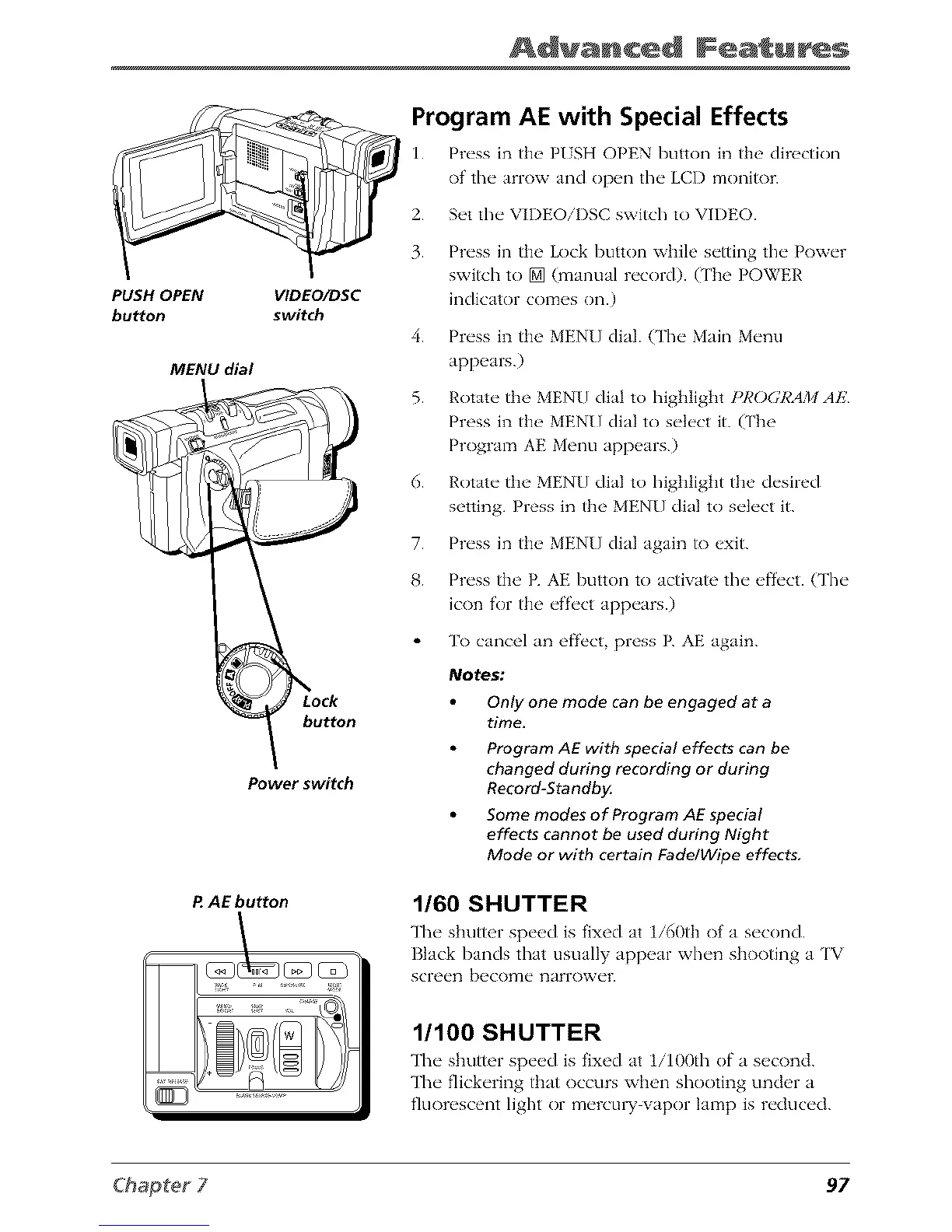
PUSH OPEN VIDEO/DSC
button switch
MENU dial
button
Power switch
P AE button
Program AE with Special Effects
1. Pr_'ss in th__ PISH OPEN button in the direction
of' the" anow and op_ql the" LCI) monitor.
2. Set the" VII)EOiI)SC switch to VII)EO.
3.
4.
5.
6.
7.
8.
Press in the Lock button while setting the Power
swish to [] (manual record). (The POWER
indicator comes on.)
Press in the MENU dial. (The Main Menu
appears.)
Rotate the MENU dial to highlight I_I,'O(;RAMAE
Press in the MENU dial to select it. (The
Program AE Menu appears.)
Rotate the MENU dial to highlight the desired
setting. Press in the MENU dial to select it.
Press in tim MENU dial again to exit.
Press the P. AE button to activate the efi'('ct. (The
icon for the effect appears.)
To cancel an ef}'_'ct, press E AE again.
Notes:
Only one mode can be engaged at a
time.
Program AE with special effects can be
changed during recording or during
Record-Standby.
Some modes of Program AE special
effects cannot be used during Night
Mode or with certain Fade/Wipe effects,
1/60 SHUTTER
The" shutter sp_'_,d is fixed at 1/60th of a s_'cond.
Black bands that usually appear when shooting a TV
screen become narrower.
1/100 SHUTTER
The shutter speed is fixed at 1i100th of a second.
The flickering tt_at occurs when shooting under a
fluorescent light or mercu W w_por lamp is reduced.
97



 To Next Page