¢@nnec @ns Setup
Mini_'NTSC
Mini DV Cassettes
This camcorder is designed to
work exclusively with digital
vide{) cassettes. Only cassettes
marked with a Mini DV logo can
be used with this unit. Also keep
in mind that this camcorder is not
compatible with other digital
media formats.
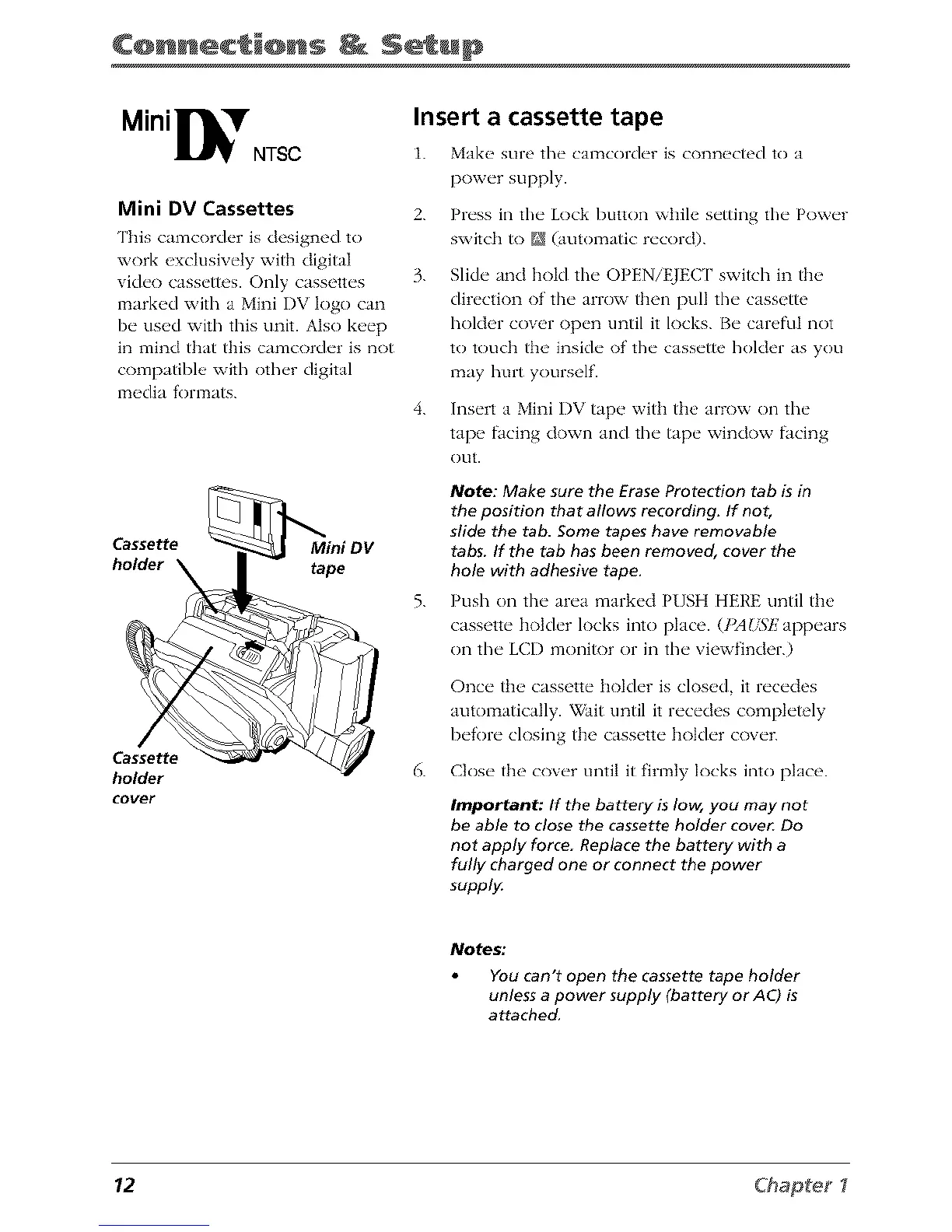
Cassette Mini DV
holder _ tape
Cassette
holder
cover
Insert a cassette tape
1. Make, sure the camcorder is conn_,cted to a
power supply.
2. Press in the Lock button while setting the Power
switch to N (automatic record).
3.
Slide and hold the OPENiEJEC [' switch in the
direction of the arrow then pull the cassette
holder cover {)pen until it locks. Be careful not
to touch the inside of the cassette holder as you
may hurt yourself.
4. Insert a Mini I)V tape with the arrow on the
tape facing down and the tape window facing
OUt.
Note: Make sure the Erase Protection tab is in
the position that allows recording. If not,
slide the tab. Some tapes have removable
tabs. If the tab has been removed, cover the
hole with adhesive tape.
5. Push on the area marked PUSH HERE until the
cassette holder locks into place. (PAU57Zappears
on the LCD monitor or in the viewfinder.)
Once the cassette holder is closed, it recedes
automatically. _ait until it recedes completely
before closing the cassette holder cover.
6. Close the cover until it firmly locks into pktce.
important: If the battery is low, you may not
be able to close the cassette holder cover Do
not apply force Replace the battery with a
fully charged one or connect the power
supply.
Notes;
You can't open the cassette tape holder
unless a power supply (battery or AC) is
attached.
12 Chap_e_ I



 To Next Page