¢@nnec_@ns _ Setup
Turn off the camcorder
1. Set the Power switch to OFF.
2. Close the LCI) monitor.
Powering the Camcorder
You can power your camcorder with a battel T or AC
power.
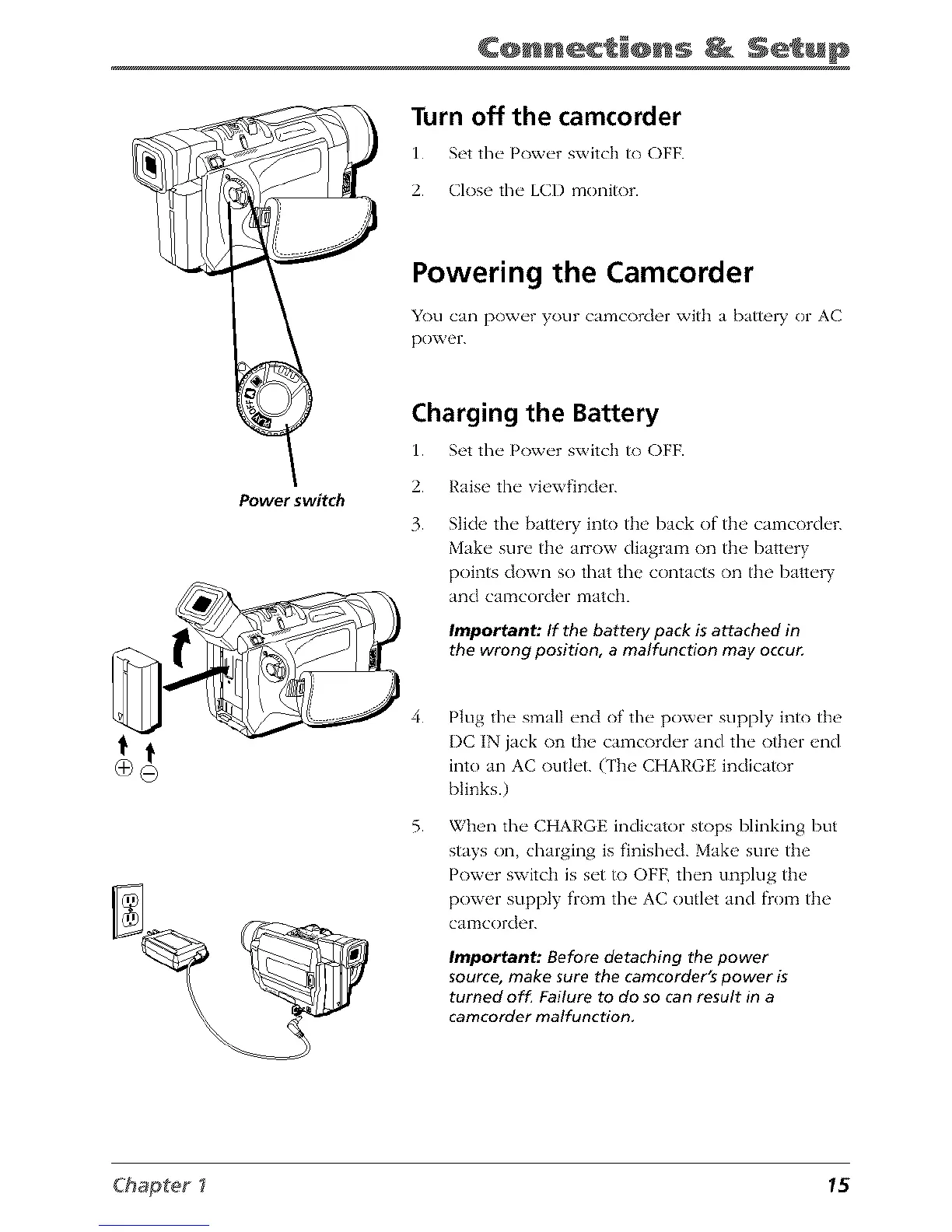
Power switch
Charging the Battery
1. Set the Power switch to OFF.
2. Raise the vi_,wfinder.
3. Slide the battery into the back of the camcorder.
Make sure the arrow diagram on the battery
points down so that the contacts on the batte W
and CalTtcorder matclL
Important: If the battery pack is attached in
the wrong position, a malfunction may occur
4.
5.
Plug the small end of the power supply into the
I)C IN jack on the camcorder and the other end
into an AC outlet. (The CHARGE indicator
blinks.)
When the CHARGE indicator stops blinking but
stays on, charging is finished. Make sure the
Power switch is set to OFF, then unplug the
power supply from the AC outlet and flom the
CalTtcorder.
Important: Before detaching the power
source, make sure the camcorder's power is
turned off. Failure to do so can result in a
camcorder malfunction,
Chapter _ 15



 To Next Page