¢@nnec @ns Setup
Notes:
If a protective cap is on the battery,
remove it before use or charging.
When charging a battery for the first
time or after a long storage period, the
CHARGE indicator may not come on.
Remove the battery and try again,
Charge the battery in temperatures
between 50 _and 90 ° Fahrenheit (10-35 °
Celsius),
Charging times are based on a fully
discharged battery and vary depending
on ambient temperature and battery
conditions,
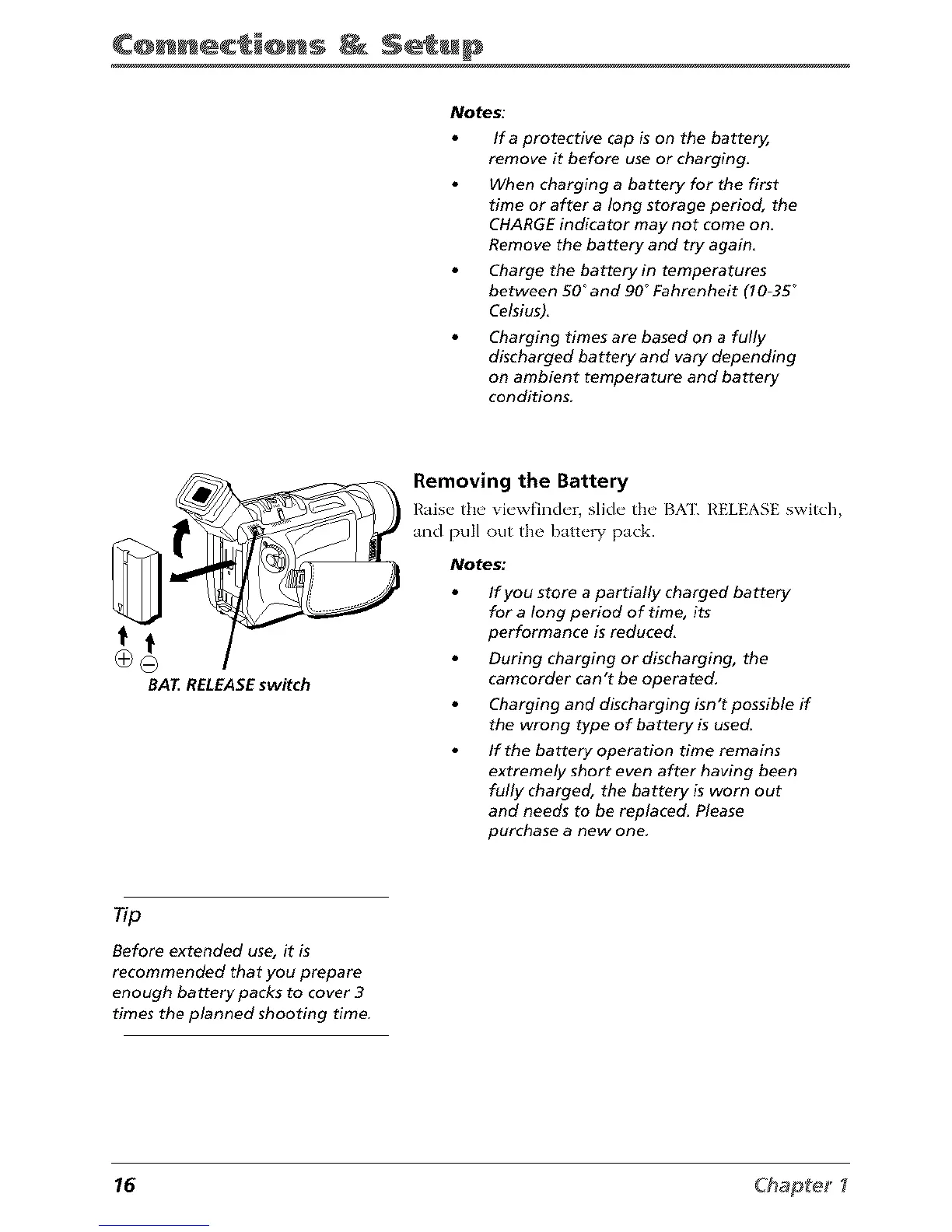
BAT RELEASEswitch
Removing the Battery
I{ais_"the' vi_'wfinch'r, slkh" the' BX]'. h'ELEASE switch
and pull out the batte W pack.
Notes."
If you store a partially charged battery
for a long period of time, its
performance is reduced,
During charging or discharging, the
camcorder can't be operated,
Charging and discharging isn't possible if
the wrong type of battery is used.
If the battery operation time remains
extremely short even after having been
fully charged, the battery is worn out
and needs to be replaced. Please
purchase a new one,
Tip
Before extended use, it is
recommended that you prepare
enough battery packs to cover 3
times the planned shooting time.
16 Chapte_



 To Next Page