Advanced Features
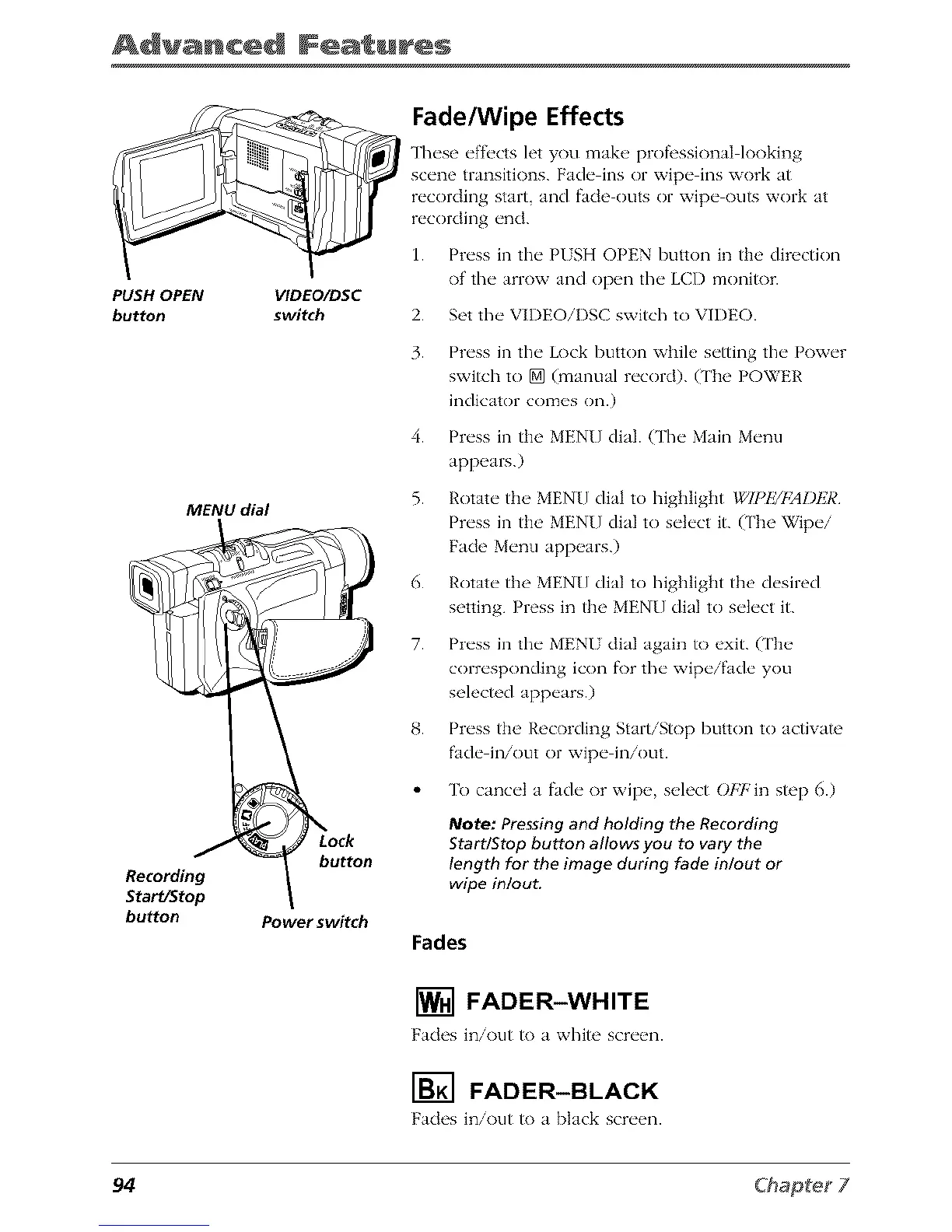
PUSH OPEN VIDEO/DSC
button switch
Recording
Start/Stop
button
MENU dial
button
Power switch
Fade/Wipe Effects
These efii:cts let you make profl, ssionaI looking
scene transitions. Fade ins or wipe ins work at
recording start, and fade outs or wipe outs work at
recording end.
1. Press in the PUSH OPEN button in the direction
of the arrow and open the LCD monitor.
2. Set the VIDEOiI)SC switch to VIDEO.
3.
4.
5.
6.
7.
Press in tile Lock button xvtlile setting tile Power
switch to [] (manual record). (The POWER
indicator comes on.)
Press in the MEN[] dial. (The Main Menu
appears.)
Rotate the MEN[] dial to highlight IglI)IUFAI)ER
Press in the MENU dial to select it. (The Wipe/
Fade Menu appears.)
Rotate the MEN[] dial to highlight the desired
setting. Press in the MEN[] dial to select it.
Press in the MENU dial again to exit. (['he
corresponding icon fi)r tile wipe/fade you
selecmd appears.)
Press the Recording Start/Stop button to actiwm'
fade in/out or wipe in/out.
To cancel a fade or wipe, select ()/Tb'in step 6.)
Note: Pressing and holding the Recording
StarffStop button allows you to vary the
length for the image during fade in/out or
wipe in/out.
Fades
[] FADER-WHITE
Fades in/out h) a white scr_'_ql.
I-_ FADER-BLACK
Fades in/out h) a black scr_'_ql.
94



 To Next Page