¢@nnec @ns Setup
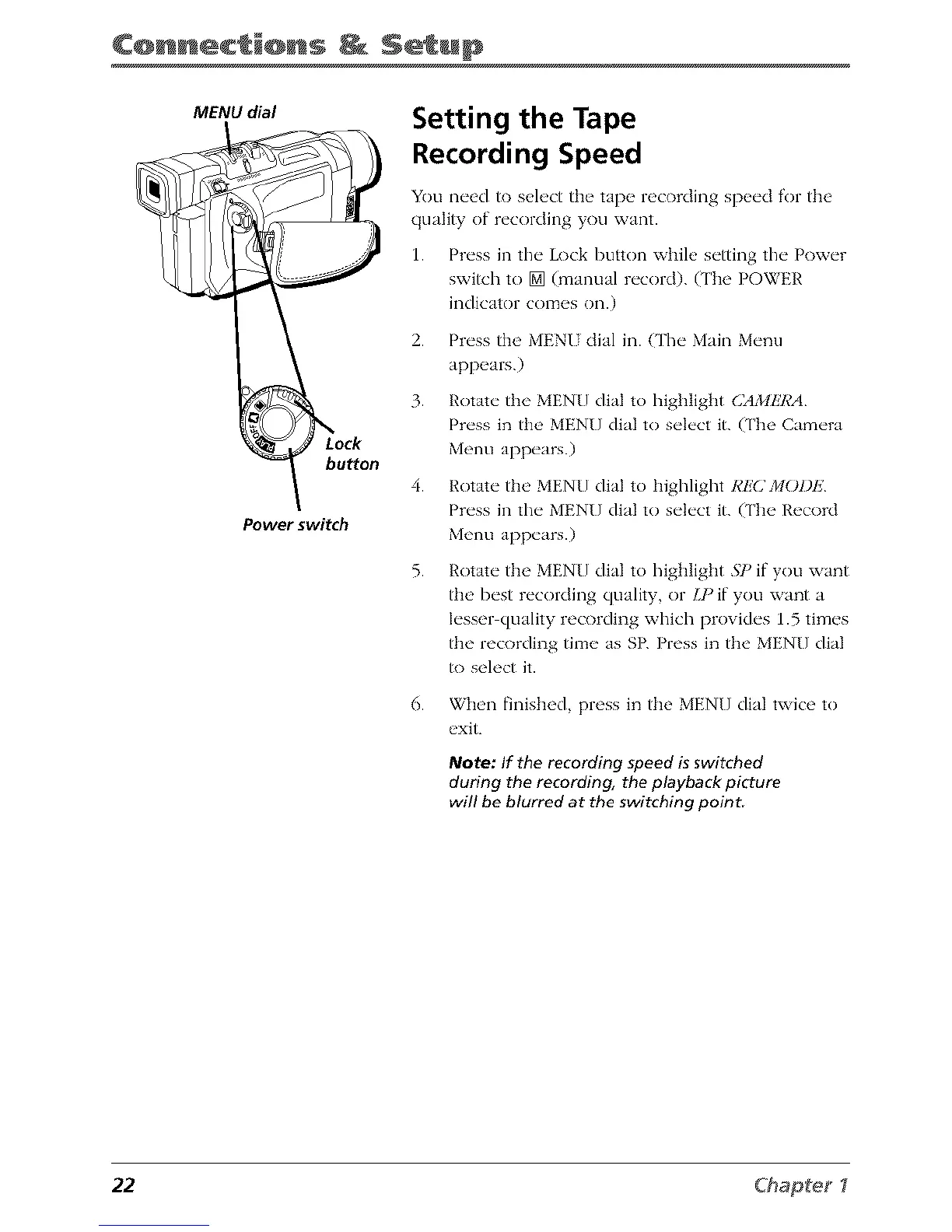
MENU dial
button
Power switch
Setting the Tape
Recording Speed
You need to select the tape recording speed for the
quality of recording you want.
1. Press in the Lock button while setting the Power
switch to [] (manual record). (The POWER
indicator comes on.)
2. Press the MENUdial in. CFheMain Menu
appears.)
3. Rotate the MEN[] dial to highlight CAMI!7_A
Press in the MEN[] dial to select it. (The Camera
Menu appears.)
4. Rotate tile MENU dial to higlJight RI!C J/IOI)I']
Press in tim MEN[] dial to select it. (The Record
Menu appears.)
5.
Rotate the MENU dial to highlight 57) if you want
the best recording quality, or IJ ) if you want a
lesser quality recording which provides 1.5 times
the recording time as SR Press in the MEN[] dial
to select it.
6. When finished, press in the MEN[] dial twice to
exit.
Note: If the recording speed is switched
during the recording, the playback picture
will be blurred at the switching point.
22 Chapte_



 To Next Page