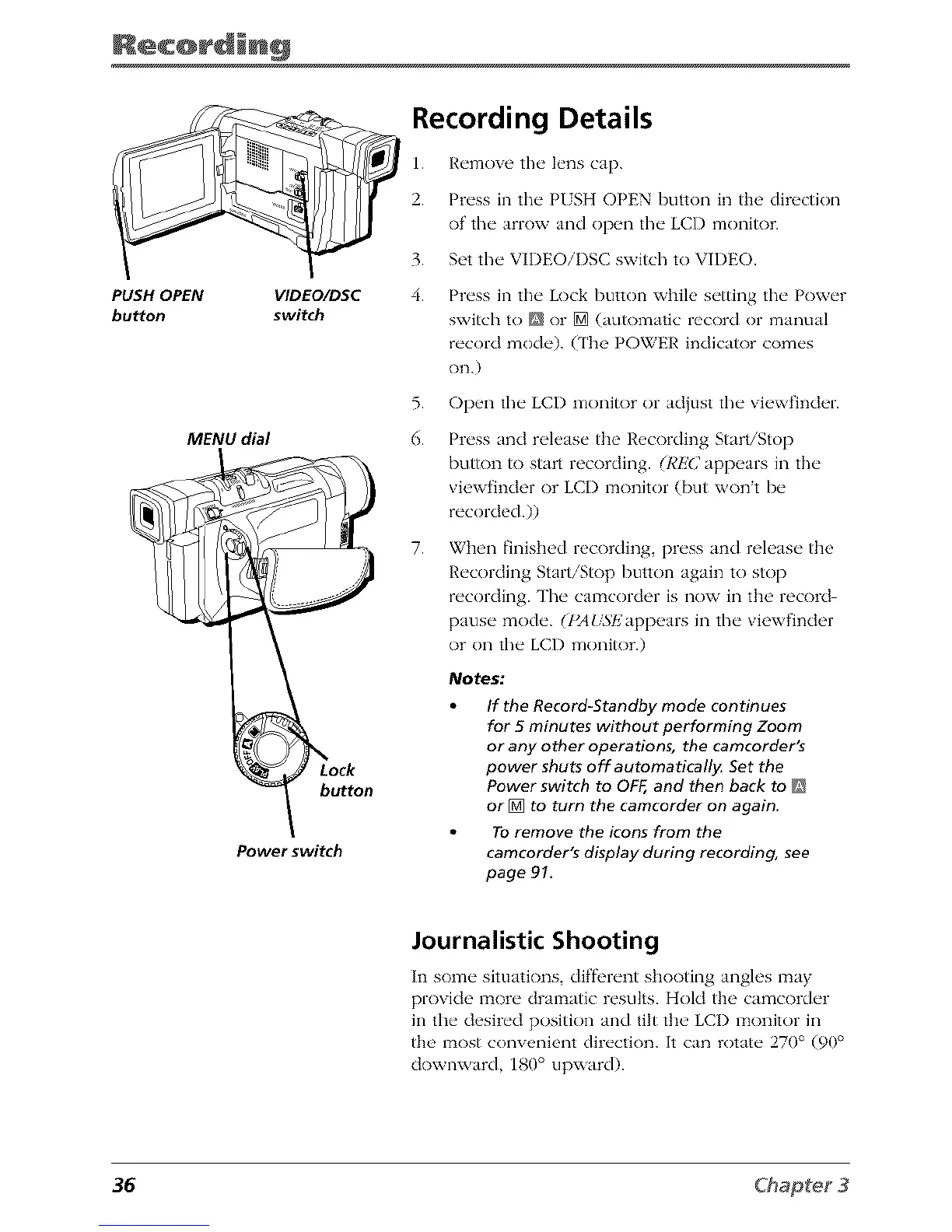
PUSH OPEN
bu_on
VIDEO/DSC
switch
MENU dial
button
Power switch
Recording Details
1. Remove the lens cap.
2. Press in the PUSH OPEN button in tim directkm
of the arrow and open the LCD monitor.
3. Set the VIDEOiI)SC switch to VIDEO.
4.
Press in the Lock button while setting the Power
switch to [] or [] (automatic record or manual
record mode). (The POWER indicator comes
on.)
5. Open the LCI) monitor or adiust the viewfinder.
6.
Press and release the Recording Start/Stop
butR)n R) start recording. (RI!'(; appears in the
viewfinder or LCI) monitor (but wont be
recorded.))
7.
When finished recording, press and release the
Recording Start/Stop button again to stop
recording. The camcorder is now in the record
pause mode. (I_AUSEappears in the viewfinder
or on the LCD monitor.)
Notes:
If the Record-Standby mode continues
for 5 minutes without performing Zoom
or any other operations, the camcorder's
power shuts off automaticall}_ Set the
Power switch to OFF, and then back to []
or [] to turn the camcorder on again.
To remove the icons from the
camcorder's display during recording, see
page 91.
Journalistic Shooting
In some situations, diffl, rent shooting angles may
provide more dramatic results. Hold the camcorder
in the desired position and tilt the LCI) monitor in
the most convenient direction. It can rotate 270° (90 °
downward, 180 ° upward).
36



 To Next Page