Vie in% anl @@ nl@alin%
Connecting to a Computer Using the USB Cable
To transf_'r your stt] imag_,sto your PC or Macintosh you will n_'_d the"supplied USB
cabh' a suitably _'quipp_'d comput_'r with a /SB conn.'erR)n, and the" image transf'_'r/
_'diting sof]wal-_, PhotoStudio 2000.
1. To assure safi'ty, l:_ake sure the camcorder is turned off before making any
coI]IlectJOl]S.
2. Turn on your c(maputer and insert the PhotoStudio 2000 CI) ROM into your drive.
3. Double click the installer icon and follow the on-screen instructions to install the
software. I)O NO[' install the USB I)RIVER CD ROM at this time.
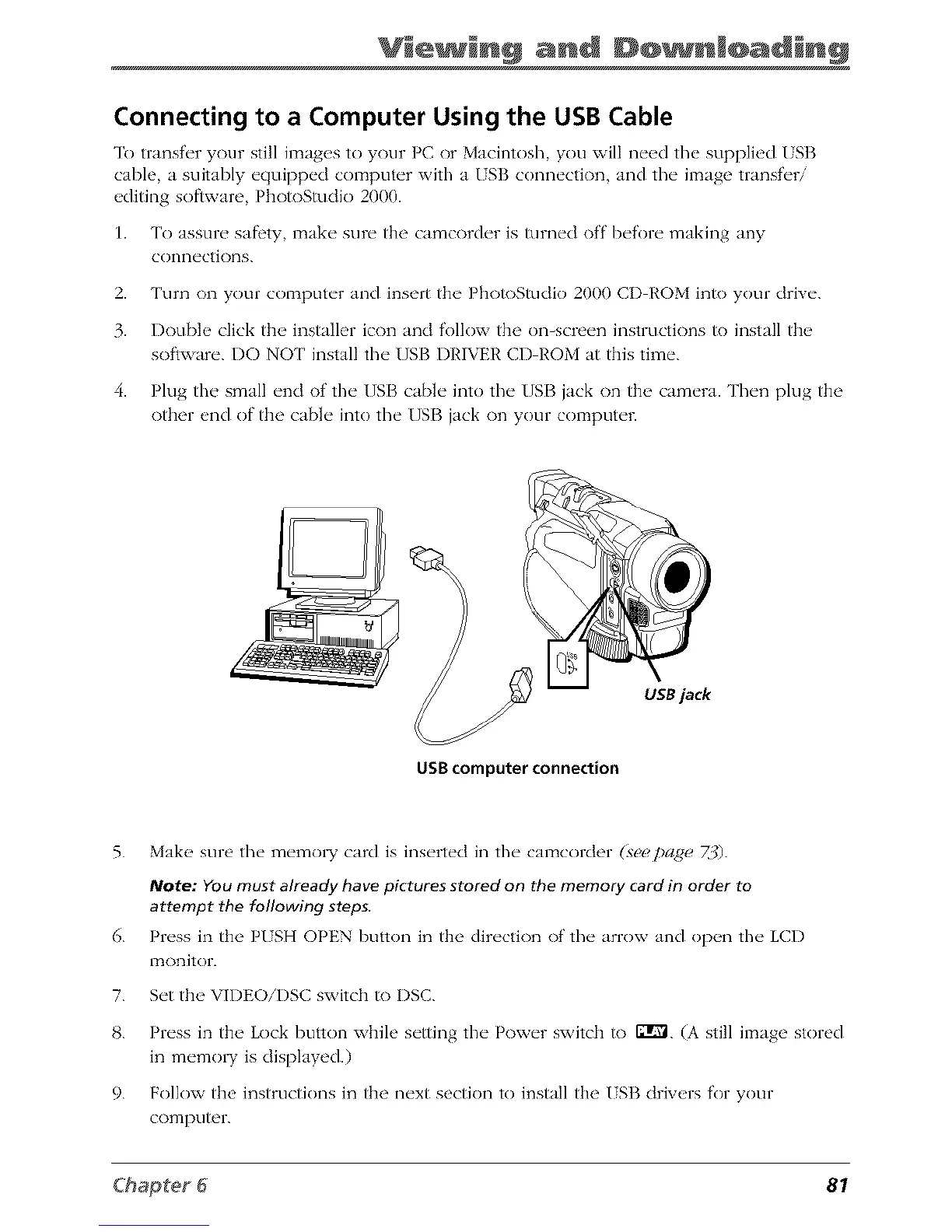
4. Plug the small end of the USB cable into the USB jack on the camera. Then plug the
other end of the cable into the USB jack on your c(m_puter.
USB jack
USB computer connection
5. Make sure the memol T card is inserted in the canacorder (seepa(qe Z:0.
Note: YOumust already have pictures stored on the memory card in order to
attempt the following steps
6. Pn'ss in the PISH OPEN button in the dir_'ctk)n of' the" arrow and op_,n the" LCD
ITtOnitoIL
7. S_'tth__VH)EO/DSC switch to DSC.
8. Pn'ss in thu Lock button while s_'tting the" Pow_'r switch to 121r'_.(A still il:_age stored
in m_'molT is dispktyed.)
9. Follow the instructions in the next section to install the ISB drivers for your
computer.
81



 To Next Page