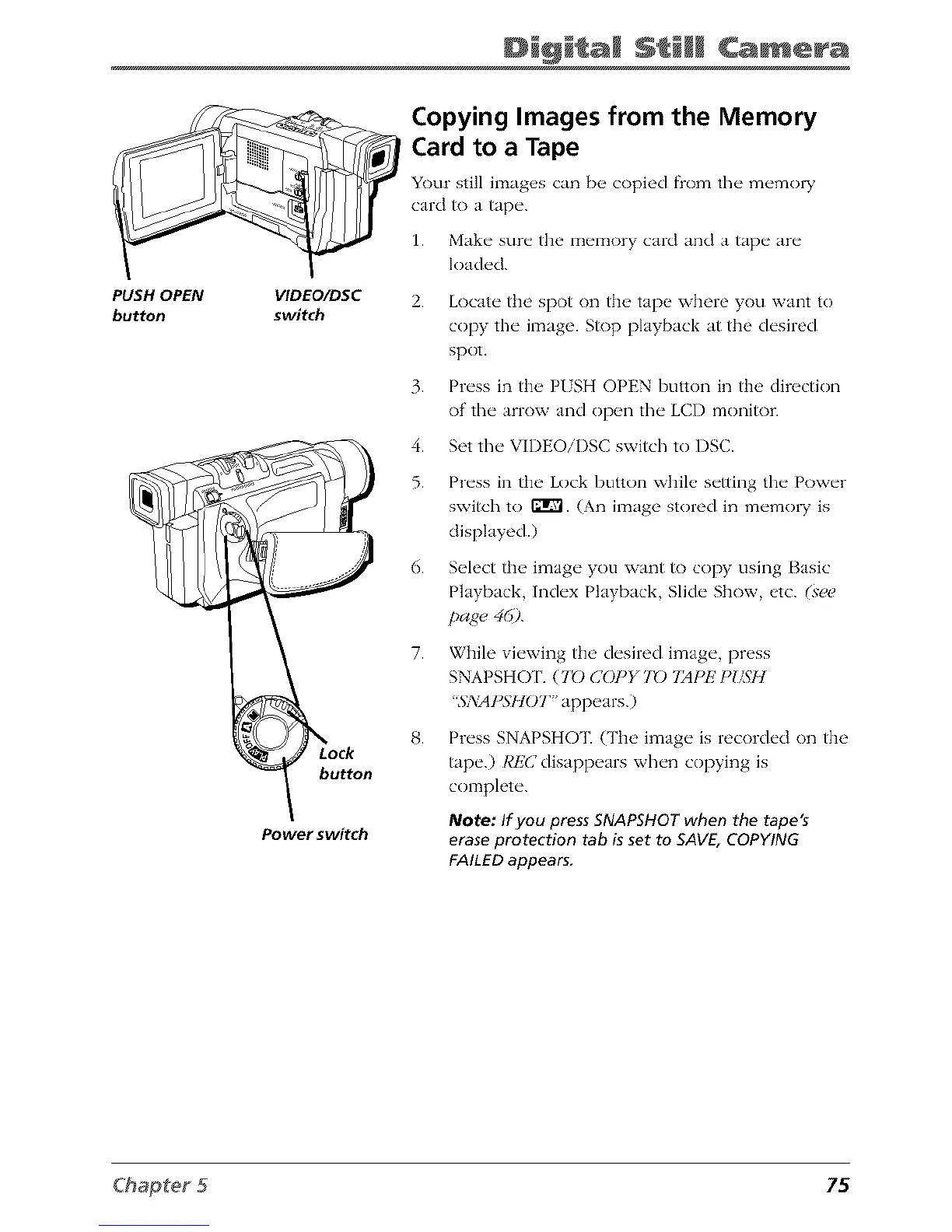
PUSH OPEN
button
Di@i a Camera
VIDEO/DSC
switch
button
Power switch
Copying Images from the Memory
Card to a Tape
Your still imag_,s can [)_ copied f_om the" m_'mol T
card to a tap('.
1. Make sure the memory card and a tape are
loaded.
2.
3.
4.
5.
6.
7.
Locate tim spot on the tape where you want to
copy the image. Stop playback at the desired
spot.
Press in the PUSH OPEN button in the direction
of the arrow and open the LCD monitor.
Set the VIDEOiI)SC switch to DSC.
Press in the Lock button while setting the Power
switch to ffrVl. (An image stored in memo1T is
displayed.)
Select the image you want to copy using Basic
Playback, Index Playback, Slide Show, etc. (se_)
page 46).
While viewing the desired image, press
SNAPSHO 1'. (70 COPY 70 721PE PI/SI]
_SA:AI)SHO T " appears.)
Press SNAPSHOT. {Tim image is recorded on the
tape.) REC disappears when copying is
complete.
Note: If you press SNAPSHOTwhen the tape's
eraseprotection tab is set to SAVE,COPYING
FAILEDappears.
75



 To Next Page