¢@nnec @ns Setup
Parts Checklist
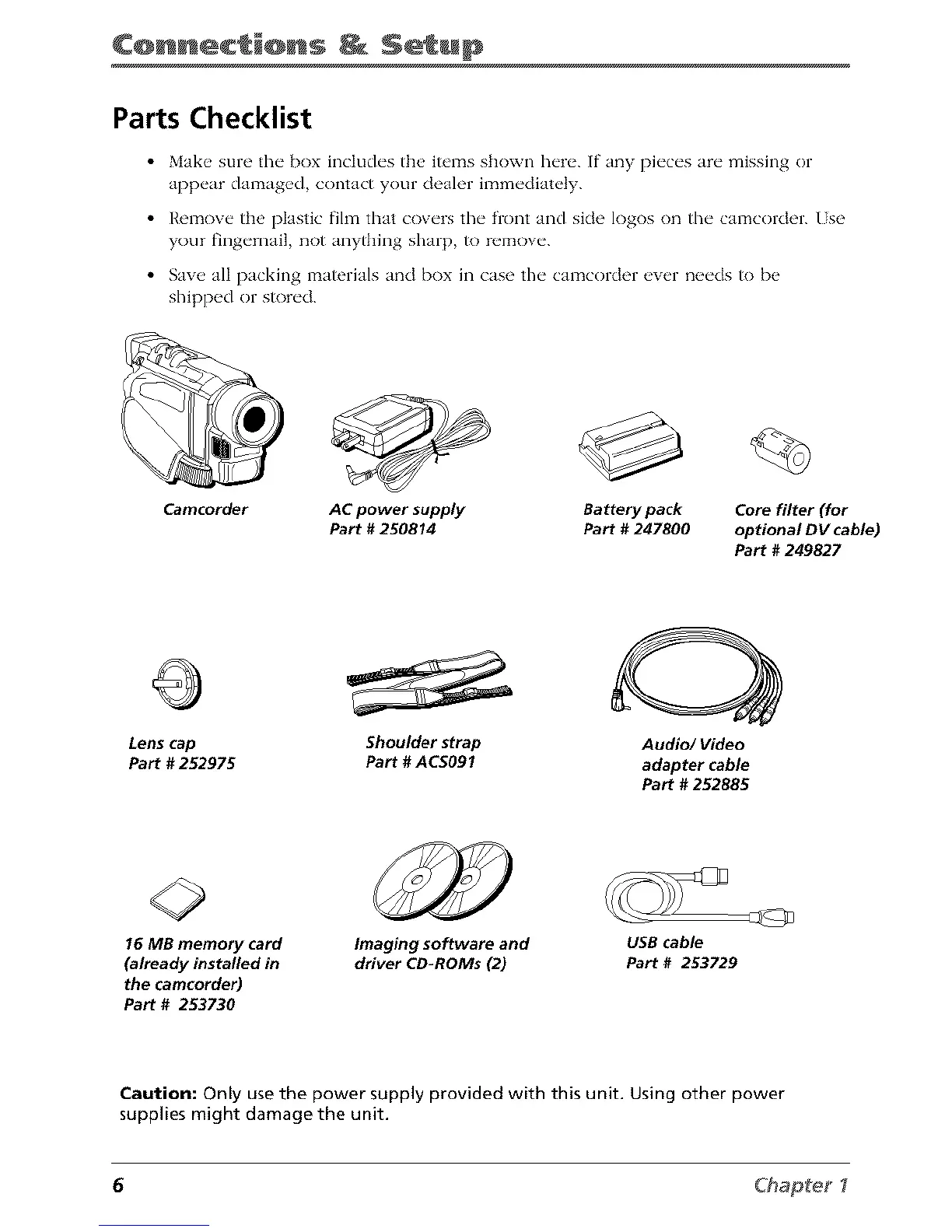
• Make sure the box includes the items shown here. If any pieces are missing or
appear damaged, contact your dealer immediately.
• Remove the plastic film that covers the front and side logos on the camcorder. Use
your fingernail, not anything sharp, to remove.
• Sa_e all packing materials and box in case the camcorder e_er needs to be
shipped or stored.
Camcorder
AC power supply
Part # 250814
Battery pack
Part # 247800
Core filter (for
optional DV cable)
Part # 249827
Lens cap Shoulder strap
Part # 252975 Part #ACS091
Audio/Video
adapter cable
Part # 252885
16 MB memory card
(already installed in
the camcorder)
Part # 253730
Imaging software and
driver CD-ROMs (2)
USB cable
Part # 253729
Caution: Only use the power supply provided with this unit. Using other power
supplies might damage the unit.
6 Chap_e_ I



 To Next Page