Advanced Features
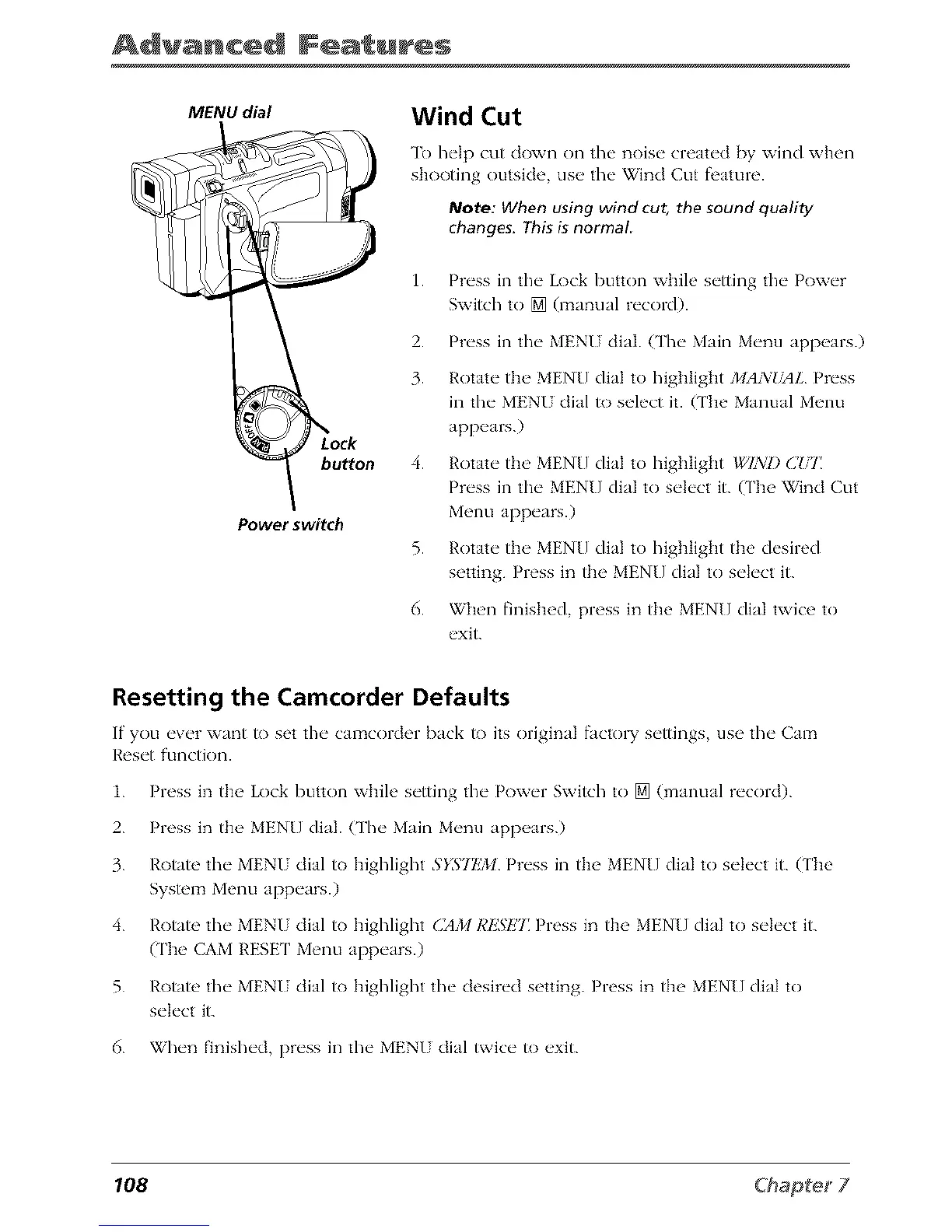
MENU dial
buttorl
Power switch
Wind Cut
To help cut down on the noise created by wind when
shooting outside, use the Wind Cut feature.
Note: When using wind cut, the sound quality
changes, This is normal
1.
2.
3.
4.
5.
6.
Press in the Lock button while setting the Power
Switch to [] (manual record).
Press in the MENU dial. (The Main Menu appears.)
Rotate the MENU dial to highlight MAN_YlL Press
in the MENU dial to select it. (The Manual Menu
appears.)
Rotate the MEN[] dial to highlight WIND C!,T
Press in the MEN[] dial to select it. (The Wind Cut
Menu appears.)
Rotate the MENU dial to highlight the desired
setting. Press in the MEN[] dial to select it.
When finished, press in the MEN[] dial twice to
exit.
Resetting the Camcorder Defaults
If" you _'vcr want to set the" camcordor back to its original facto1T s_'ttings use the" Cam
Ros_,t functkm.
1. Press in the Lock button whih' s_'tting the" Pow_'r Switch to [] (manual r_'cord).
2. Press in th_" MENU dial. (Thr Main Mrnu app_,ars.)
3. I,'otate thr MENI dial to highlight 5}_:/EM Prrss in the MENU dial to srh'ct it. (The
System Menu apprars.)
4. k'otate thr MENI dial to Idgh]ight G_M RESET Press in the MENU dial to srh'ct it.
(The CAM RESET Menu apprars.)
5. Rotato tile MENU dial to highlight tile desired setting. Press in the MEN[] dial to
select it.
6. When finished, press in tile MENU dial twice to exit.
108



 To Next Page