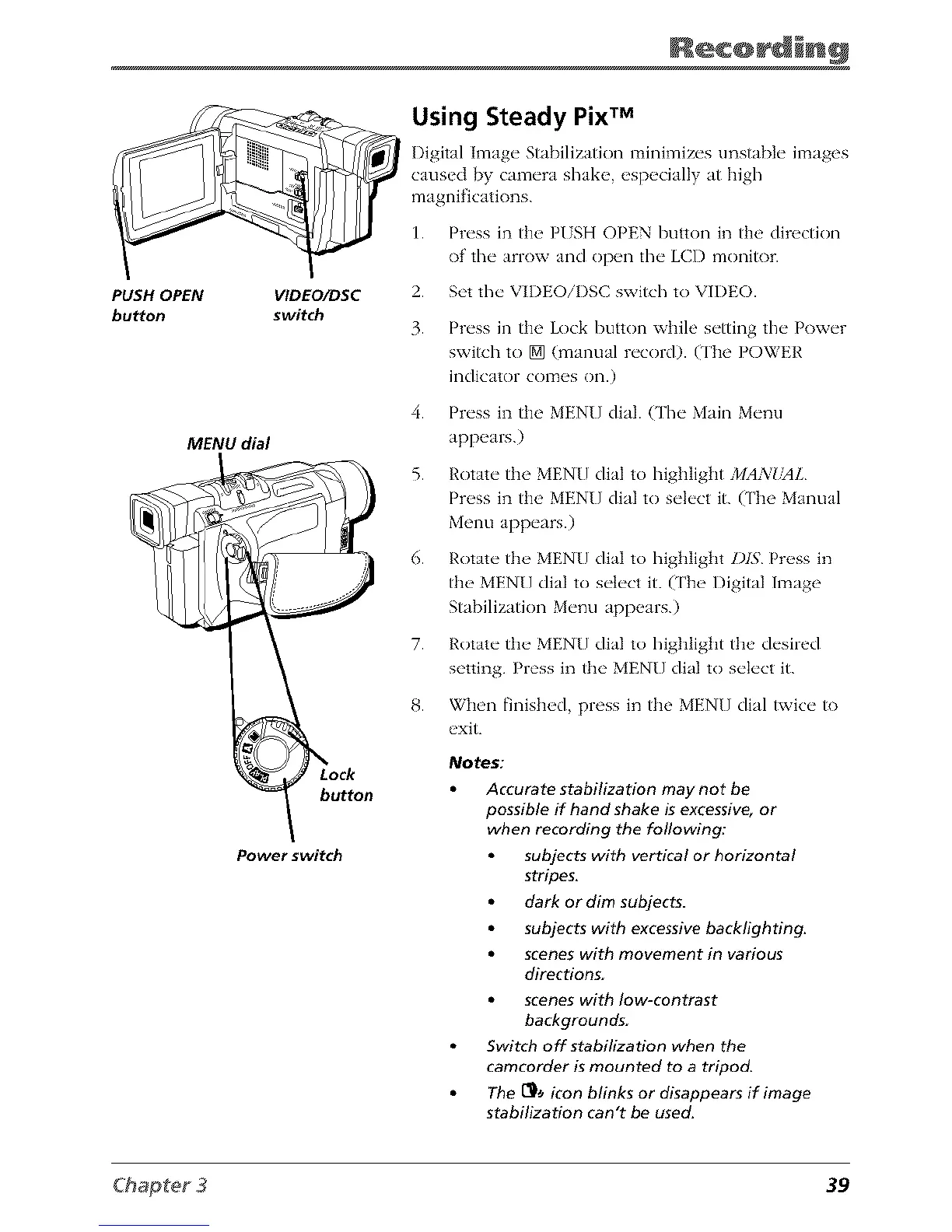
PUSH OPEN
bu_on
VlDEO/DSC
switch
MENU dial
button
Power switch
Using Steady Pix TM
Digital hnage Stabilization minimizes unstable images
caused by camera shake, especially at high
magnifications.
1. Press in the PUSH OPEN button in the direction
of the arrow and open the LCD monitor.
2. Set the VIDEOiDSC switch to VIDEO.
3. Press in the Lock button while setting the Power
switch to [] (manual record). (The POWER
indicator comes on.)
4. Press in the MENU dial. {The Main Menu
appears.)
5. Rotate the MENU dial to highlight MAN_tdL
Press in the MENU dial to select it. (The Manual
Menu appears.)
6. Rotate the MEN[] dial to highlight DIS Press in
the MENU dial to select it. (['he Digital Image
Stabilization Menu appears.)
7. Rotate the MEN[] dial to highlight the desired
setting. Press in the MENU dial to select it.
8. When finished, press in the MENU dial twice to
exit.
Notes:
Accurate stabilization may not be
possible if hand shake is excessive, or
when recording the following:
subjects with vertical or horizontal
stripes.
dark or dim subjects.
subjects with excessive backlighting.
scenes with movement in various
directions.
scenes with low-contrast
backgrounds.
Switch off stabilization when the
camcorder is mounted to a tripod.
The [_ icon blinks or disappears if image
stabilization can't be used.
39



 To Next Page