Still Camera
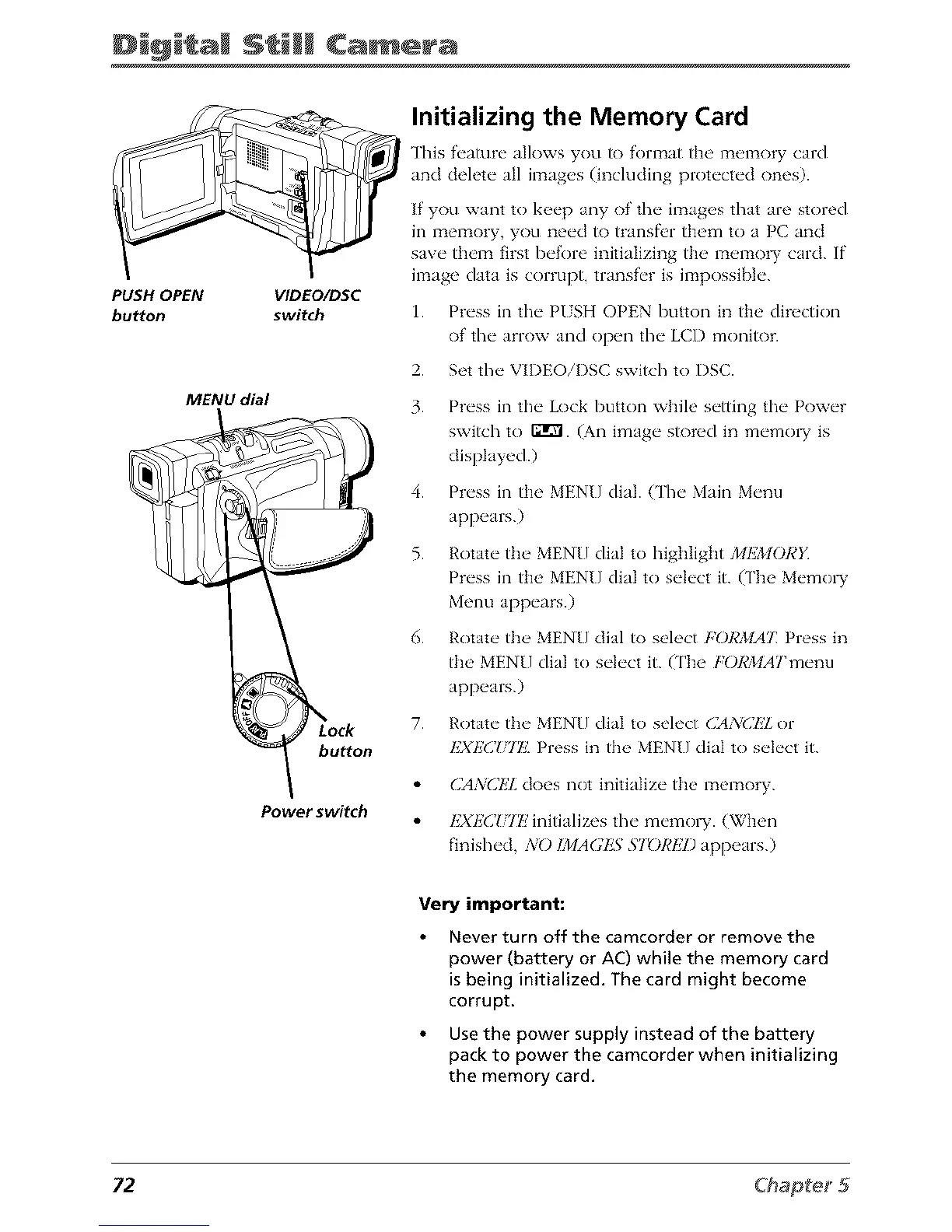
PUSH OPEN VIDEO/DSC
button switch
MENU dial
Power switch
Initializing the Memory Card
This f_'ature allows you to format the memory card
and delete all images (¸including protected ones).
If you want to keep any of the images that are stored
in memory, you need to transfi'r them to a PC and
save them first before initializing the memo W card. If
image data is corrupt, transf_'r is impossible.
1.
2.
3.
4.
5.
6.
7.
Press in tim PUSH OPEN button in the direction
of tim arrow and open the LCD monitor.
Set the VIDEOiI)SC switch to I)SC.
Press in the Lock button while setting tim Power
switch to F:I_. (An image stored in memo1T is
displayed.)
Press in the MENU dial. Cl'heMain Menu
appears.)
Rotate tile MENU dial to highlight MEMORY
Press in the MENU dial to select it. (The Memo1T
Menu appears.)
Rotate the MENU dial to select igORMAT: Press in
the MENU dial to select it. (The igORMATmeml
appears.)
Rotate the MENU dial to select (]AN(]kZ or
I£XE(]iiII_'. Press in th( _ MENU dial to s(q('ct it.
CA3iCEL does not initialize the memory.
I£XI£C!,'ITz' initializes the memo1T. (When
finished, NO ]MAGkN ST_)REI) appears.)
Very important:
Never turn off the camcorder or remove the
power (battery or AC) while the memory card
is being initialized. The card might become
corrupt,
Use the power supply instead of the battery
pack to power the camcorder when initializing
the memory card.
72



 To Next Page