Usin@ the @nit@rs
Seeing What You Are Recording
'lb see what is recording, use either the LCI) monitor or the viewfinder monitor. When
the LCD moni_)r is open more than 25 _, the viewfinder turns off. When you close the
LCI) monitor, the viewfinder rams on.
Using the LCD Monitor
The' camcordcr's LCI) monitor is a miniature color screen that you can use f\)r recording
playback.
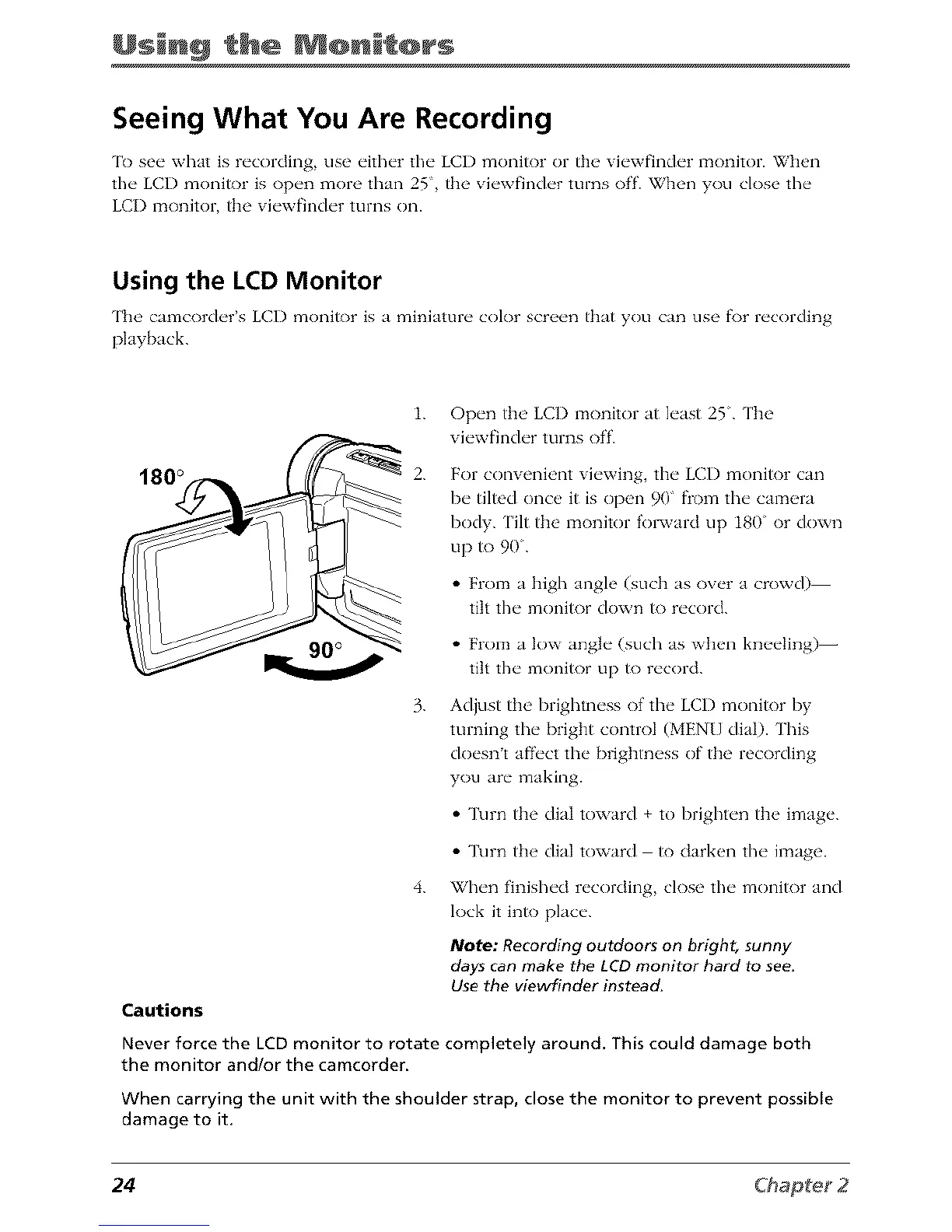
180 °
1. Open tim LCI) monitor at least 25. The
viewfinder turns off.
2.
For convenient viewing, the LCI) monitor can
be tiled once it is open 90" from the camera
body. Hit the monitor f'ol_vard up 180 or down
up to 90.
• From a high angle (such as over a crowd)
tilt the monitor down to record.
• From a low angle (such as when kneeling)-
tilt the monitor up to record.
3.
Adjust the brightness ofthe LCD monitor by
turning the bright control (MENU dial). This
doesnt affect the brightness of the recording
you are making.
• "l\lrn the dial toward + to brighten the image.
• l\lrn the dial toward to darken the image.
4.
When finished recording, close the monitor and
lock it into place.
Note: Recording outdoors on bright, sunny
days can make the LCD monitor hard to see.
Use the viewfinder instead.
Cautions
Never force the LCD monitor to rotate completely around. This could damage both
the monitor and/or the camcorder.
When carrying the unit with the shoulder strap, close the monitor to prevent possible
damage to it.
24



 To Next Page