Advanced Features
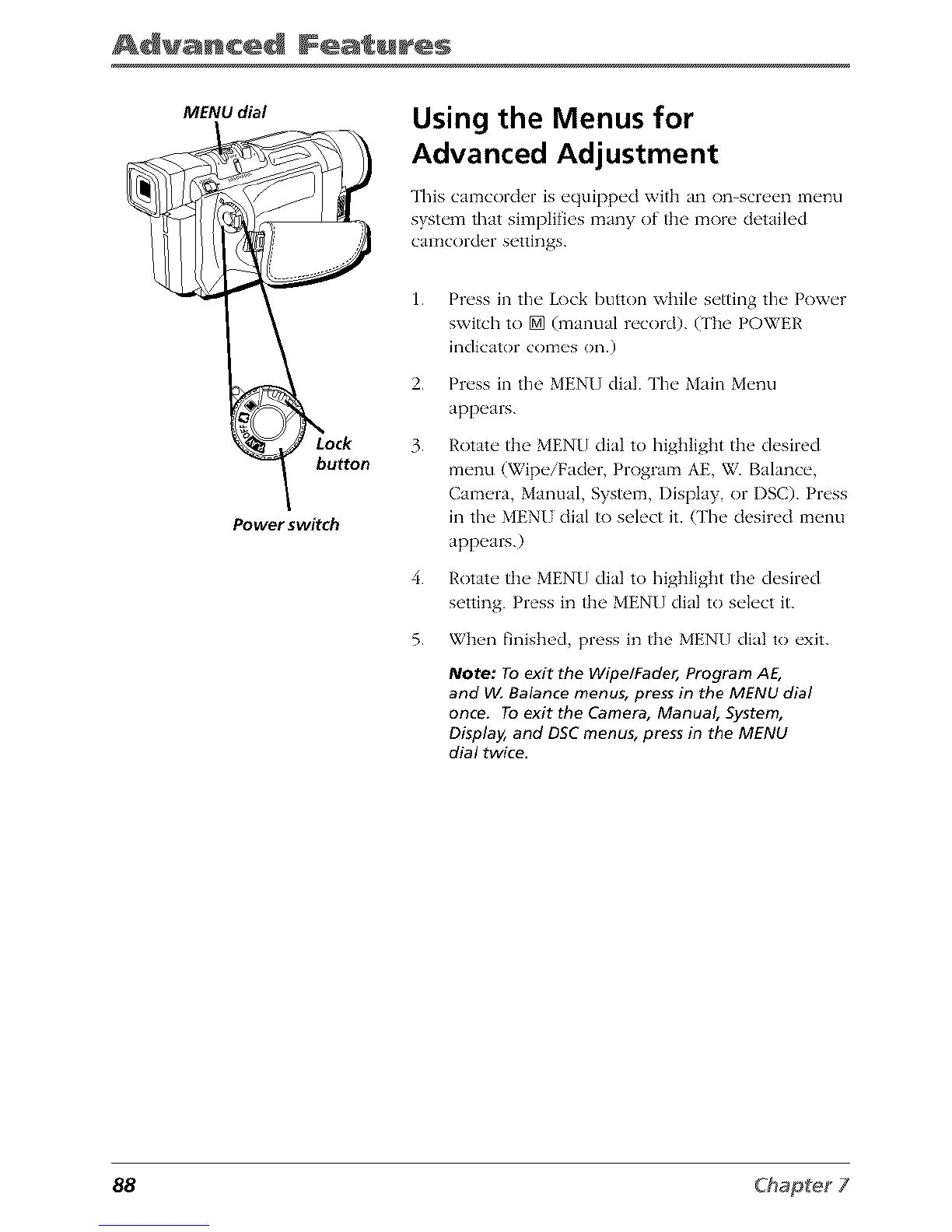
MENU dial
button
Power switch
Using the Menus for
Advanced Adjustment
This camcorder is equipped with an on screen menu
system that simpli_es many of the more detailed
cala_corder settings.
1.
2.
3.
4.
5.
Press in the Lock button while setting the Power
switch to [] (manual record). (The POWER
indicator comes on.)
Press in the MENU dial. The Main Menu
appears.
Rotate the MENU dial to highlight the desired
menu (Wipe/Fader, Program AE, W. Balance,
Camera, Manual, System, Display, or I)SC). Press
in the MENI dial to select it. (The desired menu
appears.)
Rotate the MENU dial to highlight the desired
setting. Press in the MENU dial to select it.
When finished, press in the MENU dial to exit.
Note: To exit the WipelFader, Program AE,
and VIABalance menus, press in the MENU dial
once. To exit the Camera, Manual, System,
Display, and DSC menus, press in the MENU
dial twice.
88



 To Next Page