Di@i a Camera
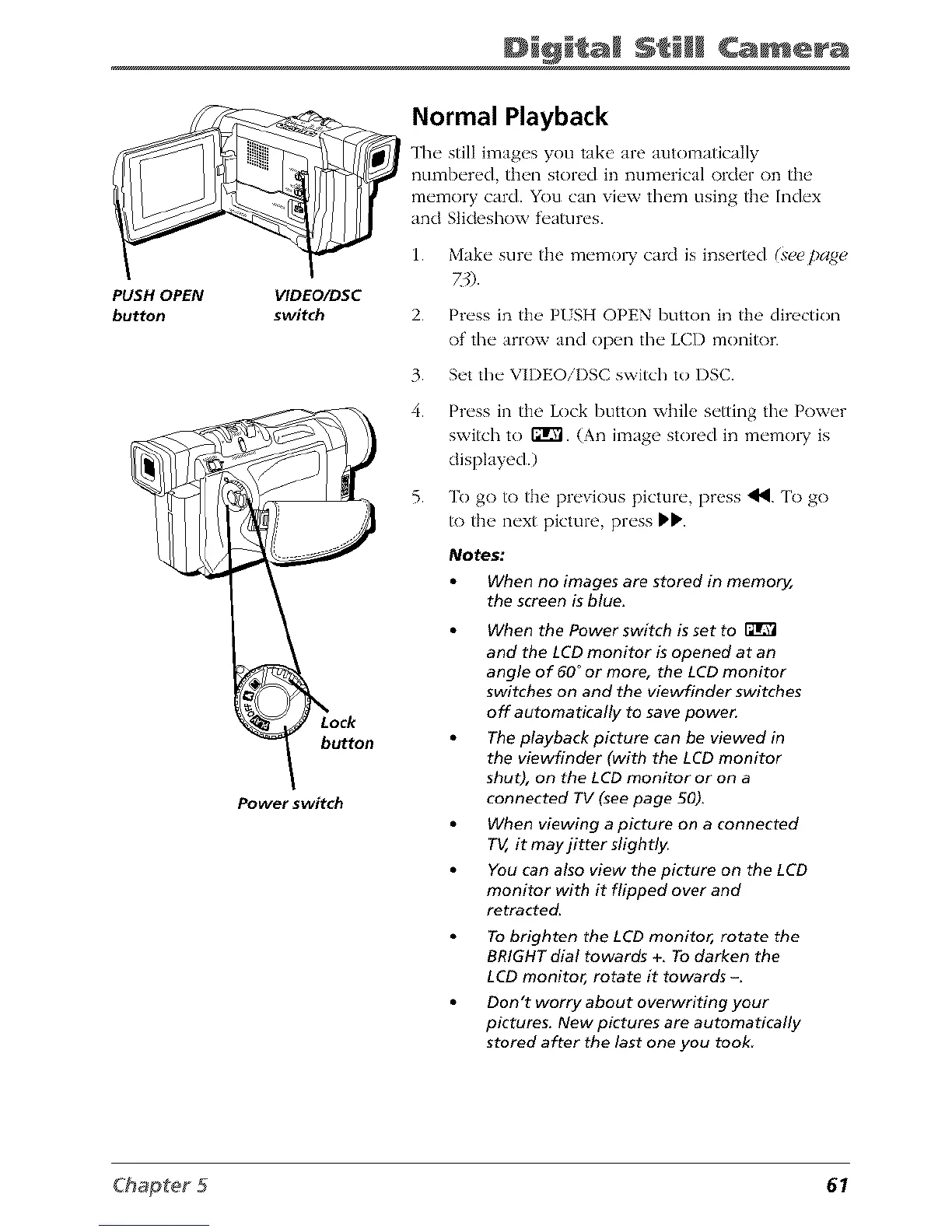
PUSH OPEN
button
VIDEO/DSC
switch
button
Power switch
Normal Playback
The still images you take are automatically
numbered, then stored in numerical oMer on the
memory card. You can view them using the Index
and Slideshow _lres.
1. Make sure the memo1T card is inserted (see page
2. Press in the P/SH OPEN button in the direction
of' the arrow and open the LCD monitor.
3. Set the VIDEOiI)SC switch to DSC.
4. Press in the Lock button while setting the Power
switch to ffrVl. (An image stored in memo W is
displayed.)
5. To go to the previous picture, press _. 'lb go
to the next picture, press _ll,.
Notes:
When no images are stored in memo04,
the screen is blue.
When the Power switch is set to
and fhe LCD monitor is opened at an
angle of 60 °or more, the LCD monitor
switches on and the viewfinder switches
off automaUcally to save power.
The playback picture can be viewed in
the viewfinder (with the LCD monitor
shut), on the LCD monitor or on a
connected TV (see page 50),
When viewing a picture on a connected
T_, it may jitter slightly.
You can also view the picture on the LCD
monitor with it flipped over and
retracted.
To brighten fhe LCD monitor, rotate the
BRIGHT dial towards +, To darken the
LCD monitor, rotate it towards -.
Don't worry about overwriting your
pictures. New pictures are automatically
stored after the last one you took
61



 To Next Page