Still Camera
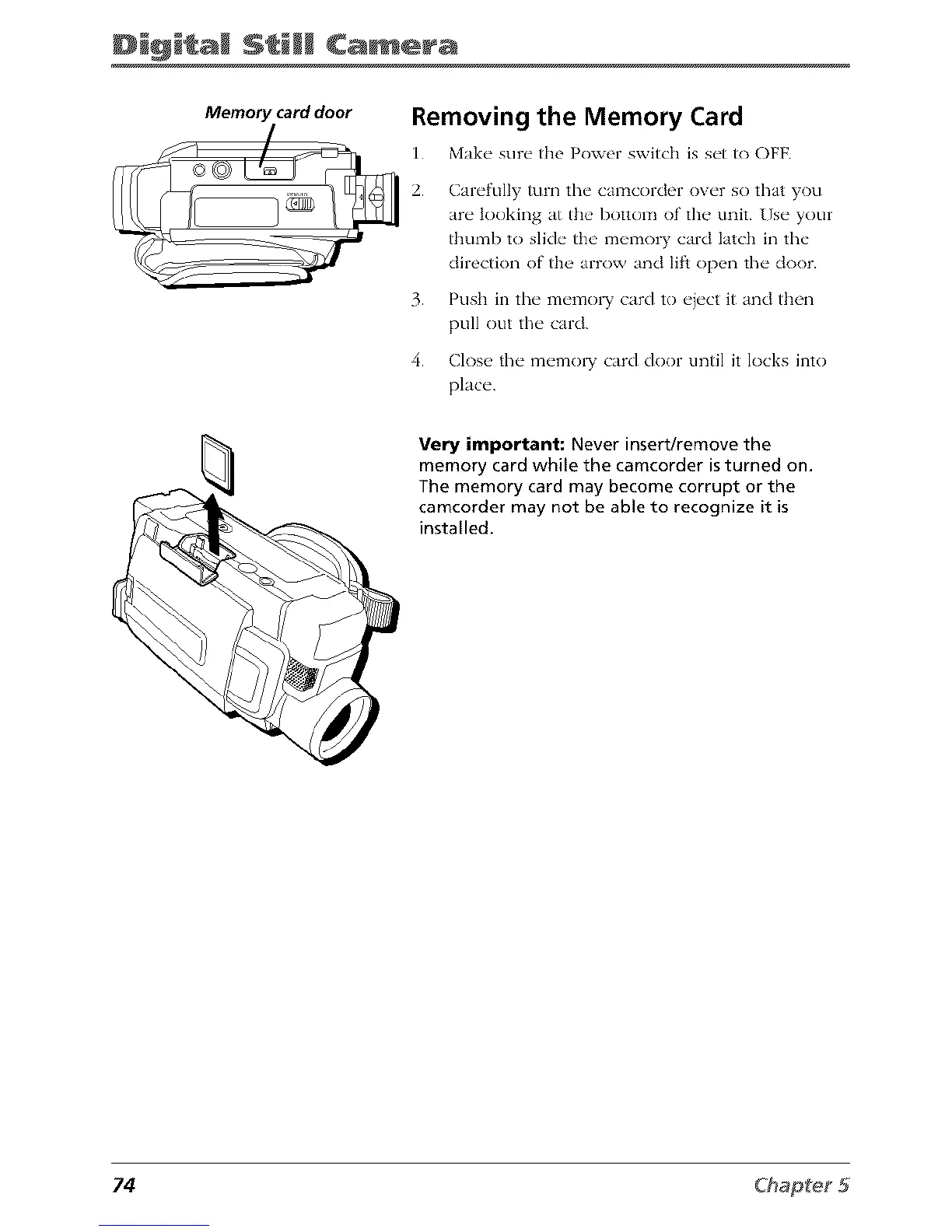
Memory card door
Removing the Memory Card
1. Make" sur_" the Powor switch is s_'t to OFF.
2.
3.
4.
Carefully turn tim camcorder over so that you
are looking at the bottom of the unit. Use your
thumb to slide the memory card latch in the
direction of the arrow and lift open the door.
Push in the memo1 T card to eiect it and then
pull out the card.
Close the memo1 T card door until it locks into
place.
Very important: Never insert/remove the
memory card while the camcorder is turned on.
The memory card may become corrupt or the
camcorder may not be able to recognize it is
installed.
74



 To Next Page