Di@i a Camera
: Protect icon
Wh_'n an image is protected against accidental
erasure, the padlock icon appears next _) the picWre
quality icon.
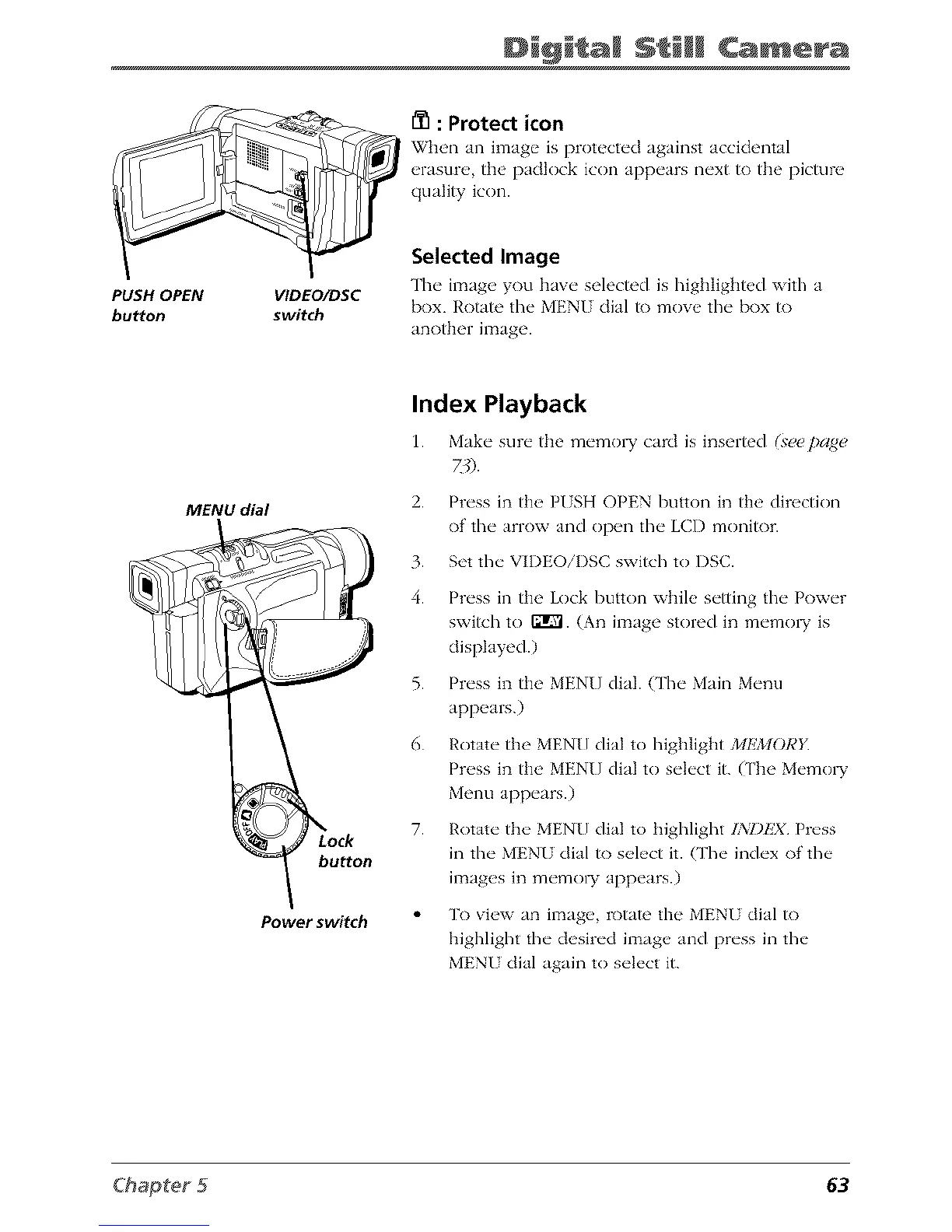
PUSH OPEN
bu_on
VlDEO/DSC
switch
Selected Image
The imag_, you have selected is highlightud with a
box. Rotate the MENI dial to move the box to
another image.
MENU dial
button
Power switch
Index Playback
1. Make sure the memo1T card is inserted (see pangs,
2. Press in the P/SH OPEN button in the direction
of the arrow and open the LCD monitor.
3. Set the VIDEOiI)SC switch to DSC.
4. Press in the Lock button while setting the Power
switch to ffrVl. (An image stored in memo W is
displayed.)
5. Press in the MENU dial. (The Main Menu
appears.)
6. Rotate the MENU dial to highlight MEMORY
Press in the MENU dial to select it. (The Memo W
Menu appears.)
7. Rotate the MENU dial to highlight IXI)kX Press
in the MENU dial to select it. (The index of the
images in memol T appears.)
To view an image, rotate the MENU dial to
highlight the desired image and press in the
MENI dial again to select it.



 To Next Page