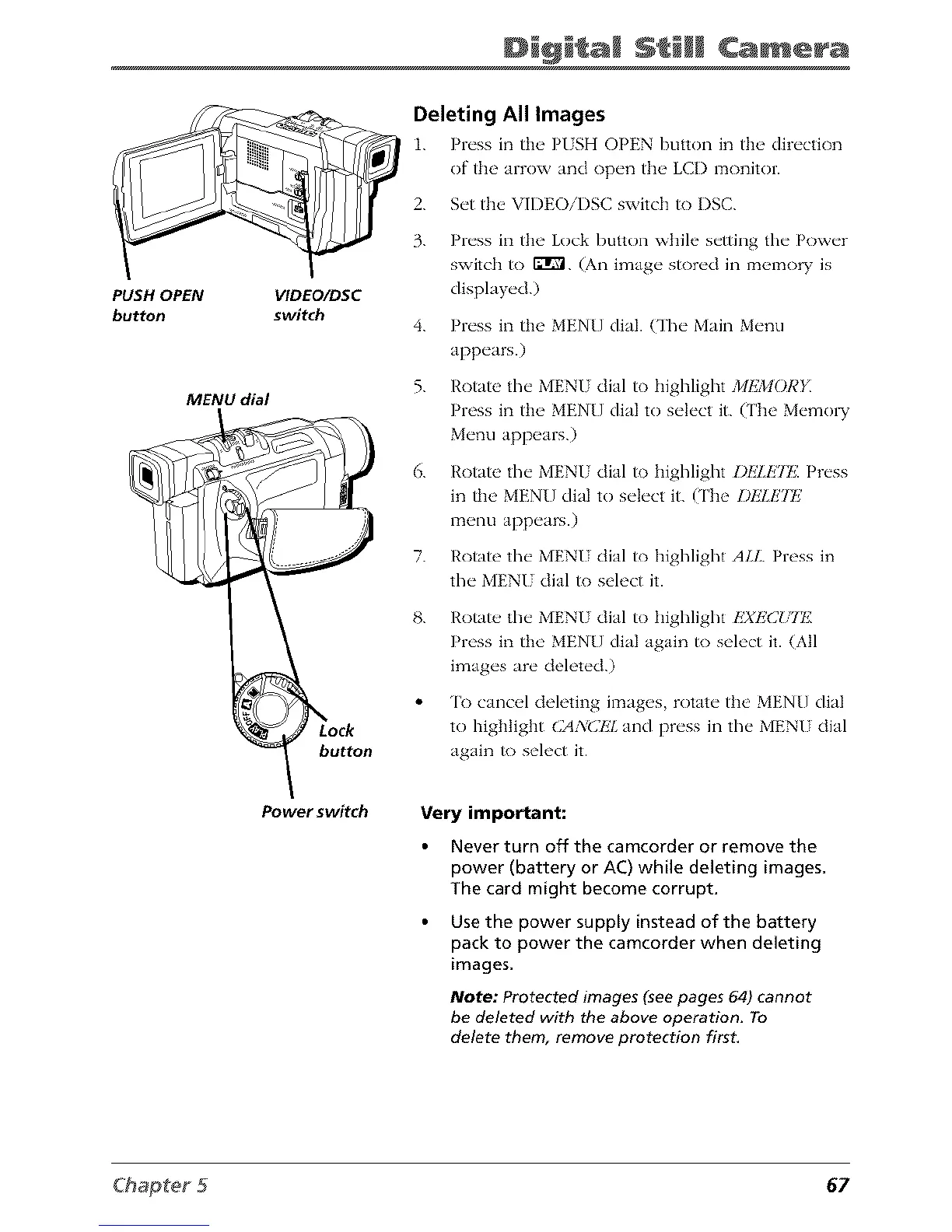
PUSH OPEN
button
Digi am Camera
VIDEO/DSC
switch
MENU dial
button
Deleting All Images
1. Pl_'ss in th__ PISH OPEN button in th__dir_'ction
of the arrow and op_'n th__LCI) monitor.
2.
3.
4.
5.
6.
7.
Set the VIDEOiI)SC switch to I)SC.
Press in the Lock button while setting the Power
switch to I_1. (An image stored in memory is
displayed.)
Press in the MENUdial. (The Main Menu
appears.)
Rotate the MENU dial to highlight MEMOR}i
Press in the MEN[] dial to select it. (The Memo W
Menu appears.)
Rotate the MENU dial to highlight DlzTE?t£ Press
in the MENU dial to select it. (The DE!.E2t,2
menu appears.)
Rotate the MENU dial to highlight ALL. Press in
the MENI dial to select it.
g.
Rotate, the MENU dial to highlight l'2Xp2(2_HT£
Press in the MENU dial again to select it. (All
images are deleted.)
'lk) cancel deleting images, rotate the MENU dial
to highlight CA3/CIZ!. and press in the MENU dial
again to select it.
Power switch
Very important:
Never turn off the camcorder or remove the
power (battery or AC) while deleting images.
The card might become corrupt.
Use the power supply instead of the battery
pack to power the camcorder when deleting
images.
Note: Protected images (see pages 64) cannot
be deleted with the above operation. To
delete them, remove protection first.
67



 To Next Page