Still Camera
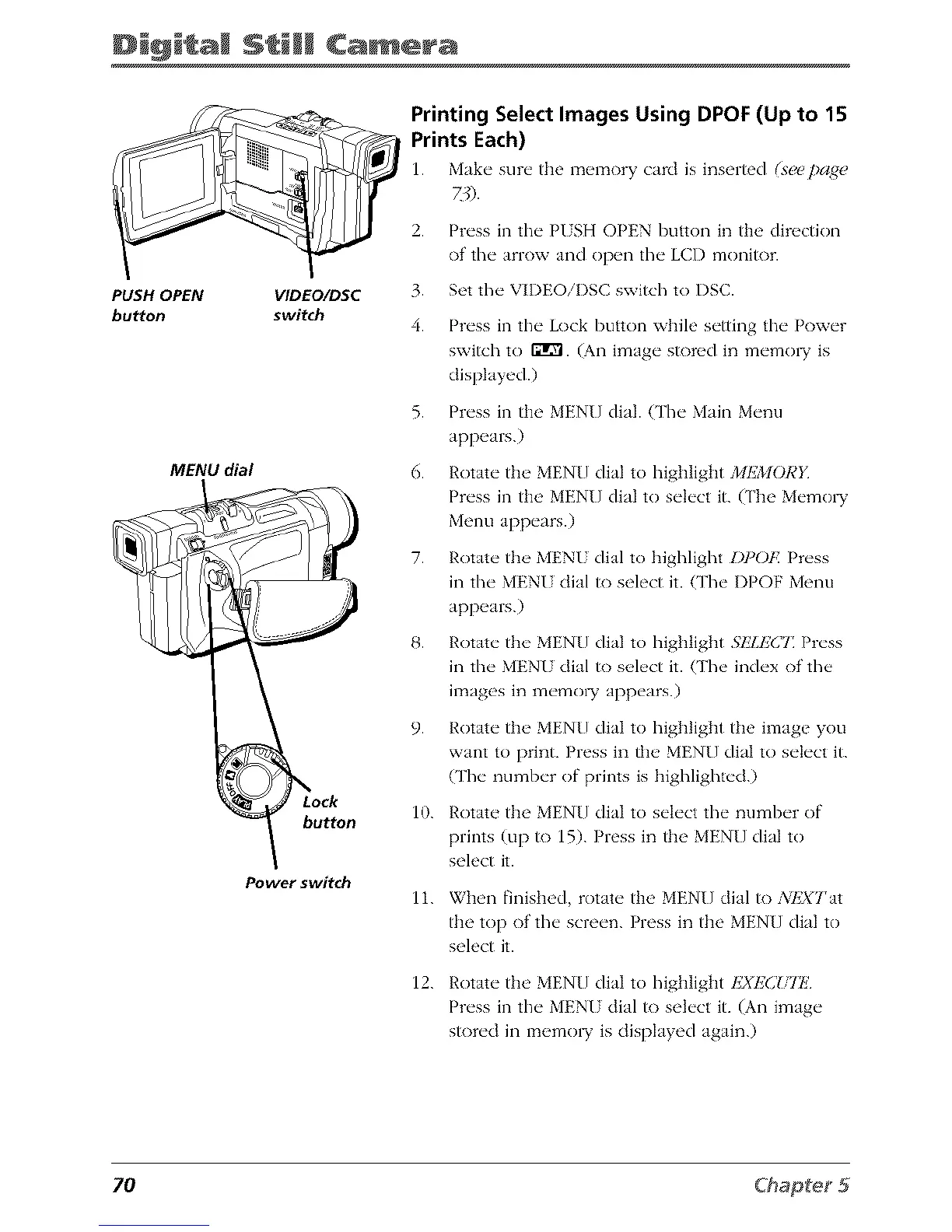
PUSH OPEN VIDEO/DSC
button switch
MENU dial
button
Power switch
Printing Select Images Using DPOF (Up to 15
Prints Each)
1. Make" sur_" the m_qnory card is inserted (s_c pa_(_
2.
3.
4.
5.
6.
7.
9.
10.
Press in the PISH OPEN button in the direction
of the arrow and open the LCD monitor.
Set the VIDEOiI)SC switch to I)SC.
Press in the Lock button while setting the Power
swish to fflg'l. (An image s_)red in memo_ is
displayed.)
Press in ti_e MENU dial. O'he Main Menu
appears.)
Rotate the MENU dial to highlight 2/IEMC}RY
Press in the MENU dial to select it. (The Memo W
Menu appears.)
Rotate the MENU dial to highlight I)])OF. Press
in the MENU dial to select it. (The I)POF Menu
appears.)
Rotate the MEN[] dial to highlight 51iLE(_T Press
in the MENI dial to select it. (The index of the
images in memo W appears.)
Rotate the MENU dial to highlight the image you
want to print. Press in the MEN[] dial to select it.
(The number of prints is highlighted.)
Rotate the MEN[] dial to select the number of
prints (up to 15). Press in the MENU dial to
select it.
11.
12.
When finished, rotate the MENU dial to 3ilsXTat
the top of the screen. Press in the MENU dial to
select it.
Rotate the MEN[] dial to highlight I'2XEC!,ll!
Press in the MENU dial to select it. (An image
stored in memo1T is displayed again.)
70



 To Next Page