10
1.2 GCS CONTROLS OVERVIEW
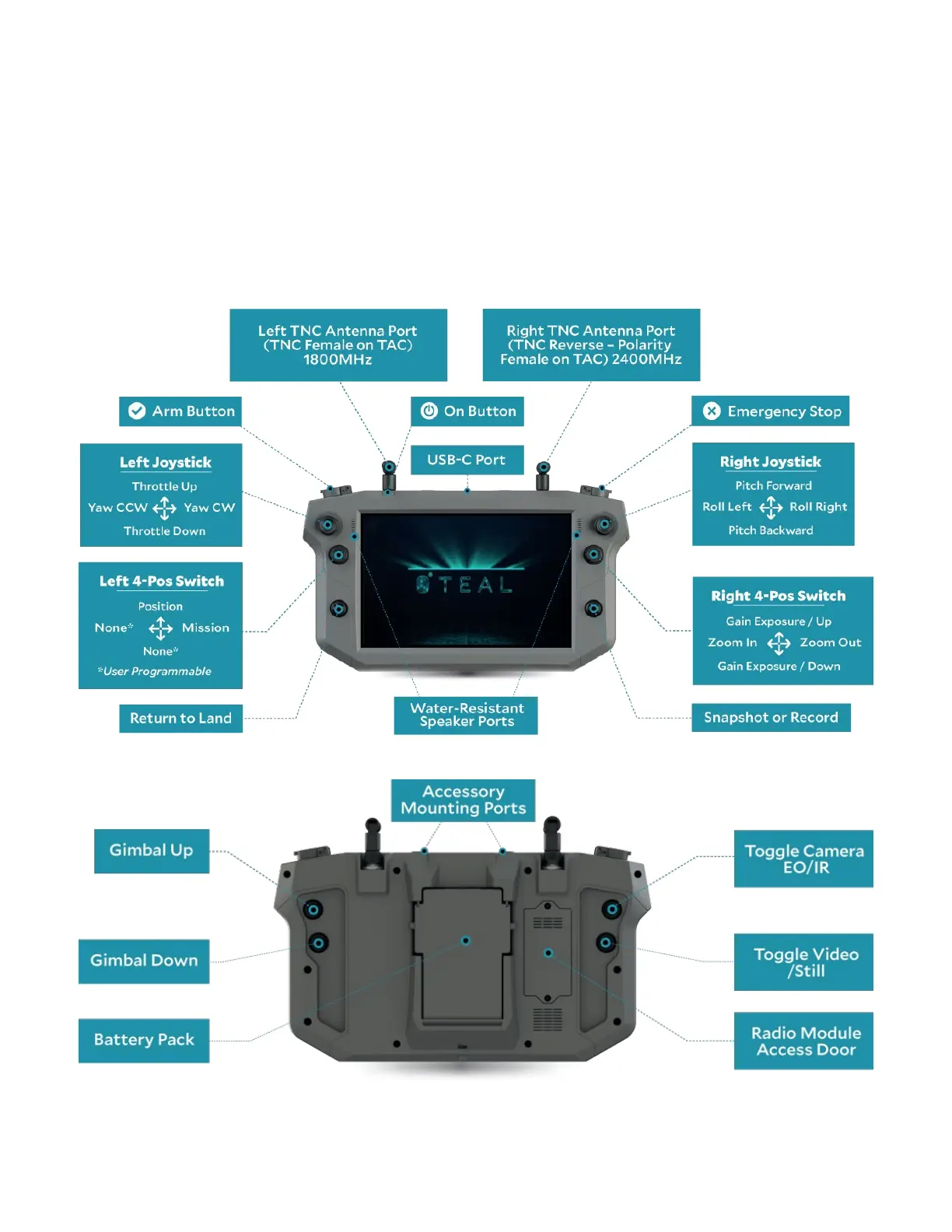
The GCS has a set of left and right buttons, controls, and ports on the front, rear, and top
panels. The left and right sets on the top panel each include a joystick, a 4-position switch,
and a push button. The left and right-hand sets on the bottom panel each include two push
buttons. The front panel includes a left and right-hand push button, each protected with
a guard door to prevent accidental actuation. The user can program the controls to suit
their needs.
The default programmed functions are shown below.



 To Next Page