38
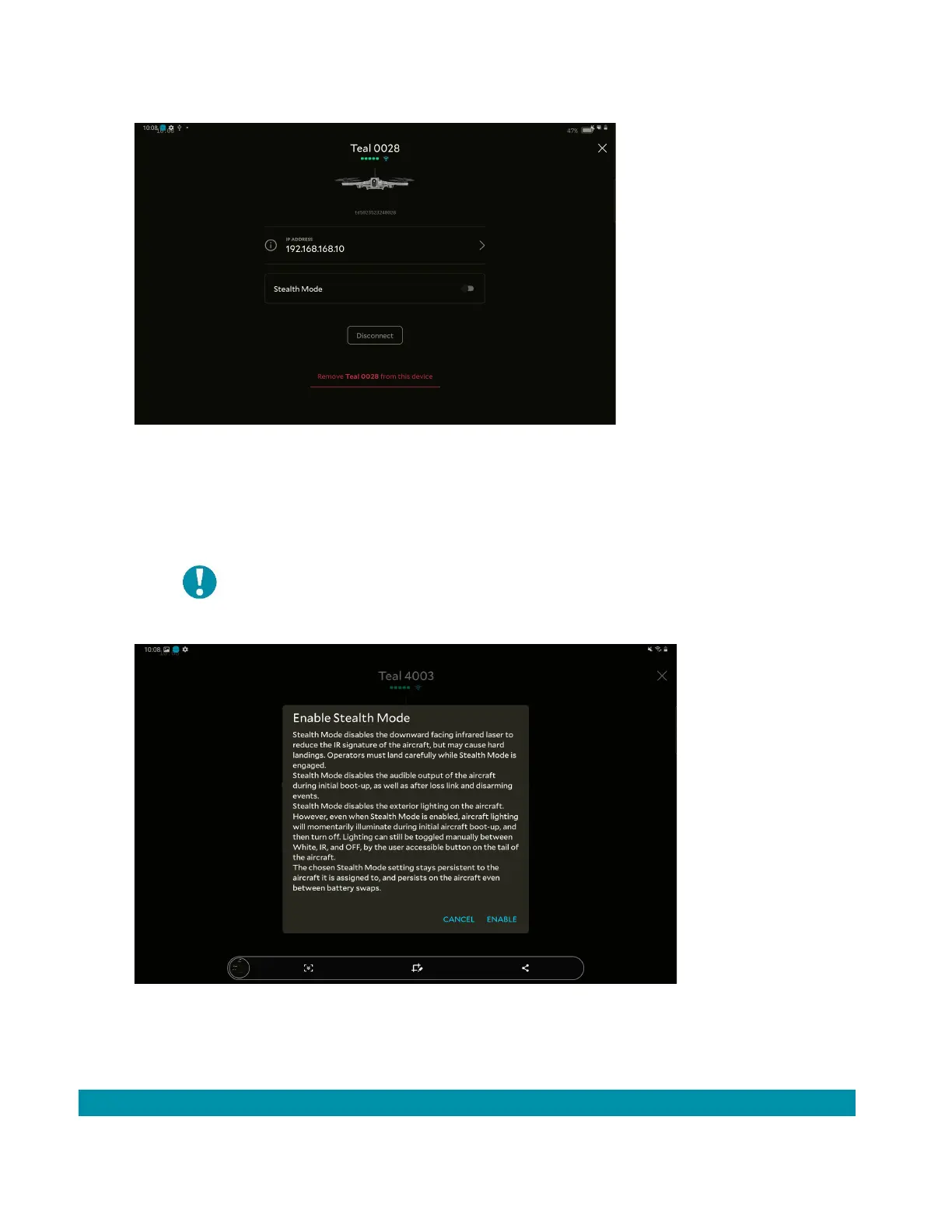
1. Open the Teal Settings application.
2. Tap the AV for Stealth Mode.
3. Tap the toggle next to Stealth Mode.
4. An information box appears reviewing the effects of Stealth Mode.
5. Tap Enable.
4.9 PRE-FLIGHT FLIGHT SAFETY
4.9.1 FLIGHT RESTRICTIONS & REGULATIONS
Stealth mode disables the downward facing
infrared laser to reduce the IR
signature of the
aircraft. This may cause hard landings. Operators
must carefully land the AV during stealth mode.



 To Next Page