31
You can also establish a geofence that will confine the AV to the established parameters.
This is helpful for those just starting out or for those who have definite boundaries that
cannot be breached.
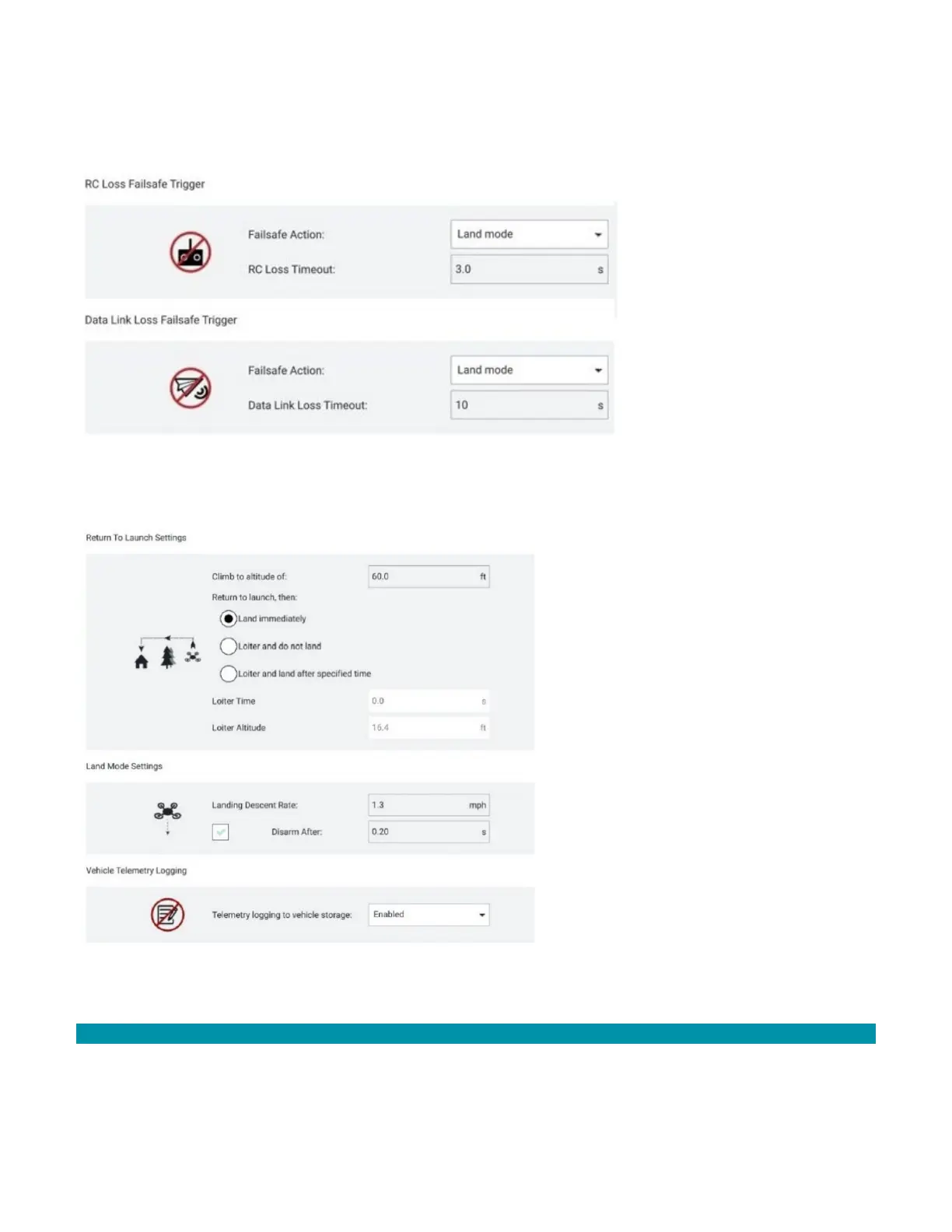
You can also establish the Return to Launch (RTL) settings, the landing settings, such as
landing descent rate, and enable/disable the AV telemetry logging.
Other functions in the Vehicle Setup screen include sensor calibration.
3.7.3 ENABLE PHOTO SETTINGS INSTRUCTIONS
All photo functions must be enabled before flight or else the media will not be stored
locally on the GCS and will not be transferrable after the mission.



 To Next Page