14
8. Insert the SD card into the card slot in the airframe with the gold pads up. This step
is optional.
2.3 PREPARE THE GCS
To prepare the GCS for AV control:
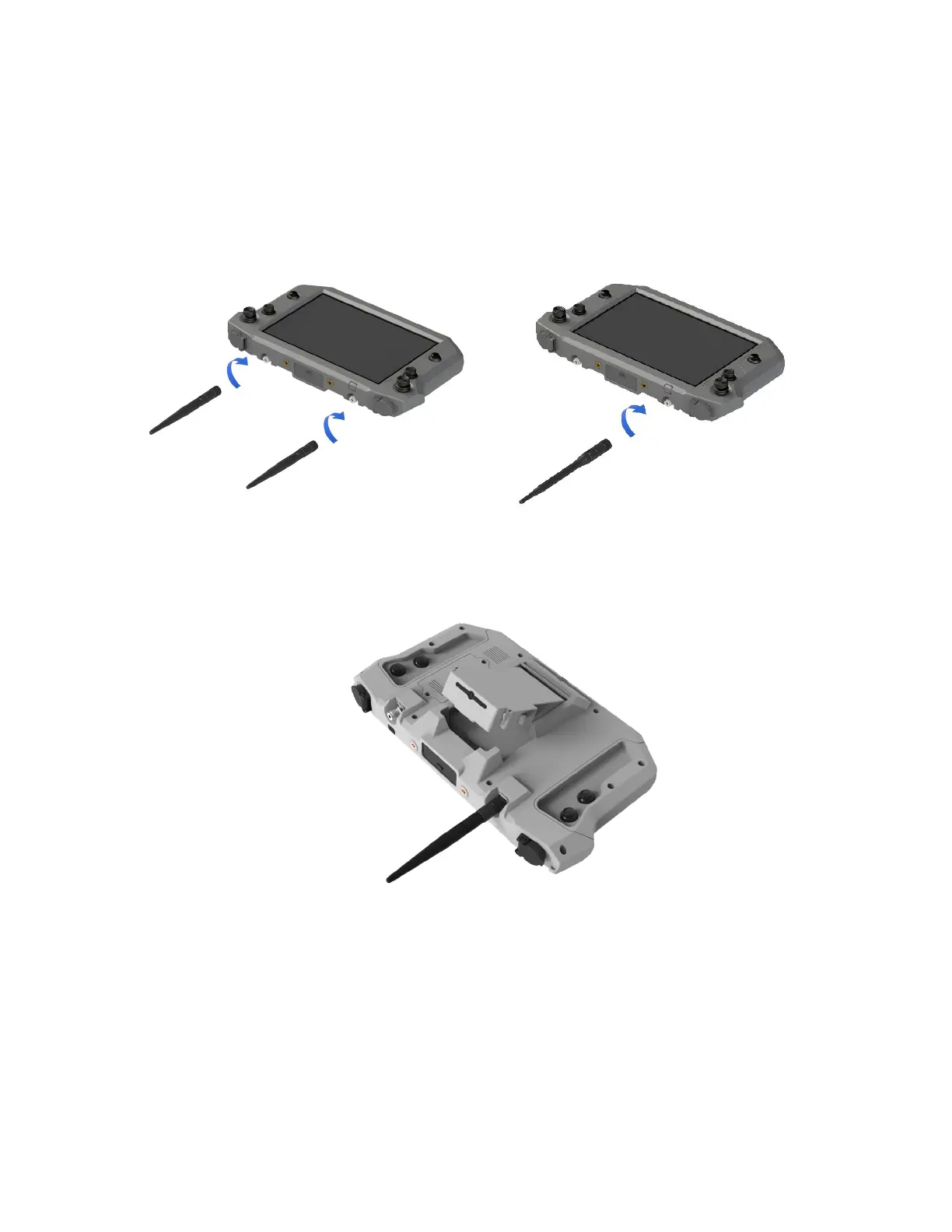
1. Attach the antennas. Mate one antenna female to male and the other antenna male
to female. Screw the antennas in a clockwise direction onto the TNC connectors on
the GCS.
Teal GCS 2.4GHz or 2.3GHz ISM Band MIMO Teal GCS 1.8GHz Antenna
2. Insert a fully charged battery pack. Make sure the side latches are fully engaged with
the GCS housing to secure the battery.
2.4 POWER ON THE GCS
To power on the GCS:
1. Insert a battery pack into the GCS battery housing.
2. Press and hold the battery pack power button for four seconds. The center LED
lights glow when the battery power is on.
3. Press and hold the GCS tablet power button for two seconds. The tablet displays a
lock screen. The serial number for the tablet is at the bottom of the screen.
4. Swipe up to access the home screen. The home screen displays applications.



 To Next Page