Because RFL™ and Hubbell® have a policy of continuous product improvement, we reserve the right to change designs and specifications without notice.
Table 13. MA-427 LAN Bridge SW2 Settings
Switch Default Settings Switch Options
COMPR (Compression)
(1)
Down Down = Compression OFF
Up = Compression ON
FILTER
(1)
Down Down = Filter and forward (bridge) OFF
Up = Filter and forward (bridge) ON
WMODE (WAN) Down
(2)
Down = Synchronous
Up = Asynchronous
MODE 4 Down
(3)
Future Application
MODE 3 Down
(3)
MODE 2 Down
(3)
MODE 1 Down
(3)
MODE 0 Up
(3)
Notes:
1. The com
p
ression and filter switch must each have the same setting as their corresponding switch on the far side of the
network.
2. To insure proper operation with the DS-64NC, do not ch
ange the WMODE switch from its default setting.
3. To insure proper operation, do not change the M
ODE 0-4 switches from their default settings.
SW2
MA-427
TX/RX
L
A
N
LINK
W
A
N
T
X
R
X
WAN
TX/RX LED
LAN
TX/RX LED
LINK LED
COMPR
FILTER
WMODE SEE TABLE 1
MODE 4 FOR SWITCH
MODE 3 SETTINGS
MODE 2
MODE 1
MODE 0
J1
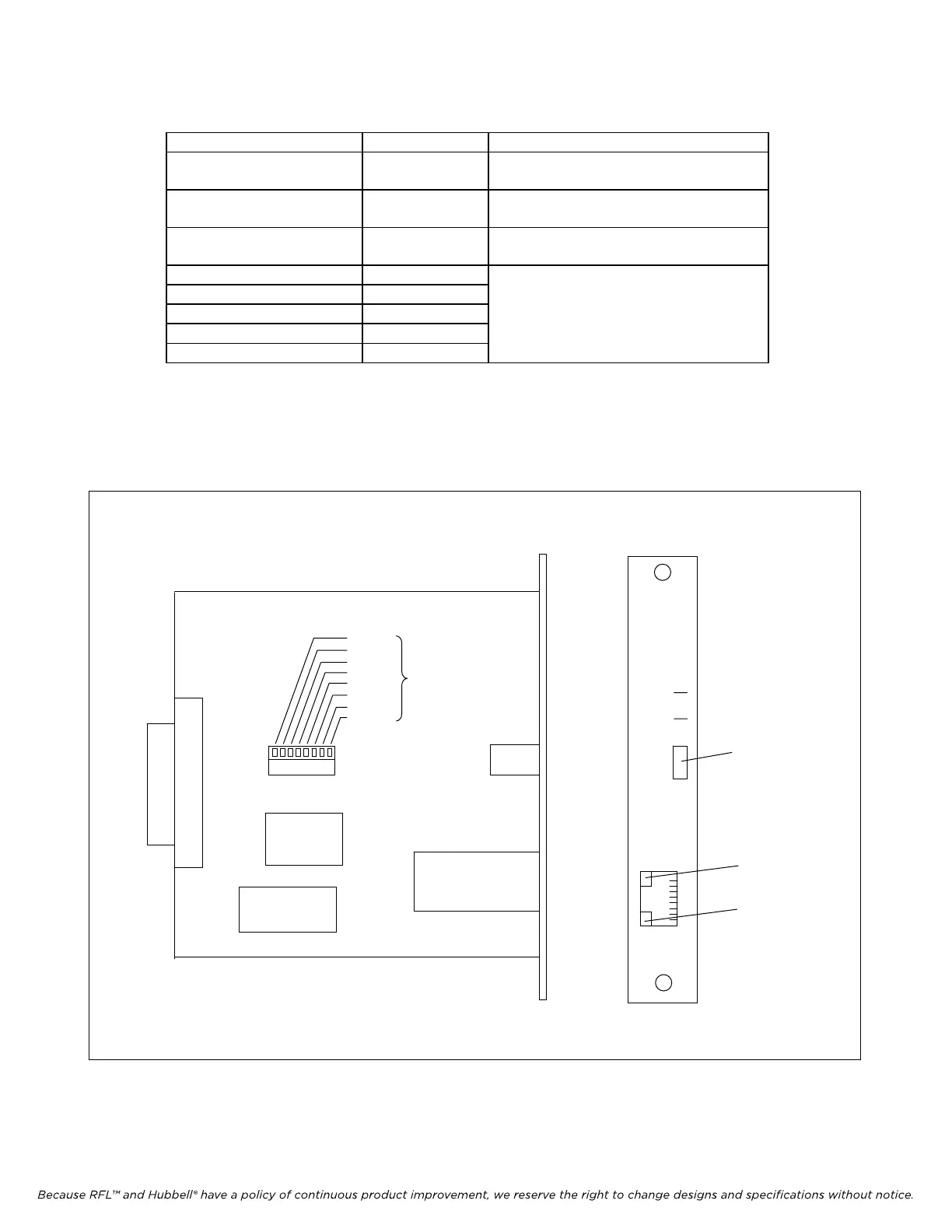
Figure 11. MA-427 LAN Bridge Module Adapter
RFL DS-64NC RFL Electronics Inc.
August 1, 2007 48 (973) 334-3100



 To Next Page