Polling Transmission
123
2
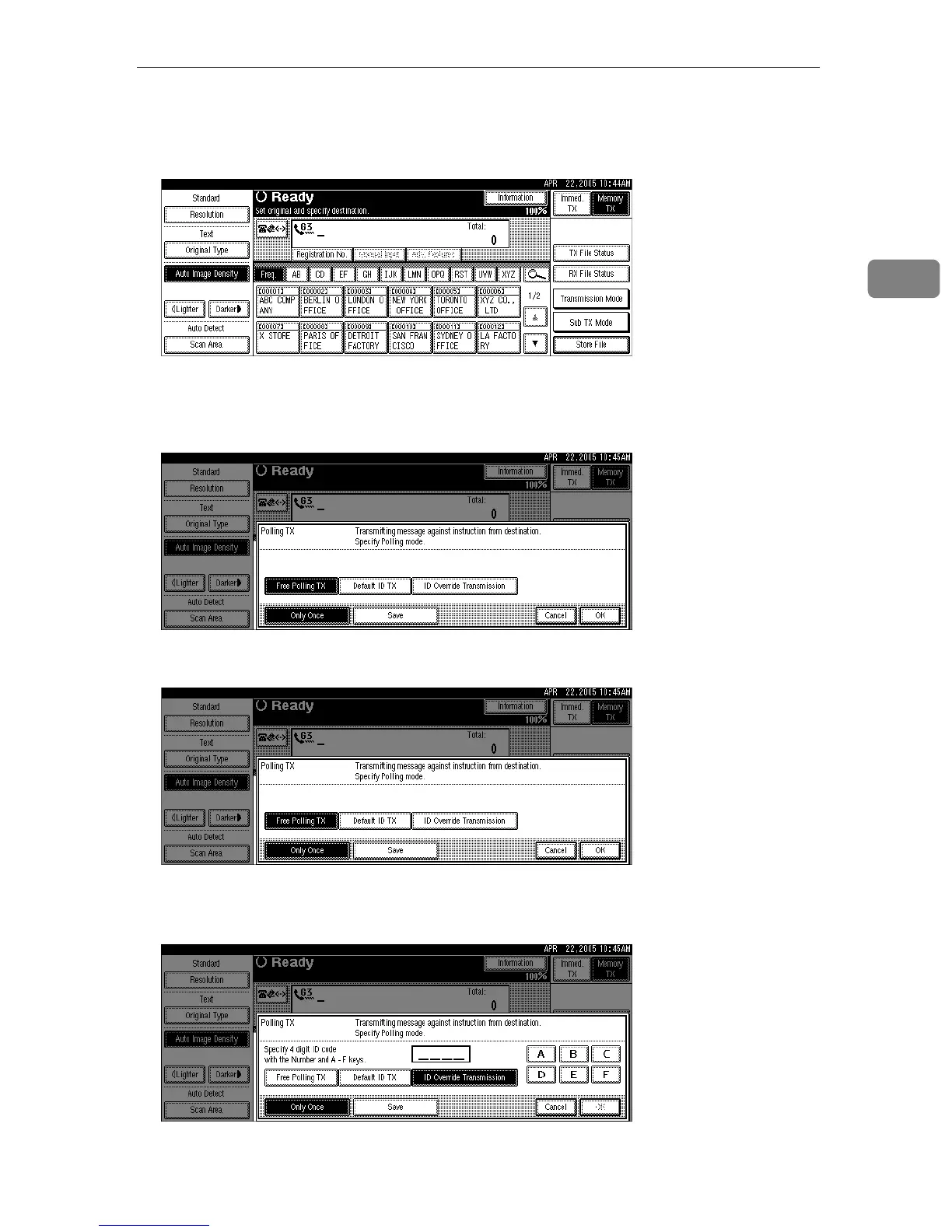
A Place the original, and then select the scan settings you require.
B Press [Transmission Mode].
C Press [Polling TX].
D To use Free Polling Transmission, check that [Free Polling TX] is selected.
E To use Default ID Transmission, select [Default ID TX].
F To use ID Override Transmission, select [ID Override Transmission], and then
specify a 4-digit ID using the number keys and [A], [B], [C], [D], [E], and [F].
If you make a mistake, press [Clear] or the {Clear/Stop} key, and then try again.











 To Next Page