Transmission
44
1
Acceptable Original Sizes
Note
❒ The weight range for originals in the Mixed Original Sizes mode is 52-81 g/m
2
,
13.8-21.5 lb.
Paper Size and Scanned Area
This section explains the size of the area the machine can scan and detect.
Note
❒ There may be a difference in the size of the image when it is printed at the destination.
❒ Even if an original is correctly placed on the exposure glass or in the ADF, a
margin of 3 mm (0.1") around each edge of the original may not be sent.
❒ If the receiver uses paper of a smaller width than the original, the image is re-
duced to fit that paper.
Reference
p.153 “Auto Reduce”
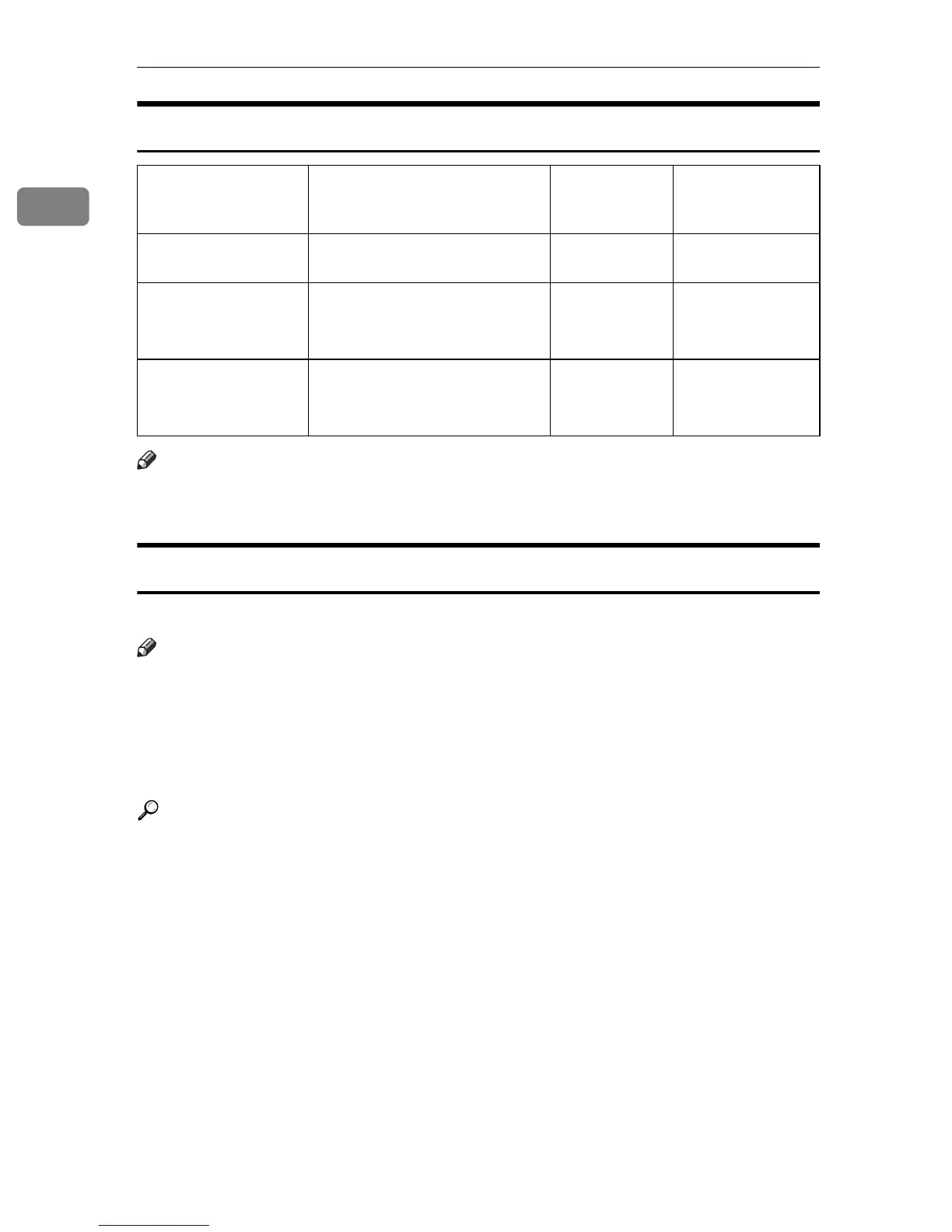
Where original is set Acceptable original size Maximum
number of
sheets
Paper thickness
Exposure glass Up to A3 (297 × 420 mm),
11" × 17" (279 × 432 mm)
1-
ADF,
one-sided document
B6 JIS KL to A3 L
(up to 1200 mm long)
5
1
/
2
" × 8
1
/
2
" KL to 11" × 17"L
80 sheets
(80 g/m
2
, 20 lb)
40-128 g/m
2
(11-34 lb)
ADF,
two-sided document
A5 KL to A3 L
(up to 432 mm long)
5
1
/
2
" × 8
1
/
2
" KL to 11" × 17"L
80 sheets
(80 g/m
2
, 20 lb)
52-105 g/m
2
(14-28 lb)











 To Next Page