Placing Originals
45
1
When placing an original on the exposure glass
Important
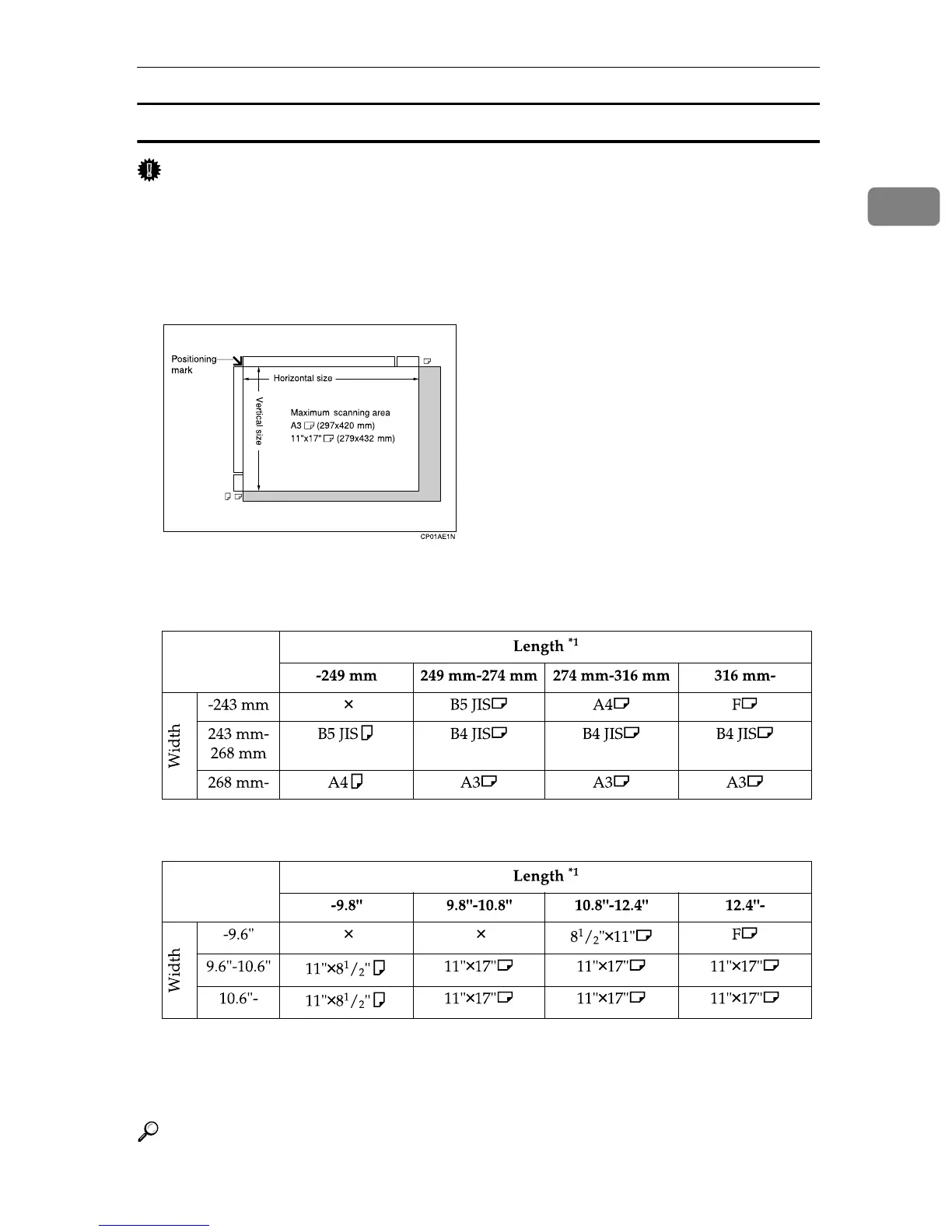
❒ If you place an original larger than A3, 11" × 17" on the exposure glass, only an A3,
11" × 17" area is scanned.
• Maximum scan area
The following shows the maximum scan area:
297 × 432 mm, 11" × 17" (W × L)
The machine detects paper sizes in the following ways:
❖ Metric Version
❖ Inch Version
× - Unable to auto detect
*1
Normally a length of about 420 mm (16.5") can be scanned; however, it is only
possible to specify a scanning size up to 432 mm (17").
Reference
p.38 “Setting a Scan Area”











 To Next Page