Changing/Confirming Communication Information
194
4
Changing the Transmission Time
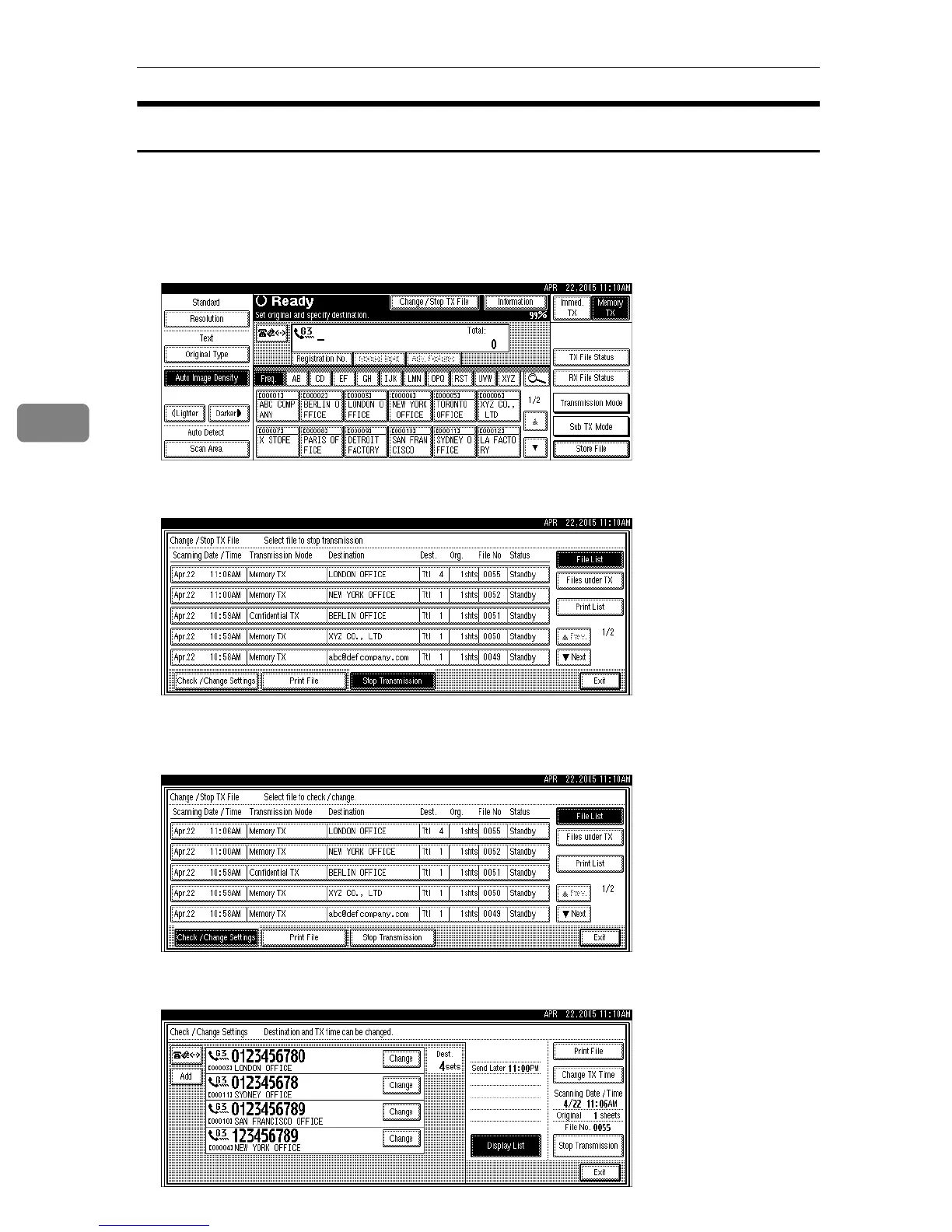
You can change the transmission time specified with Send Later.
You can also delete the transmission time. If the transmission time is deleted, the
file is transmitted immediately.
A Press [Change / Stop TX File].
B Press [Check / Change Settings].
C Select the file for which you want to change or cancel the transmission
time.
D Press [Change TX Time].











 To Next Page