Changing/Confirming Communication Information
200
4
Resending a File
Machine memory stores documents that could not be successfully transmitted
using Memory Transmission. Use this procedure to resend these documents.
Important
❒ Set “Store documents in memory that could not be transmitted” to “On” in
User Parameters (switch 24, bit 0) in the Facsimile Features menu.
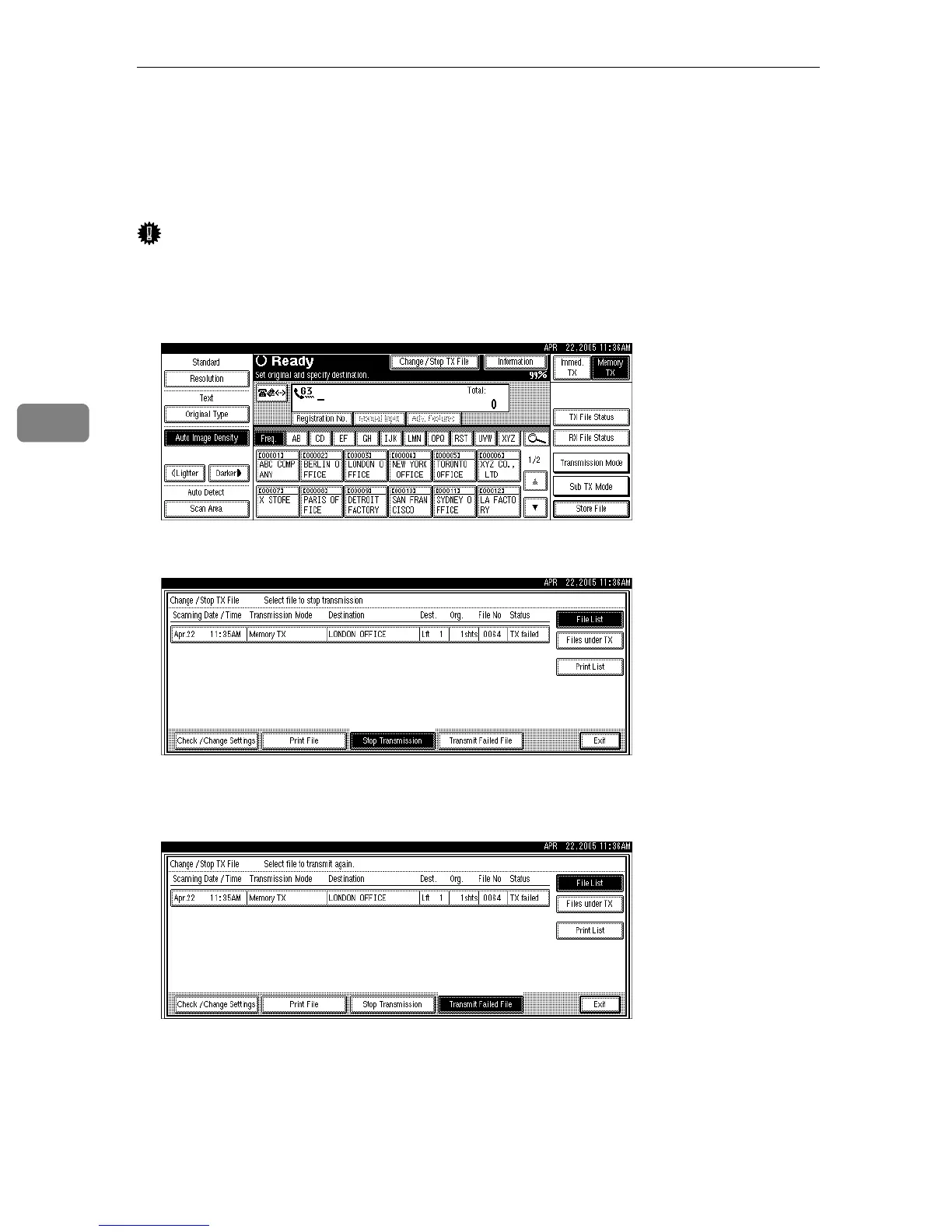
A Press [Change / Stop TX File].
B Press [Transmit Failed File].
C Select the file you want to resend.
“
TX failed” is displayed for files that could not be sent.
If multiple destinations were specified, only the name of the destination you
specify first and only the number of destinations that have not received the
document you sent are shown.
To add a destination, press [Add], and then specify the destination.











 To Next Page