Print Journal
213
4
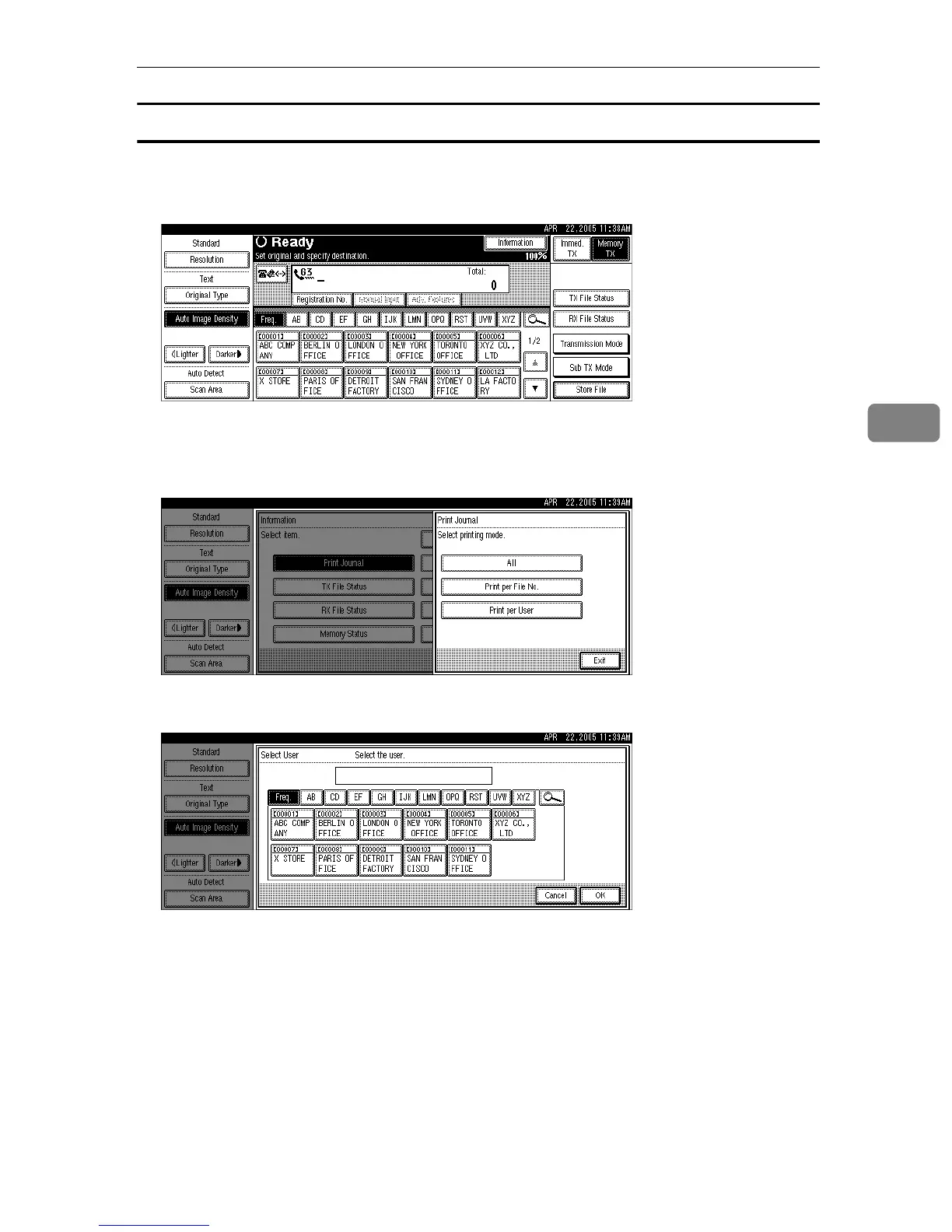
Print per User
Prints the results of communications by individual senders.
A Press [Information].
B Press [Print Journal].
C Select [Print per User].
D Select a user.
Press [Cancel] if the user is not registered. The display returns to that of step
C
.
Press [Clear] to return to the previous screen if a wrong user name is selected.
E Press [OK] after checking the user name shown on the display.
Press [Cancel] if a wrong user name is selected. The display returns to that of step
C
.
F Press the {Start} key.
To cancel a file printing, press [Stop Printing]. The display returns to that of step
C
.
G Press [Exit] twice.
The standby display appears.











 To Next Page