Storing a Document
240
5
Reference
p.240 “Programming a user name”
p.241 “Setting a file name”
p.241 “Setting a password”
p.248 “Changing Stored Document Information”
“System Settings”, General Settings Guide
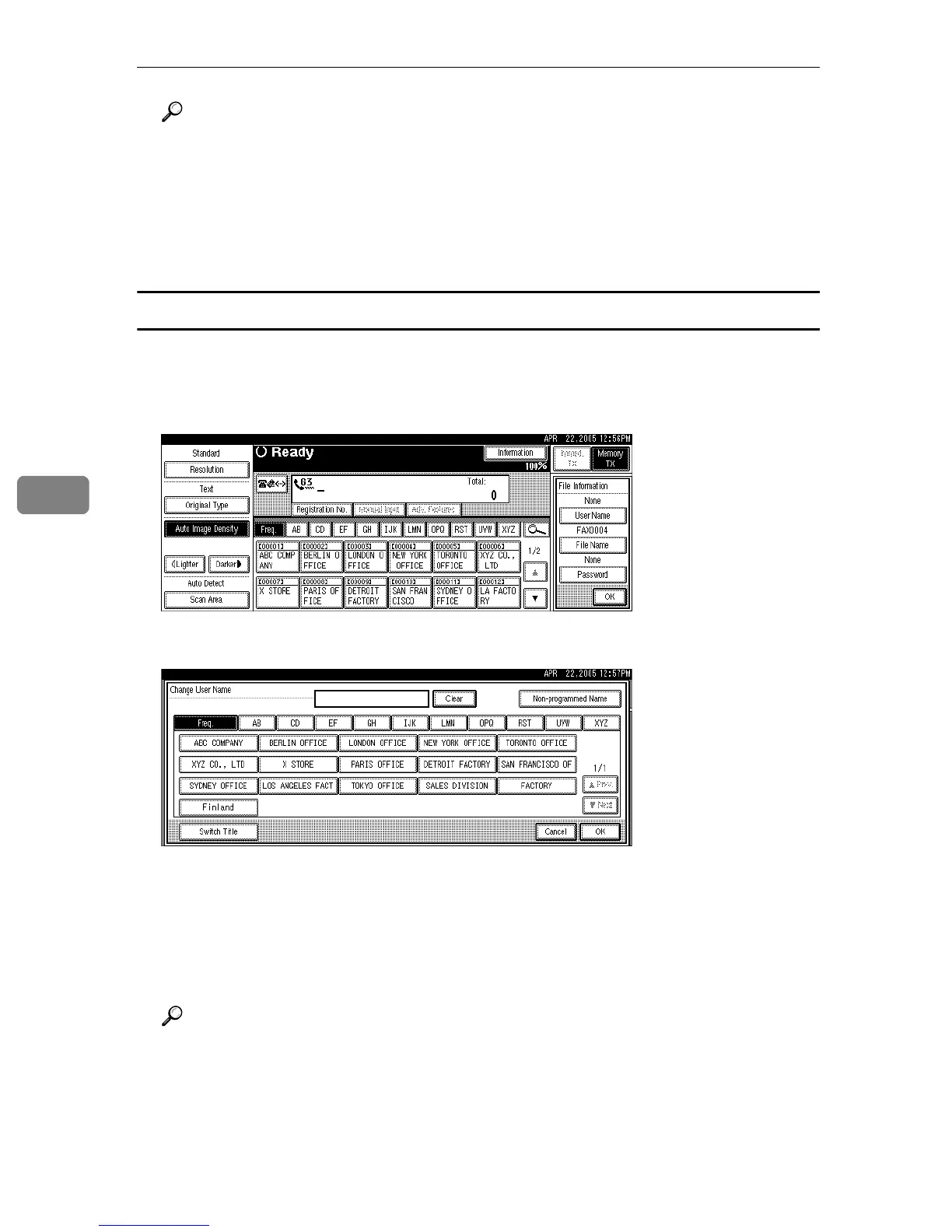
Programming a user name
Set a user name from those programmed in the user code. User code is pro-
grammed in System Settings.
A Press [User Name].
B Press the user name to be programmed, and then press [OK].
Press the title key to switch between titles.
To set a non-programmed user name, press [Non-programmed Name], and then
enter the name. User names entered by pressing [Non-programmed Name] are
not programmed into the user code.
C Press [OK].
Reference
“Entering Text”, About This Machine
“System Settings”, General Settings Guide





 To Next Page